Table of Content

What do AI agents for construction actually do with ERP data?
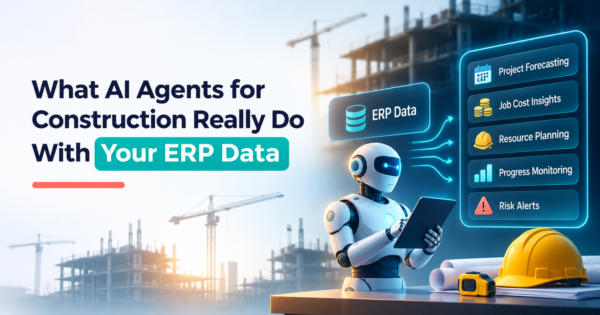
An AI agent for construction reads records in your ERP and connected project tools, works through a multi-step job such as chasing overdue RFIs, checking invoice coding or drafting a weekly report, and hands the result to a named person. It does the looking, matching and drafting. A person signs off on anything that moves money, changes a contract or affects safety.
TL;DR
- An AI agent is given a goal, chooses its own steps and uses tools such as ERP queries, document search and email drafts. A fixed automation follows steps you wrote, and a chatbot only answers what you ask.
- Six back-office jobs fit well: RFI chasing, submittal tracking, invoice and cost code checks, timecard exceptions, daily report summaries and change order logging.
- In every one of them the agent reads, matches, flags and drafts. It does not decide.
- A person signs off before anything leaves the company, posts to the ledger, changes a contract amount, releases a payment or involves a safety call.
- Project platforms build the same boundary into their own agents, so it is a norm and not a handicap.
- Start with one job, read-only access and one named reviewer. Your ERP stays the system of record.
- CommercePundit builds agents and ERP connections for contractors. The CMES case study shows a heavy civil contractor with read-only AI assistants on top of its ERP.
What an AI agent for construction is, and what it is not
An AI agent is software that takes a goal, decides the steps needed and uses tools to carry them out. Anthropic, which builds the Claude models, draws the line in its engineering write-up Building effective agents: a workflow follows paths that code defines in advance, while an agent directs its own process and tool use. In construction, the tools are your ERP, your project management platform, your document folders and email.
Three kinds of software get mixed up in vendor pages, so it helps to separate them.
| Kind | How it works | Example on your data | Main risk |
|---|---|---|---|
| Fixed automation | Follows steps you defined ahead of time | Every Monday, email the project manager a list of invoices over the remaining commitment | Breaks when the process changes and never adapts |
| Chatbot or assistant | Answers a question you type, from your records | “What is the committed cost on this job?” with the source shown | A wrong join or wrong period gives a confident wrong answer |
| Agent | Takes a goal, picks the steps and calls tools | Find RFIs past due, check which touch priced work, draft a reminder for each reviewer | A mistake in step two carries into steps three and four |
If you are still deciding which AI uses are worth trying at all, our guide to AI in construction ranks them by readiness on top of your ERP data. For the difference between a single agent and a wider agentic system, see AI agents vs agentic AI.
What an agent needs from your ERP
An agent is only as good as the records it can read. In a contractor’s ERP that means jobs, cost codes, budgets, commitments, change events, vendors, timecards and billings. The agent also reads project tools that hold RFIs, submittals and daily logs, and it needs five things to do that safely:
- Read access through approved views. Use the ERP’s API, governed database views or scheduled exports, not open access to the database.
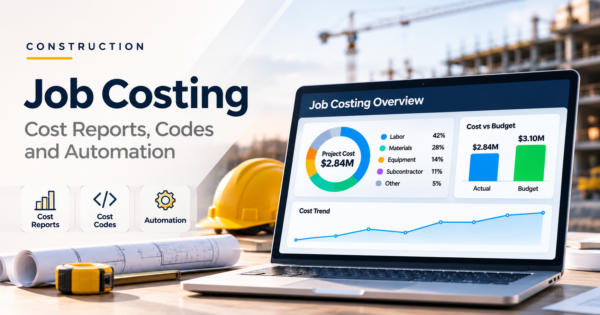
- Clean cost codes and job IDs. An agent reads a bad code as convincingly as a good one. The definitions in our guide to construction job costing are worth settling first.
- A service account with role-based permissions. The agent should see what the person it works for is allowed to see, and nothing more.
- An activity log. Every read, flag and draft is recorded, so a reviewer can trace why the agent said what it said.
- A test copy of the data. Anthropic recommends extensive testing in sandboxed environments with guardrails, because an agent’s freedom makes errors compound across steps.
Not sure your data is ready? Our AI readiness assessment guide shows how to check it before you build anything.
Six jobs an AI agent can run on your construction data
These jobs share three traits: the data already exists in your systems, a person can check the output quickly, and a wrong answer is cheap to catch. The table shows what each agent reads, what it does alone and where a person signs.
| Job | Reads | What the agent does on its own | Where a person signs off |
|---|---|---|---|
| RFI chasing | RFI log, due dates, reviewers, spec sections, cost codes of the affected work | Lists RFIs past due, groups them by reviewer, drafts reminders and notes which open RFIs touch priced or ordered work | The project manager sends anything outside the company. The design team owns the answer |
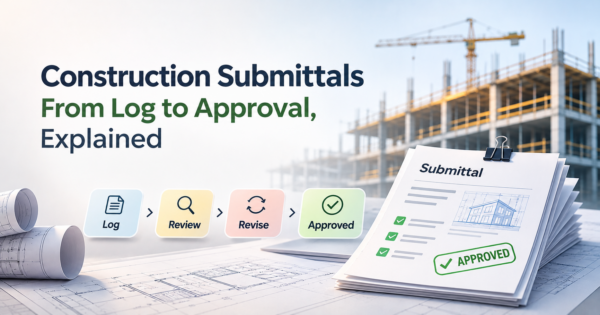
| Submittal tracking | Submittal log, spec sections, required dates, procurement lead times | Matches received submittals to the spec, flags missing items and late reviews, drafts transmittal notes | The reviewing design professional approves. The agent never marks a submittal approved |
| Invoice and cost code checks | Invoices, subcontracts, purchase orders, cost code list, vendor records | Suggests a cost code, flags an invoice above the remaining commitment, flags possible duplicates, queues exceptions | Accounts payable or the project manager approves coding and payment. The agent never releases funds |
| Timecard exceptions | Timecards, job and phase fields, crew rosters | Finds missing timecards, impossible hours and wrong job codes, then asks the foreman to correct them | Payroll approves and posts. The agent never edits hours itself |
| Daily report and progress summaries | Daily logs, job cost, schedule updates | Drafts a summary of cost movement, open items and delays for each job | The project manager reads, corrects and sends it to the owner |
| Change order logging | Change events, proposal requests, signed change orders, contract value in the ERP | Drafts log entries and checks that each approved change reached the revised contract value and commitments | An authorized signer prices and signs. Accounting posts the change |
RFI chasing
Late RFIs hold up work, and tracking them is mostly chasing. An agent can read the log every morning, find the ones past due and draft a reminder per reviewer. Because it also reads cost codes, it can tell you which late answers touch work you have already priced or ordered. Our guide to RFIs in construction covers what a complete request contains.
Submittal tracking
Submittals fail quietly: a missing item or a slow review shows up as a late delivery. The agent compares what has arrived with what the spec requires and flags gaps early. Approval stays with the design professional. See construction submittals for the process the agent follows.
Invoice and cost code checks
This is the job where ERP data matters most. The agent reads the invoice, finds the matching commitment and suggests a cost code. It flags an invoice that would push a commitment over its limit, or one that looks like a duplicate. A person works the exception queue. The same logic is covered in accounts payable automation.
Timecard exceptions
Hours that arrive wrong cost more to fix after payroll than before it. The agent checks each timecard against the job, phase and equipment fields, then messages the foreman about the ones that fail. Connecting field time to the ERP is the first build for many contractors, and connecting field time data to your ERP walks through it.
Daily report and progress summaries
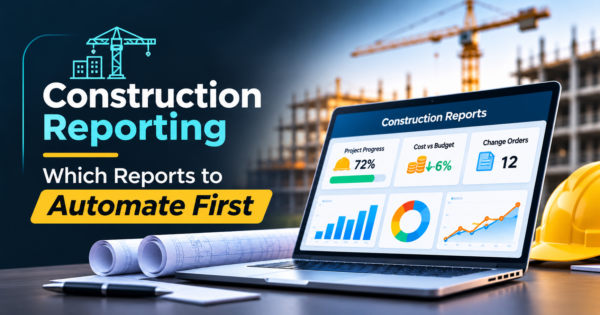
Writing the weekly summary means pulling cost, schedule and notes from different places. The agent assembles the draft and cites where each number came from, so the project manager can check it before it goes out. Our guide to construction reporting shows which reports to automate first.
Change order logging
Money often slips after a change is approved, when the amount never reaches the revised contract value or the next pay application. The agent drafts the log entry and checks that each approved change appears in the ERP, in the commitments and in billing. Pricing and signing stay with people, as explained in who pays for construction change orders and how to log them.
Where a person signs off
Rather than judging every task separately, use one rule. An agent may read records, match them, flag problems, draft documents and notify people inside your company. A person must approve before anything leaves the company, enters the ledger, changes a contract term or amount, releases a payment or involves a safety judgment.
| Level | What the agent may do | Examples |
|---|---|---|
| Agent alone | Read, match, flag, summarize, notify internal people | Listing overdue RFIs, flagging a duplicate invoice, finding a missing timecard |
| Agent drafts, person approves | Prepare an output that a named person reviews before it is used | A reminder to a design firm, a suggested cost code, a weekly report, a change order log entry |
| Person only | Decide, sign or release | Approving a change order, releasing a payment, accepting a submittal, setting a bid price, any safety determination |
The same boundary appears in the guidance and the products around you. The NIST AI Risk Management Framework says human roles and responsibilities for overseeing AI systems need to be clearly defined and differentiated, and that human and AI configurations range from fully autonomous to fully manual (see NIST AI RMF, Appendix C). You choose the setting for each job. Procore, a project platform vendor, describes its own agents the same way on its AI agent library page: they gather data, cross-reference and draft, but do not make final decisions on their own, and users approve each RFI draft, submittal review and daily log.
Three habits make the rule real:
- One named owner per agent. A role and a person, not a team, so someone is accountable when it errs.
- Recorded approvals. Each sign-off carries a name and a time, so you can see who accepted what.
- A stop rule. When the agent is unsure, or an amount exceeds a limit you set, it stops and asks instead of guessing.
Approval rules, logs and ownership do not need a large committee. Our AI governance framework guide shows a lightweight version.
Buy inside your platform or build on your ERP
Project platforms now ship agents for their own data. As of November 25, 2026, Procore’s agent library lists agents for RFIs, submittals, daily logs and change analysis, among others. If your RFIs, submittals and logs all live in one platform and the job stays inside it, start there.
The gap shows up when a job crosses systems. Comparing an invoice with a commitment needs the ERP. Comparing field hours with equipment hours needs the field system and telematics. No single platform agent reads all of them. That is where a custom layer on top of your ERP earns its place, as we describe in construction automation without replacing your ERP. If you are weighing a build against another subscription, custom construction software versus another subscription fee compares the cost and risk, and AI agent frameworks compares the tools builders use.
A heavy civil contractor in Georgia is a practical example. It kept job cost in its ERP, field hours in a field system, equipment usage in telematics and people data in an HR system, so answering a basic question meant pulling from eight sources. CommercePundit built an operations portal that connects them, left the ERP as the system of record and added three AI assistants that answer from the company’s own records and show their sources. The assistants have read-only access, role-based permissions and activity logging, and the work was delivered in phases over nine months. The details are in the CMES case study.
If you want agents like this connected to your own ERP, our agentic AI development services and AI integration services cover the build.
How to start with one agent
- Pick one job from the table. Choose the one that costs your team real hours and is easy to check, such as overdue RFIs or invoice exceptions.
- Name the reviewer. One person owns the output and signs off on it.
- Start read-only. The agent produces a list or a draft, and nothing is sent or posted.
- Run it on one project. Compare the agent’s output with what the reviewer would have done, and write down every disagreement.
- Widen one step at a time. Allow drafts to reach the reviewer’s inbox first, then internal notices, and keep outside messages and ledger entries with people.
- Decide on evidence. Keep, change or stop the agent based on the disagreements you recorded.
Our guide to scoping an AI proof of concept shows how to set it up so it ends in a clear decision.
Frequently Asked Questions
What are AI agents for construction?
AI agents for construction are software systems that read your project and ERP records, work through a multi-step task on their own and hand the result to a person. Examples include chasing overdue RFIs, checking invoices against commitments and drafting a weekly report. They do the looking, matching and drafting, and a person approves what matters.
How is an AI agent different from a chatbot or an automation?
A fixed automation follows steps you wrote in advance. A chatbot answers the question you type. An agent is given a goal, picks its own steps and uses tools such as ERP queries, document search and email drafts to reach it. That freedom is what makes it useful, and it is why limits and a human approval point matter more.
What can an AI agent do with my ERP data?
It can read jobs, cost codes, commitments, change events and timecards, compare them with documents and logs from your project tools, and then flag exceptions, suggest codes, draft reports and log changes. It should do this through approved read access, while the ERP stays your system of record.
Can an AI agent approve change orders or pay invoices?
It should not. Approving a change order commits your company to a price and a schedule, and releasing a payment moves money. Both need a named person. The agent can check whether an approved change reached your contract value and commitments, and it can queue an invoice exception, but a person signs. Our guide to construction change orders covers who signs what.
Do I need to replace my ERP to use AI agents?
No. Agents read from the ERP through its API, governed database views or scheduled exports, and the ERP remains the system of record. Start with read-only access so a mistake in the agent cannot change a ledger entry.
Should I buy my project platform’s agents or build my own?
Use the platform’s agents when the job lives entirely inside that platform, such as RFIs or daily logs. Build your own when the job crosses systems, such as comparing invoices in the ERP with field hours in another tool. Many contractors end up with both.
How do I keep an AI agent from making costly mistakes?
Give it read-only access first, limit what it can send, log every action and make a named person approve anything that leaves the company, posts to the ledger, changes a contract or involves safety. Test on a copy of your data before it touches a live project.
Where should a contractor start with AI agents?
Start with one job that costs your team real hours and is easy to check, such as overdue RFIs, invoice exceptions or timecard errors. Run it read-only on one project with one reviewer, compare its output with the reviewer’s own work, and widen only after the results hold up.
Bottom Line
AI agents for construction earn their keep by doing the looking, matching and drafting that eat your project managers’ and accountants’ time: late RFIs, missing submittals, invoice exceptions, bad timecards, weekly reports and unlogged change orders. They read your ERP data, and your ERP stays the system of record. A person signs anything that leaves the company, hits the ledger, changes a contract or releases money. Start with one job, read-only, with one named reviewer. CommercePundit builds these agents and connects them to the ERPs contractors already run, and you can contact us or review the CMES case study first.