Table of Content

How do you connect Procore to your ERP without replacing anything?
Start with the connector Procore already offers for your ERP, since its ERP Integrations page lists Vista, Spectrum, NetSuite, Sage and others. If your ERP is not covered, or you need data the connector does not move, use middleware or build on the Procore API. In every case your ERP stays the accounting system of record.
TL;DR
- A Procore integration comes in three practical forms: a Procore-built ERP connector, middleware that moves data between apps, or a custom build on the Procore API. Replacing your ERP is a fourth option that a sync problem almost never needs.
- For Viewpoint Vista, Procore documents a connector that syncs once an hour by default, on a schedule you cannot change. Compliance documents on subcontracts come across every four hours.
- The Vista connector does not support custom WBS segments, and new cost codes must be created in the ERP, not in Procore. Check each limit against how your jobs are actually coded.
- Middleware such as Zapier and MuleSoft appears on Procore’s own integrations list. It suits workflow glue, not the financial sync that job cost reporting depends on.
- Build custom when data from several systems has to combine, or when no connector fits. Procore’s support site says you can build a custom integration or hire a third party to build one.
- Whoever builds it, ask which authorization flow the integration uses, who owns the field mapping, and who gets the alert when a sync fails.
- CommercePundit builds the connect-don’t-replace layer. In the CMES case study, Vista stayed the core ERP while a portal and AI assistants pulled from eight sources.
What does a Procore integration actually connect?
A Procore integration moves data between Procore and another system so nobody types the same number twice. Procore’s support site explains that its application programming interface (API) lets other software integrate with Procore, that many integrations are available through the Procore Marketplace, and that you can also build a custom integration or hire a third-party developer to build one (Procore Support, read November 23, 2026). That one sentence is the whole decision in miniature: buy something that exists, or build something that fits.
Most contractors who search for a Procore integration are really asking about the accounting side. Field teams live in Procore. Accounting lives in an ERP. The gap between them is where double entry, late cost data and arguments about whose number is right come from. Procore’s own 2021 announcement of its ERP Connector platform cited a 2020 industry report finding that over half of companies still relied on spreadsheets to manage ERP workflows. The tools have improved since then. The habit of re-keying has not disappeared.
Procore’s ERP Integrations page, read November 23, 2026, lists 15 connector entries. They include Viewpoint Vista, Viewpoint Spectrum, NetSuite, Sage 300 CRE, Sage 100 Contractor, Sage Intacct, Acumatica, CMiC, QuickBooks Desktop and Online, Yardi Voyager, MRI Platform X, Workday and Xero. If your ERP is on that list, you have a starting point that does not require a build. If it is not, the next sections show where you go instead.
Procore Vista and Viewpoint integration: what the connector syncs and where it stops
A Viewpoint integration for Procore usually means the Vista connector, and it is a common question from heavy civil and specialty contractors. Procore documents it as a connector between Procore Project Financials and Vista that removes double entry and gives the field a synchronized view of the latest financial data. Vista is now sold by Trimble, which is why you will see it written as Trimble Construction One (Vista) on newer pages.
According to Procore’s data mapping for the connector, the data that moves includes projects and jobs, vendors and companies, standard cost codes and cost types, budgets, commitments and commitment change orders, job costs, prime contracts and prime contract change orders, and subcontractor invoices. Some items import from Vista into Procore, some export from Procore into Vista, and a few go both ways, so read the mapping page for your exact case instead of assuming a field is two-way.
Three details from Procore’s Things to Know page for the connector decide whether it fits your jobs:
- Sync runs hourly. Automatic synchronization happens once every hour by default, and the auto-sync schedule cannot be changed. If your project managers expect cost data to appear the minute accounting posts it, they will wait up to an hour.
- Cost codes start in the ERP. Project-level cost codes come from the company standard list, and new cost codes must be created in your ERP system, not in Procore.
- Custom WBS segments are not supported. If your work breakdown structure relies on custom segments, the connector will not carry them.
There is also a version question. Procore says its new Vista connector, powered by Trimble’s App Xchange platform, adds features over the legacy connector, including syncing companies with international addresses and importing selected Vista cost types. An older generation of the connector was built with a partner, Ryvit. Ask which one your company runs before you read any documentation, because the two do not behave identically.
None of this is a flaw. A connector is built for the typical case, and these limits are the price of that. They only become a problem when your job coding is not typical, which is exactly when a build or a middleware layer starts to earn its place.
Buy, connect or build: how to choose
The right way to connect Procore to ERP software depends on three questions. Is your ERP covered by a connector? Does that connector move the data your reports need? Do you also need data from tools that Procore does not touch, such as payroll, fleet or bidding systems? The table maps each answer to an option. It reflects our experience and the vendor pages we read, not a test of each product, and it carries no prices because those depend on your scope and your vendor contracts.
| Option | What it is | Fits when | Watch for |
|---|---|---|---|
| Buy a connector | A Procore-built ERP connector or a Marketplace app, installed and configured for your company | Your ERP is on Procore’s list and the data it moves matches what your reports need | Fixed behavior: hourly sync on Vista, no custom WBS segments, cost codes created in the ERP |
| Connect with middleware | A tool such as Zapier or MuleSoft that passes data between Procore and other apps | Workflow glue: alerts, record creation, spreadsheet feeds, a tool that has no connector | Not a substitute for financial sync. Someone must own failures and retries |
| Build on the Procore API | A purpose-built integration that reads and writes Procore data through its API | Several systems must combine, your mappings or approvals differ from the connector, or no connector exists | You own it: monitoring, security review and any change Procore makes to its API |
| Replace the ERP | Move accounting to a system Procore already connects to | Your ERP is genuinely at end of life, not just awkward to connect | The largest cost and risk, and rarely the right answer to a sync problem |
If you are weighing how much to automate on top of the systems you keep, our guide to construction automation without replacing your ERP covers the wider picture. This post owns the narrower question of how Procore specifically connects to it.
When a ready-made connector is enough
A ready-made connector is enough when your ERP is supported, your cost codes follow the standard structure, and an hourly sync is fast enough for how your team works. Contractors who run a mainstream ERP and use Procore Project Financials often land here, and the connector is usually the simplest route to a working sync because Procore built and maintains it.
Before you commit, test the connector against three real jobs, not a demo. Pick one with change orders, one with a split of vendors and one where a cost code was added mid-project. Then compare what the connector shows against what your accounting report shows. If the numbers agree, you are done. If they do not, you have found the gap that justifies a different option, and you found it before go-live.
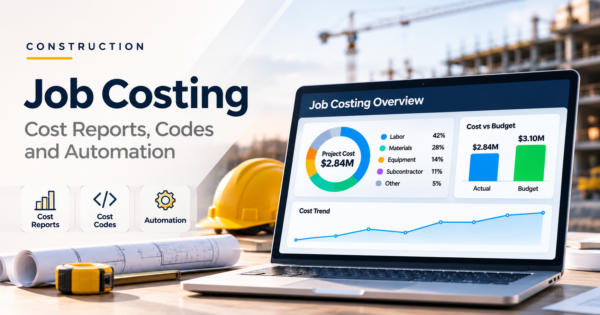
Job cost reporting is the usual test. If your project managers need reliable committed and actual cost, our guide to construction job cost reports shows what the report has to contain, and therefore what the sync has to deliver. Work in progress is the other report that breaks first when cost data arrives late, and our construction WIP report guide lists the fields the sync must supply.
When middleware fits, and when it does not
Middleware fits workflow problems and misfits accounting problems. Procore’s own integrations page lists Zapier and MuleSoft alongside Google Sheets, Microsoft Project, Smartsheet and Oracle Primavera, which tells you Procore expects these tools to carry some of the load. A Zapier-style automation can create a Procore record when a deal closes in your CRM, post an alert when a submittal changes status, or feed a spreadsheet your owner reviews every Monday.
It is a poor fit for moving money data. Budgets, commitments and actual costs need validation, an audit trail and a clear owner when a record fails, and a low-code flow built for convenience rarely has those. If you notice a flow that quietly drops records when a field is empty, you are using the wrong layer for the job. Put financial sync on a connector or a proper build, and keep middleware for the work around it.
When to build on the Procore API
Build on the Procore API when a connector cannot do what you need, or when the data you want to combine lives in more than one place. Procore’s support site describes two authorization flows an integration can use. In the first, the app acts for a specific signed-in user and sees only what that user can see in Procore. In the second, the app uses a developer-managed service account, which appears as a user in your Procore Directory and holds the same permissions no matter who is using the app. Procore notes the second flow is common for apps that sync data continuously. Ask any builder which flow they would use and why, because the answer shows whether they thought about permissions.
A custom build earns its cost in three situations. The first is a mapping the connector cannot express, such as custom WBS segments. The second is a single view that joins Procore with systems that have no connector, for example field time, equipment telematics or bid data. The third is logic around the sync, such as approval rules or exception reports that run before data posts. If you are in one of those, our enterprise software development team builds this layer on top of the systems you already run.
A build is also a commitment. Someone has to monitor it, keep credentials safe and update it when an API changes. Ask for a written list of what you inherit at handover: the code, the field map, the alert rules and the runbook for a failed sync. If a partner cannot hand you that list, you have bought a dependency, not an integration.
How to connect Procore to ERP software without replacing it
You can connect Procore to your ERP in a controlled way by treating it as a data project first and a technology project second. This sequence is our recommendation, not a vendor procedure.
- List the questions the integration must answer. Job cost to date, committed cost, approved change orders, billing and work in progress are typical, and our guide to construction reports worth automating helps you rank them. Every field you sync must serve one of these.
- Decide which system owns each record. The ERP normally owns vendors, cost codes and actual cost. Procore normally owns field documents and workflows. Write the rule down so two systems never fight over one value.
- Check the documented limits against your coding. For Vista, that means the hourly schedule, the cost-code rule and the missing custom WBS segments. Mark each one as fine, workable or blocking.
- Map the fields and name an owner for the map. One person in accounting and one in operations should sign it. Unowned maps drift.
- Pilot on one active job. Choose a job with change orders and several vendors. Run it for a full billing cycle.
- Reconcile against the ERP report every week for the first month. A difference between the two systems is the signal to fix, not to explain away.
- Plan for failure. Decide who is alerted when a sync fails, how a failed record is retried, and how you know nothing was lost.
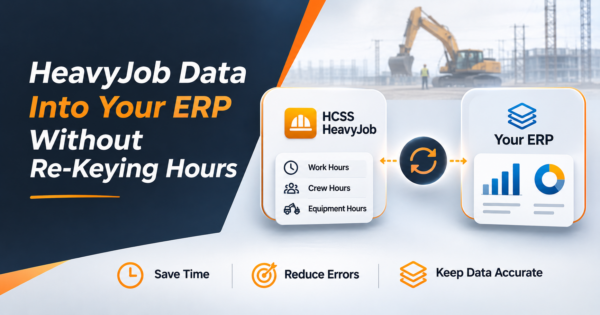
If your crews also record time in a tool such as HCSS HeavyJob, that data needs its own path into the ERP. Our guide to connecting HeavyJob data to your ERP covers the same keep-the-system approach for field hours.
A real example of connecting instead of replacing
CMES Inc., a heavy civil and highway contractor in Georgia, is a useful example of the keep-the-ERP approach, with one important caveat: its stack is Trimble Construction One (Vista) and HCSS products, not Procore. According to the CMES case study, its data sat across eight sources, including the ERP, HeavyJob, HeavyBid, telematics, equipment, safety, HR and Excel. Trimble Construction One (Vista) remained the core ERP, and Commerce Pundit built an operations portal and three AI assistants on top of the systems CMES already used. The case study reports about 70 percent faster operational reporting and more than 3,000 hours saved through automation, as the client page states them.
The lesson carries over to a Procore setup. The question to ask is rarely which system to rip out. It is which connections are missing between the systems you have, and which of the three options closes each gap at the lowest risk. Once the connections exist, the same data can feed AI tools, and our guide to AI in construction covers what works today on top of your own ERP data.
What to check before you sign anything
- Which connector generation you are on. New and legacy Vista connectors differ, and the documentation for one can mislead you about the other.
- Direction of each field. Import only, export only or both. Never assume a field is two-way.
- Permissions. Which authorization flow the integration uses, and whether your Procore administrator approved the permissions it asks for.
- Failure handling. An alert, a retry rule and a named person.
- Handover. The code, the field map and the runbook, in writing.
- Cost beyond the build. Licenses, middleware subscriptions and the hours your own team spends. We quote no prices here because they depend on your vendors and your scope.
Frequently Asked Questions
What is ERP integration in Procore?
ERP integration in Procore is a connection between Procore and your accounting system so cost data moves between them without re-keying. Procore’s ERP Integrations tool supports connectors for systems such as Viewpoint Vista, NetSuite and Sage. The connector syncs items such as commitments, budgets and job costs, and the exact list depends on the ERP.
What is ERP and API integration?
An ERP integration connects your accounting system to another application, and an API integration uses a published interface to read and write data in a system. With Procore, the two overlap: a connector is built on the API, and a custom integration calls the Procore API directly. Choose a connector for the standard case and a custom build for a case it does not cover.
How many integrations does Procore have?
Procore does not publish one simple count that we could verify. Its ERP Integrations page, read on November 23, 2026, lists 15 connector entries for accounting systems, and its integrations list adds tools for scheduling, documents, collaboration and sign-in. Check the Procore Marketplace for the current number of apps.
Is Procore considered an ERP system?
Procore describes itself as construction management software, not an ERP. Your ERP holds the general ledger, accounts payable and payroll, and Procore holds field workflows and project documents. Procore’s ERP integrations exist to keep the two in step, so contractors can run both.
Can Procore connect to Viewpoint Vista?
Yes. Procore documents a Vista connector for its Project Financials product. It syncs data such as commitments, budgets, job costs and prime contracts, runs once an hour by default and does not support custom WBS segments. Confirm which connector generation your company uses before you plan around the documentation.
How often does Procore sync with Vista?
By default, once every hour, and Procore states the auto-sync schedule cannot be changed. Compliance documents for subcontracts are imported from Vista every four hours. If your team needs near real-time cost data, that is a reason to test the connector against your reporting needs first.
Can you build a custom Procore integration?
Yes. Procore’s support site says you can build a custom integration or hire a third-party developer to build one. Choose an authorization flow, either user-based or a developer-managed service account, and make sure the builder hands over the code, the field map and a plan for failed syncs.
Does Procore work with Zapier?
Yes. Zapier appears on Procore’s own integrations list, along with MuleSoft. Zapier suits workflow automation such as alerts and record creation. We do not recommend it as the layer that moves budgets, commitments or actual costs, because that data needs validation and a clear owner for failures.
How does a Procore integration access my company’s data?
Through one of two authorization flows, per Procore’s support site. An authorization code app acts for a signed-in user and sees only what that user can see. A developer-managed service account app appears as a user in your Directory and has the same permissions for everyone. Procore administrators are notified of the permissions a service account app requires and can approve or deny the install.
Bottom Line
Decide whether to buy, connect or build by checking your ERP against Procore’s connector list, testing the documented limits against your cost coding, and asking what other systems must join the sync. Use a ready connector when it fits, middleware for workflow glue and a custom build when your data or rules do not fit either. Do not replace the ERP to fix a sync problem. If you want a second opinion before you commit, our AI and API integration team can review your cost coding and tell you which option your jobs need.