Table of Content

What is the best CRM for small business use?
The best CRM for small business teams is the one people open every day, that connects to email, calendar and accounting tools, and that lets you export your data if you leave. Choose in this order: data, integrations, exit rights, real yearly cost, then features. A free CRM plan is a fine start if you check its limits first.
TL;DR
- Most small business CRM projects fail on adoption and data, not on features. A tool nobody updates is a more expensive spreadsheet.
- You may not need a CRM yet. A shared inbox and one clean spreadsheet works until follow-ups start slipping or two people contact the same customer.
- Decide in this order: what data you have, what the tool must connect to, who owns the data on exit, the total yearly cost, then features.
- HubSpot’s pricing page says its free CRM is free for up to 2 users, and Zoho’s says its free edition supports up to 3 users (both pages read on November 18, 2026). Neither page lists every limit, so ask before you commit.
- Budget for the whole first year: seats, setup, data cleanup and the integrations that make the CRM useful. A worked example below shows how to add it up.
- Test two finalists for two weeks with your own deals before you sign. Ten vendor questions in this guide cover what a demo hides.
- This guide helps you choose. For a platform-by-platform comparison, see our comparison of the best CRM software platforms.
Do you need a CRM yet?
A customer relationship management (CRM) system earns its cost when remembering things by hand starts to fail. That moment is easy to recognize. Follow-ups slip because the only reminder is someone’s memory. Two people email the same lead because neither could see the other’s thread. A salesperson leaves and takes the history of every open deal with them. You cannot say how many leads you have, where they came from or how many turned into customers.
If none of that sounds familiar, you may not need one yet. People ask whether Gmail, Google’s email service, can be a CRM, and for a very small team the honest answer is partly yes. A shared inbox with labels, a calendar and one spreadsheet that holds name, company, last contact, next step and deal value will carry a one-person or two-person business a long way. The cost of that setup is discipline. The spreadsheet only works while one person keeps it clean, and it falls apart when a second and third person start editing it.
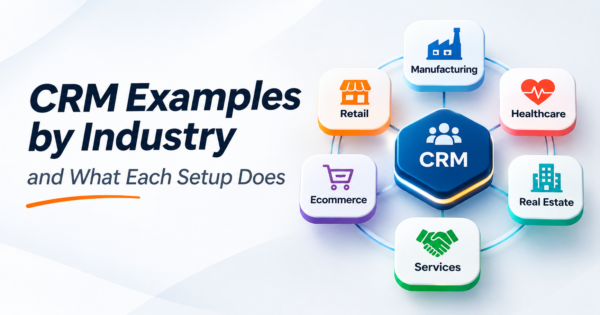
Move when the spreadsheet starts costing you deals, not when a vendor tells you that you have outgrown it. If you want to see how different kinds of businesses set theirs up, our CRM examples by industry show what a working setup actually contains.
What a CRM for a small business has to do
Strip away the marketing and a CRM system does four jobs. It keeps one record per person and company, with every email, call and note attached. It tracks deals through stages so you can see what is likely to close. It reminds people to follow up. And it reports what happened: leads by source, deals won and lost, time spent in each stage.
You will see CRMs described as operational, analytical and collaborative. Operational tools run the daily sales, marketing and service work. Analytical tools report on the data. Collaborative tools share customer information across teams. Some lists add a fourth type for campaign management. For a small business the labels matter less than the fact that nearly every product today mixes them, so decide by the job you need done in the next year.
The features that matter for a small team are modest: contact and company records, a visual pipeline, tasks and reminders, email and calendar sync, a mobile app if anyone works in the field, simple automation for follow-ups, and basic reports. Anything beyond that is worth paying for only if you can name who will use it next quarter.
How to choose a CRM for small business teams in five steps
Choose a CRM in this order: your data, your integrations, who owns the exit, the total yearly cost, then features. Searching for the best CRM for small business turns up long product lists and feature grids, but a long feature list tells you what a tool can do and nothing about whether your business can run it. Use this sequence instead.
1. Your data
Before you open a single demo, look at what you already have. How many contacts are there and where do they live: a spreadsheet, a phone, an email account, an accounting tool? How many are duplicates? How many have an email address? A product that handles a clean list of 500 people well may struggle with 8,000 messy rows, and migration is where most of the first-month cost hides. If your data is in poor shape, plan for cleanup before the import, not after. Our guide to data migration tools covers the options when you move records between systems.
2. Integrations
A CRM that cannot talk to your other tools becomes a second place to type everything. Write down the systems it must connect to: email and calendar, your website forms, your accounting software, your phone system and, if you sell online, your store. For each one, find out whether the connection is built in, needs a third-party connector or needs custom work, and whether it works in both directions. “Integrates with QuickBooks” can mean a live two-way sync or a monthly export, so ask for the detail. If accounting is the connection that matters most, our guide to QuickBooks alternatives helps you decide what sits on the other side. Companies that run both a CRM and an ERP should read our CRM and ERP integration guide, which covers the methods and the cost.
3. Ownership and exit
Ask who owns the data, how you export it and in what format. Can you download every contact, note, deal and attachment, not just a contact list? Is there a fee? How long after you cancel does the vendor keep your data? It costs nothing to ask before you sign, and you cannot ask after you leave.
4. Total cost
Price per seat is the smallest number on the invoice. The worked example below shows the whole first year.
5. Features
Last, check that the tool does what you need: the pipeline stages fit how you sell, you can add custom fields, reports show what you track and automation can send a follow-up. If a product fails an earlier test, no feature compensates.
Free CRM or paid: where the limits are
A free CRM is a legitimate way to start, and several vendors offer one. HubSpot’s pricing page states its free CRM is free for up to 2 users with no credit card required. Zoho’s pricing page says its CRM is free forever for 3 users. Both statements were read on November 18, 2026, and vendor plans change, so confirm them on the vendor’s page before you decide. Salesforce describes its Starter Suite as built for small businesses, with a 30-day free trial that needs no credit card, and says you pay for the seats you need (Salesforce small business CRM page, read November 18, 2026).
| Product | Free option as stated by the vendor | Source and date read |
|---|---|---|
| HubSpot CRM | Free for up to 2 users, no credit card required | HubSpot pricing page, November 18, 2026 |
| Zoho CRM | Free forever for 3 users | Zoho CRM pricing page, November 18, 2026 |
| Salesforce Starter Suite | 30-day free trial, no credit card (not a free plan) | Salesforce small business CRM page, November 18, 2026 |
What the free tiers do not make obvious is where the limits are. The pages we read did not spell out contact caps, automation limits, reporting depth or support access for the free plans. Those limits decide when you pay. Before you commit, write down the three things your team does every day in the CRM and confirm each one works on the free plan. A common pattern is that the contact list and pipeline are free, while automation, custom reports and extra users sit on the paid tiers. If your process needs the paid features from day one, price the paid plan, not the free one.
Free is also a trade-off on time. A free plan you outgrow in four months means a second migration. If you expect to add users and automation within a year, it can be cheaper to start on the plan you will end up on.
What a CRM really costs in the first year
In the first year a CRM costs seats plus setup, data cleanup, integrations and training, and in the illustration below the seats are about a quarter of a $7,300 total. Published per-seat prices change often and vary by billing period, so get a written quote for your own numbers. The illustration uses invented figures so you can replace each line: the $25 per seat and $100 per hour amounts are placeholders, not vendor prices.
- Seats: 6 users at a placeholder $25 per seat per month for 12 months is 6 x $25 x 12 = $1,800.
- Setup: 20 hours of configuration (pipeline stages, fields, users, email connection) at a placeholder $100 per hour is $2,000.
- Data cleanup and import: 15 hours at the same placeholder is $1,500.
- Integrations: one connection to accounting and one to website forms, 12 hours at the same placeholder, is $1,200.
- Training and adoption: 8 hours of staff time at the same placeholder is $800.
The year-one total is $1,800 + $2,000 + $1,500 + $1,200 + $800 = $7,300, and the seats are $1,800 of it. If the team does the setup itself, the cash cost falls but the time cost does not, so count the hours either way. Ask every vendor for a first-year total in writing that lists seats, add-ons, onboarding fees and any minimum seat count, and compare those totals, not the headline price.
One published roundup from the U.S. Chamber of Commerce’s CO- publication (read November 18, 2026) lists entry paid tiers from about $11 to $29 per user per month across the vendors it covers, with five of its ten tools offering a free plan. The same article notes that its own price filter is not applied consistently, which is a good reminder that headline prices describe one tier of one plan.
Integrations to check before you choose
Run through this list for each finalist and mark each item as built in, connector, custom or not available.
- Email and calendar. Does it log emails automatically and put meetings on the right calendar with the right time zone?
- Website forms. Does a form submission create a contact and a task without anyone retyping it?
- Accounting. Do invoices and payments show up on the customer record, and does a won deal create a customer in accounting?
- Phone and text. Are calls and messages logged against the right person?
- Store or ERP. If you sell online or run an ERP, do orders and customers sync both ways, and which system wins when they disagree?
- Everything else. A spreadsheet export is a fallback, not an integration.
When an item comes back as custom work, that CRM integration work is where an integration partner pays for itself, and where a cheap CRM becomes an expensive project. CommercePundit builds and repairs these connections through its AI integration services, and the same checklist applies whether you hire CommercePundit or anyone else.
Moving from spreadsheets without importing the mess
The import is the most dangerous hour of the project, because a CRM filled with duplicates and half-complete records teaches your team not to trust it, and then they stop using it. Clean first.
- Export every source: spreadsheet, phone contacts, email contacts, accounting customers.
- Merge them into one sheet with one row per person and a column for each field you want to keep.
- Remove duplicates, matching on email address first, then on phone and company name.
- Fill the gaps you can. Our guide to data enrichment tools for CRM data covers tools that fill in missing company and contact details.
- Decide the fields before the import: name, email, phone, company, source, owner and status. Extra fields can wait.
- Import a sample of 50 rows, check them by hand, then import the rest.
- Keep the original files untouched for at least a quarter.
Ten questions to ask any CRM vendor
- What does my first-year bill look like with my team size, including onboarding and add-ons?
- Is there a minimum number of seats or a contract term, and what happens when I add or remove users?
- Which limits apply to my plan: contacts, automations, reports, storage, API calls?
- How do I export all of my data, in what format, and is there a fee?
- What happens to my data after I cancel, and how long is it kept?
- Which of my tools connect natively, and which need a paid connector or custom work?
- Can I import my existing data, and who fixes it when records fail to import?
- What support do I get on my plan, and how quickly does it respond?
- How do you handle customer data: where it is stored, who can see it, and whether it is used to train models?
- Can I talk to a customer with a team about my size who has used it for more than a year?
Run a two-week test before you sign
A demo shows a product at its best, so test it on your own work. Pick two finalists and run each for two weeks with the people who will use it every day. Load 30 to 50 of your real contacts and five live deals. Ask each user to do their normal work in the tool: log a call, send a follow-up, move a deal, run the weekly report. Note what is slow and what people avoid.
At the end, score each tool on four things. Did the team actually use it? Did the integrations you need work as promised? Could you answer the questions you care about, such as which leads are stalled, in under a minute? And how much support did you need? Adoption is the best predictor of a good result, so weight it most. A plain tool that the team opens daily beats a powerful one that gets ignored.
Where AI and automation fit once the CRM is running
Once the basics work, automation removes the manual steps that make CRMs feel like chores: capturing a lead from a form, assigning an owner, sending the first reply, creating a follow-up task and nudging deals that have gone quiet. Start with rules, not AI. A rule that creates a task three days after a quote is sent catches more deals than most predictive features.
AI is useful where there is volume and judgment: ranking leads, summarizing long email threads and drafting replies for a person to approve. Our guide to lead scoring models explains how to rank leads, and our overview of AI sales agents covers what automated follow-up can and cannot do. If you want the connections between your CRM, forms and inbox built for you, the AI workflow automation service from CommercePundit does that work.
If your CRM sits next to an ERP, read our explanation of the difference between ERP and CRM before you decide which system should own customer records.
Frequently asked questions
What is the best CRM for a small business?
The best CRM for a small business is the one your team will use every day, that connects to your email, calendar and accounting tools, and that lets you export your data. Test two finalists for two weeks with your own deals. Decide on adoption, integrations and total cost before features.
What are the key features of a CRM?
The key features of a CRM are contact and company records, a deal pipeline, tasks and reminders, email and calendar sync, reporting and basic automation. A small team should add mobile access only if people work in the field. Extra features are worth paying for only when someone can name who will use them.
Is a CRM free?
Some CRMs are free. HubSpot’s pricing page says its free CRM is free for up to 2 users, and Zoho’s says its CRM is free forever for 3 users, both read November 18, 2026. Free plans limit things such as users, automation and reports, so check that your daily tasks work on the free plan.
How much does a CRM cost for a small business?
A CRM costs a small business seats plus setup, data cleanup, integrations and training. One published roundup from the U.S. Chamber of Commerce’s CO- publication, read November 18, 2026, lists entry paid tiers from about $11 to $29 per user per month for the vendors it covers. Ask each vendor for a written first-year quote that includes every fee.
Can I use Gmail as a CRM?
Yes, for one or two people, Gmail can work as a simple CRM when paired with labels, a calendar and a clean spreadsheet. It breaks down when more people need to see the same customer history. It also fails when follow-ups slip or when you want reports on leads and deals.
Is Outlook a CRM?
No, Microsoft Outlook is an email and calendar tool with a contact list, not a CRM. It does not track deals through stages or report on a pipeline by itself. Many CRMs connect to Outlook so emails and meetings are logged on the customer record automatically.
What are the types of CRM?
CRMs are commonly grouped into three types: operational, analytical and collaborative. Some lists add campaign management as a fourth type. Most products blend them, so choose by the job you need done rather than the label.
Can ChatGPT make a CRM?
No, ChatGPT can help you build parts of a CRM process but it is not a CRM. It can help you design fields, write import scripts and draft email templates. A CRM needs reliable storage, user access, reminders, integrations and an audit trail, so use ChatGPT as an assistant to the system, not as the system.
How do I create my own CRM for free?
You can create a basic CRM for free in a spreadsheet or a no-code database with columns for contact, company, source, status, next step and date. It works for a small list and one or two users. You maintain it yourself, and it lacks email logging and reminders unless you add automation.
How long does it take to set up a CRM?
A simple CRM setup for a small team can take days, while data cleanup, integrations and training usually take weeks. Plan the import carefully, because a messy import teaches people not to trust the system. Adoption, more than the technical setup, decides whether the project succeeds.
Bottom line
Choosing a CRM for small business use is mostly about fit and discipline. Check your data, list the integrations that matter, confirm you can leave with your data, price the full first year, and test two finalists with your own deals. Pick the tool your team will actually use. If you want help connecting a CRM to your email, forms, accounting or ERP, talk to CommercePundit about its AI integration services, and the team will scope the connections with you.