Table of Content

What is construction job costing?
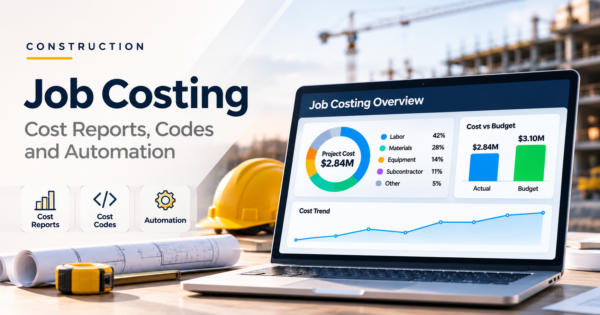
Construction job costing is the practice of recording every cost against the job and the cost code it belongs to, then comparing those costs with the budget to see whether each job is making money. Its output is the job cost report: budget, actual cost, committed cost, cost still to come and projected final cost for every cost code.
- Job costing is how a contractor knows where each job stands before the job ends. The job cost report is the page that shows it, one row per cost code.
- Cost codes say what the work is (for example concrete finishing). Cost types say what was used (labor, material, equipment, subcontract, other). You need both to tell where an overrun comes from.
- A report that shows only actual costs is late. Committed costs (open purchase orders and subcontracts) and a forecast of what is left to buy are what turn it into an early warning.
- In our worked example, the steel line looks safe on actuals, with 30% of its budget spent. Once committed costs are counted it is already $30,000 over.
- The projected final cost on the job cost report is the estimated total cost that drives your construction WIP report. Keep the two tied together.
- Automation works when every cost lands on a job and cost code as it happens, and the report flags exceptions instead of waiting for month end. CommercePundit builds these connections. See the last section.
How does job costing in construction work, from budget to report?
Job costing in construction is a loop, not a report. It is job cost accounting built around the job rather than the month. The estimate becomes the budget, costs are captured as they happen, commitments are recorded before the invoices arrive, someone forecasts what is left, and the report brings it together. Skip a step and the report quietly lies.
The five steps of job costing. Most reports break at step 3 or step 4, where commitments and forecasts are missing.
What is the difference between cost codes and cost types?
A cost code answers what work is this for? A cost type answers what resource was used? Every cost needs both. Many contractors build their cost codes on the CSI MasterFormat divisions, which expanded from 16 to 50 divisions in 2004, and then add their own detail underneath. Use one edition consistently on a job, and keep the list short enough that a foreman can pick the right code without help.
| Cost code | Cost type | |
|---|---|---|
| Question it answers | Which piece of work did this cost belong to? | Which resource did we spend? |
| Example | 03-300 Concrete finishing | Labor, material, equipment, subcontract, other |
| Set by | Estimating and accounting, often based on MasterFormat | A short fixed list in your accounting system |
| What it lets you do | Compare budget to actual for each piece of work and build unit costs | See whether an overrun is labor, material or a subcontractor |
The pair is what makes diagnosis possible. If a cost code runs 12% over budget, the cost type shows whether crews took longer (labor), the mix price rose (material) or a pump truck was added (equipment).
What goes into a job cost report?
| Column | What it shows | Where it comes from |
|---|---|---|
| Cost code and description | The piece of work | Budget |
| Budget | What you planned to spend, including approved change orders | Estimate and change order log |
| Actual to date | Costs already posted | Payroll, accounts payable, equipment charges |
| Committed | Open purchase orders and subcontracts not yet invoiced | Purchasing and subcontract ledger |
| Still to buy | Your forecast of costs not yet committed | Project manager and superintendent |
| Projected final cost | Actual + committed + still to buy | Calculated |
| Over or under budget | Budget minus projected final cost (negative means over) | Calculated |
| Percent spent and percent complete | How much money is gone and how much work is done | Calculated and field progress |
Is a job cost sheet the same as a job cost report?
The terms overlap and some firms use them interchangeably. A job cost sheet usually means the running record of every cost posted to one job, transaction by transaction. A job cost report is the summary: costs grouped by cost code and compared with the budget, with commitments and a projection added. You need the sheet for detail and the report for decisions.
Committed plus still to buy is what many systems call the cost to complete. Add a header with the job number, project manager and reporting period, and a column for cost type if your system supports it. Everything else is detail.
What does a job cost report look like? A full worked example
The numbers below are our own illustration, not a client job. They continue the example in our WIP report guide: a $1,000,000 contract with an $800,000 budget, $400,000 spent, and a project manager who has raised the estimate to $880,000. Here is the job cost report behind those numbers.
| Code | Description | Budget | Actual to date | Committed | Still to buy | Projected final | Over or under |
|---|---|---|---|---|---|---|---|
| 01-000 | General conditions | $90,000 | $50,000 | $0 | $48,000 | $98,000 | -$8,000 |
| 31-000 | Earthwork | $60,000 | $55,000 | $0 | $5,000 | $60,000 | $0 |
| 03-300 | Concrete | $150,000 | $120,000 | $20,000 | $20,000 | $160,000 | -$10,000 |
| 05-000 | Structural steel | $200,000 | $60,000 | $170,000 | $0 | $230,000 | -$30,000 |
| 26-000 | Electrical | $140,000 | $75,000 | $60,000 | $17,000 | $152,000 | -$12,000 |
| 09-000 | Finishes | $160,000 | $40,000 | $90,000 | $50,000 | $180,000 | -$20,000 |
| Total | $800,000 | $400,000 | $340,000 | $140,000 | $880,000 | -$80,000 |
Negative numbers in the last column mean over budget. The total of the projected final column is the $880,000 that the WIP report calls estimated total cost, and actual divided by projected is the 45.5% complete. At a $1,000,000 contract, the planned $200,000 profit (20%) is now $120,000 (12%). The WIP report shows the margin; the job cost report shows where it went.
How do you read a job cost report?
Compare the projected final cost with the budget, not the actual with the budget. Then check each line for three patterns.
| Line | What actuals alone say | What the full report says |
|---|---|---|
| 05-000 Structural steel | $60,000 spent of $200,000, or 30%. Looks safe. | $170,000 is already committed on the steel subcontract, so the line is at $230,000 with nothing more to buy: $30,000 over, or 15%. |
| 01-000 General conditions | $50,000 spent of $90,000, or 56%. | The job is 45.5% complete, and supervision and site costs run by the calendar. Projected final is $98,000, $8,000 over. |
| 03-300 Concrete | $120,000 spent of $150,000, or 80%. | Committed $20,000 and $20,000 still to buy bring it to $160,000, $10,000 over. The 80% spent is a warning only if the work is not 80% done. |
| 31-000 Earthwork | $55,000 spent of $60,000, or 92%. | Finishes on budget if the remaining $5,000 holds. Confirm it with the superintendent rather than assuming. |
A starting rule we suggest: investigate any cost code projected more than 5% over budget, and ask the project manager for a written reason when the whole job is more than 2% over. Set your own thresholds with your estimator, and tighten them on jobs with thin margins.
Which costs get missed in job costing?
- Labor burden. Wages are not the cost of labor. Payroll taxes, workers compensation, insurance and benefits add a percentage on top. Illustration: a $30.00 hourly wage with a 35% burden is $40.50 an hour loaded, so 1,000 hours cost $40,500, not $30,000. Calculate your own rate from payroll records and apply it to every labor entry.
- Costs received but not invoiced. Materials on site and work performed by subcontractors can be missing from actuals until the invoice arrives. Committed costs and accruals cover the gap.
- Equipment. Owned equipment needs an internal hourly rate charged to the job, or the cost never appears on the job.
- Change orders. An approved change order should raise both the contract and the budget for the affected cost codes. If only the contract moves, the line looks over budget when it is not. Pending change orders belong in the forecast, flagged as pending.
- Retainage and overhead. Decide with your CPA how retainage is posted and which overhead, if any, is allocated to jobs, and apply the same rule to every job.
The same logic applies to forecast discipline, which our project management dashboard guide covers: a projected final cost can also be estimated as budget divided by the cost performance index when the remaining work will run at the rate you have seen so far.
How often should you run a job cost report?
Weekly for active jobs, at the same time payroll posts, and a locked version at month end for the WIP report. A weekly cycle catches a bad cost code or a missing commitment while it is still one week of data. Reviewing only at month end means a mistake can sit for four weeks.
How do you automate a job cost report?
The report is only as good as the feeds behind it, so automation starts at the sources. The goal is that nothing is typed twice and every cost arrives already coded.
Where each number in the job cost report should come from. The ERP stays the system of record and the connected layer does the gathering and checking.
- Capture time and equipment in the field with the cost code selected at entry, and check for missing or uncoded hours before payroll closes. Our guide to construction automation without replacing your ERP covers timecard checks and equipment hours.
- Code invoices as they arrive. Matching invoices to purchase orders and suggesting job and cost code speeds this up. See invoice processing automation and the purchase order process, which together feed actuals and commitments.
- Record commitments and change orders the day they are signed, not when the first invoice arrives.
- Calculate the report on a schedule from the ledger and commitments, so the project manager only edits the forecast column.
- Reconcile to the general ledger every close. If job cost totals do not tie, fix the feed before trusting any alert.
- Alert on exceptions: a line projected over threshold, uncoded costs, a commitment with no budget line, or a job whose spend is ahead of its progress.
- Show it on a dashboard that project managers and finance both read. Our Power BI dashboard examples show layouts you can adapt, and our guide to which construction reports to automate first covers the rest of the reporting set.
The same pattern ran in the CMES automation case study, where the ERP stayed the system of record and a connected portal pulled finance, payroll and field data together.
Where can AI help with job costing?
AI is useful at the edges of the process and risky in the middle. It can suggest the job and cost code for an incoming invoice, read subcontract documents for committed amounts, point out lines whose pattern differs from similar past jobs, and write a plain-English summary of a variance for the project manager. The arithmetic itself should stay deterministic: the system calculates projected final cost, not a language model. Keep a person approving any coding that changes a posted cost, and log what the AI suggested and what was accepted.
What should you look for in job costing software?
Whether you use construction accounting software, an ERP or a spreadsheet, test the same things before you commit. A tool that cannot do these will leave you building the report by hand.
| Question to ask | Why it matters |
|---|---|
| Does it track committed costs, not just posted costs? | Without commitments the report is always late. |
| Does it carry both cost codes and cost types? | You need both to find the cause of an overrun. |
| Do approved change orders update contract and budget together? | Otherwise lines look over budget when they are not. |
| Can the project manager enter a forecast per line? | The still-to-buy column is the early warning. |
| Does it produce a WIP schedule from the same data? | Two sets of numbers is the most common failure. |
| Can it import field time and invoices by API or file? | Re-keying creates delay and errors. |
| Can you export every figure and see an audit trail? | Auditors, sureties and your own team will ask. |
If your tools do not connect, an integration project is usually cheaper than re-keying data. Our AI integration services connect job cost, payroll and purchasing, and our business intelligence dashboard services build the reporting layer.
What mistakes make job cost reports unreliable?
| Mistake | What happens | Fix |
|---|---|---|
| Reporting actuals only | Overruns show up after the money is spent | Add committed and still-to-buy columns |
| Too many cost codes | Foremen guess and costs land in the wrong place | Keep a short list and review it yearly |
| Coding at month end | Details are forgotten and errors multiply | Code at entry, check weekly |
| Posting wages instead of loaded labor | Labor looks cheaper than it is | Apply a burden rate |
| Stale forecasts | Projected final cost does not move | Require a forecast update before the weekly review |
| Different numbers in the field and the office | Nobody trusts the report | One source feeding one report |
Frequently Asked Questions
What is a job cost report in construction?
A job cost report compares what you planned to spend on a job with what you have spent, committed and still expect to spend, line by line for each cost code. It shows the projected final cost and whether each line is over or under budget, so project managers can act before the money is gone.
What does a job cost report include?
It includes the job and reporting period, then one row per cost code with budget, actual cost to date, committed costs, cost still to buy, projected final cost and the over or under amount. Percent spent and percent complete are usually added, and cost type breakdowns help find causes.
How do you calculate job cost?
Add the costs recorded to the job: labor at its loaded rate, materials, equipment, subcontractors and other costs. For a projection, add actual cost to date, committed costs and your forecast of remaining uncommitted costs. Compare the result with the budget for each cost code.
What is the difference between job costing and a WIP report?
Job costing tracks costs by cost code against the budget. A WIP report uses the job cost totals, the contract value and the billings to show earned revenue and over or under billing for each job. The projected final cost from the job cost report is the estimated total cost the WIP report depends on.
What is the difference between a cost code and a cost type?
A cost code identifies the work, such as concrete finishing. A cost type identifies the resource, such as labor, material, equipment or subcontract. Most construction systems record both on every cost.
What are the steps of construction job costing?
There are five: set the budget by cost code, capture actual costs as they happen, record commitments and change orders, forecast the cost still to come, and report variances and exceptions. Repeat the last four every week on active jobs.
How often should a job cost report be updated?
Weekly on active jobs, ideally right after payroll posts, with a locked version at month end that feeds the WIP report. Waiting for month end lets coding errors and missing commitments go unnoticed for weeks.
Can I make a job cost report in Excel?
Yes. Build one row per cost code with the columns in this guide and calculate projected final cost and variance with formulas. The risks are manual data entry, version drift and missing commitments, which is why growing contractors calculate the report in their accounting system or ERP.
How do you automate construction job costing?
Capture time and equipment with the cost code at entry, code invoices on arrival, record commitments when signed, calculate the report on a schedule and reconcile it to the ledger. Then add alerts for lines that exceed your thresholds so nobody has to scan the report for problems.
What should a job costing system be able to do?
It should track committed costs, carry cost codes and cost types, update contract and budget together on change orders, accept a forecast per line, produce a WIP schedule from the same data, import field time and invoices, and export everything with an audit trail.
Bottom Line
Construction job costing is only useful if it is early. Code every cost to a job and cost code, count commitments the day they are signed, make someone own the still-to-buy forecast, and read projected final cost instead of actual cost. Tie the report to your WIP schedule so finance and operations see the same numbers, and automate the feeds so the report arrives without anyone rebuilding it. To connect your job cost, payroll and purchasing data, talk to us about AI automation.