Table of Content

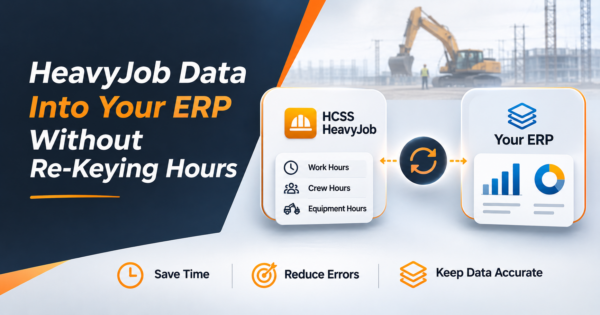
Can HeavyJob data go into your ERP without re-keying?
Yes, in most cases. HCSS says HeavyJob exports approved time cards, cost codes and hours to payroll and accounting systems, so field hours are entered once. The work that is left is mapping job and cost codes, getting equipment hours and production quantities into job cost, checking the export for errors, and reconciling HeavyJob to the ERP each week. If your ERP is not on HCSS’s list, a custom file or API interface covers the gap.
TL;DR
- Start with what HCSS already provides. Per its published pages (read November 5, 2026), HeavyJob has an Export to Accounting feature, an approval workflow before export and an exceptions check, and HCSS lists direct interfaces with dozens of accounting and payroll systems. Confirm the current list for your ERP.
- Native export mostly solves re-keying labor hours. It does not, by itself, solve code mapping, equipment and production data in job cost, reconciliation, or an ERP that is not supported.
- The cost of manual entry is mostly error repair, not typing. In our worked example, 1,000 time card lines a week cost about 17.5 hours of clerk time, and a clean integration removes about 12.5 of them.
- Validate every export before it posts. In our example batch of 12 lines, five fail simple rules (unmapped code, inactive job, impossible hours, bad rounding, equipment without operator time).
- Plan a weekly three-way check: approved in HeavyJob, exported, posted in the ERP. Differences should be explained, not absorbed.
- Numbers in the worked examples are illustrations built for this guide, not HCSS data or client results. HeavyJob is a product of HCSS; CommercePundit is not affiliated with HCSS.
- CommercePundit builds ERP integrations and reporting for contractors. See the last section.
What data does HeavyJob hold, and where should it land?
HCSS HeavyJob is the field software HCSS sells to heavy civil contractors. Per the product description on a third-party catalog, it captures crew time, installed quantities, daily diaries, equipment use, photos and cost-code progress, so a contractor can compare daily production with the estimate. HCSS also calls the mobile field app HCSS Field, and desktop, web and mobile capabilities are not identical, so confirm your edition.
| HeavyJob data | What it is | Where it should land in the ERP | Used for |
|---|---|---|---|
| Time cards | Hours by worker, job, phase and cost code, with pay class and earn code | Payroll and job cost (labor) | Paychecks, labor cost, certified payroll |
| Equipment hours | Hours by machine and job | Equipment costing and job cost | Equipment rates charged to jobs |
| Installed quantities | Units completed per cost code per day | Job cost progress and WIP | Percent complete, productivity, earned revenue |
| Daily diaries and notes | Weather, delays, visitors, photos | Document storage or project records | Disputes, delay claims, owner reporting |
| Master data (reverse flow) | Employees, jobs, cost codes, equipment | Starts in the ERP and is shared to HeavyJob | Keeps both systems on the same codes |
The last row is the one most teams miss. Re-keying hours is the visible problem. Two systems with different job and cost code lists is the cause of most of the mess behind it.
What does HCSS already provide for exporting to accounting?
Check this before you scope any custom work. The facts below come from HCSS’s own integration pages, read on November 5, 2026. They are vendor statements and may change.
| Topic | What HCSS says |
|---|---|
| Direct interfaces | HCSS says it has built direct interfaces with more than 45 accounting systems, and a newer page cites support across 115+ systems. Named examples on the interface page include CMiC, Foundation, JD Edwards, Microsoft Dynamics, QuickBooks, SAP, Sage 100 Contractor, Sage 300 CRE and Viewpoint CS, plus payroll providers such as ADP and Paychex |
| Standard export fields | Job, date, foreman, phase, cost code, hours, union, pay class, earn code, department, shift and workers’ comp. Salaried status and certified payroll are handled as exceptions |
| Equipment and quantities | May be included, depending on what each accounting system can accept |
| Approval before export | Field time cards are reviewed and approved in HeavyJob first. A rejected card notifies the field worker. HCSS describes up to three approval levels, for example foreman, project manager, then accounting |
| Export timing | Daily, weekly or a custom date range, filtered by employee group |
| Direction | Described as an export from HeavyJob to accounting. Some other HCSS products, such as HeavyBid, exchange data in both directions |
| Unsupported systems | HCSS says it can integrate with any accounting system that can import files, and will build a custom interface. Setup is free in most cases; extensive custom work may carry a fee |
| Telematics check | HCSS Telematics can import time card data to verify equipment hours, with exception reports for discrepancies |
Two honest cautions. First, a list of supported systems is not a guarantee that your version, modules and code structure work without effort. Ask HCSS to confirm your exact ERP product and version, and what the export file looks like. Second, supported names vary in how current they are. One 2022 forum thread from a controller describes a manual import into Viewpoint Vista, so confirm Vista specifically rather than assuming it from the Viewpoint name.
Where does the native export stop?
| Gap | What goes wrong | What closes it |
|---|---|---|
| Different code structures | HeavyJob phase and cost codes do not match the ERP’s job, phase and cost type, so lines are rejected or posted to the wrong place | A maintained mapping table with an owner |
| Master data drift | A new job or employee exists in one system first, and time cards fail | Create jobs and people once and sync them, or run a daily master data check |
| Equipment and quantities in job cost | Hours reach payroll but equipment cost and installed quantities never reach job cost or WIP | Extend the interface to equipment and progress, and agree rates and units |
| ERP not supported | There is no standard interface for your system | File-based or API interface built for your ERP |
| No reconciliation | Differences between HeavyJob and the ERP surface at month end | A weekly three-way reconciliation with tolerances |
| Multiple entities | One field system, several legal entities or payrolls | Entity rules in the mapping and export filters |
| Rework after posting | Corrections made in HeavyJob after export never reach the ERP | A rule for post-export changes: reverse and re-export, or adjust in the ERP, never both |
These are the same pressure points behind a slow month-end. Our guides to construction job costing and the construction WIP report show what the numbers feed, and why bad hours show up as bad margins.
Which HeavyJob integration pattern fits?
| Pattern | How it works | Good fit | Trade-off |
|---|---|---|---|
| Native HCSS export | Approved time cards export through a built-in interface into your accounting or payroll system | Your ERP is on HCSS’s list and your codes line up | Limited to what the interface carries |
| HCSS-built custom interface | HCSS configures or builds an export for your import format | Your ERP imports files but is not a standard interface | Fees for heavy custom work; dependent on HCSS schedule |
| File drop plus script | A scheduled job picks up the export file, maps codes, validates it and loads it | You need validation and mapping rules the native export lacks | You own and maintain the script |
| API or database integration | A service reads from and writes to both systems and logs every record | Two-way master data, equipment and quantities, complex entities | Highest effort; needs monitoring and access from HCSS for what its plan provides |
| Integration platform | A hosted integration tool runs the flows | Several systems to connect, not just two | Another subscription and another thing to run |
Whichever you choose, keep the rule in the first column of the gap table: one owner for the mapping, and one place where exceptions are reviewed. For the wider ERP picture, see our guides to CRM and ERP integration, ERP implementation, NetSuite consulting and the Odoo development company guide.
What does a code mapping table look like?
The codes below are made up for illustration. The point is that the mapping lives in one table that someone owns, and that every field-side code has exactly one ERP destination.
| HeavyJob job | HeavyJob phase and cost code | ERP job | ERP phase | ERP cost type | Status |
|---|---|---|---|---|---|
| 2418 | 0200 Clearing | 24-018 | 020 | Labor | Active |
| 2418 | 0310 Storm sewer, 18 inch pipe | 24-018 | 031 | Labor | Active |
| 2418 | E-120 Excavator, equipment hours | 24-018 | 900 | Equipment | Active |
| 2419 | 0450 Concrete, curb and gutter | 24-019 | 045 | Labor | Active |
| 2377 | 0300 Grading | 23-077 | 030 | Labor | Closed in ERP |
| 2418 | 0999 Misc field | none | none | none | Unmapped: review |
The last two rows are the typical failures. A closed job still receiving hours, and a catch-all code no one mapped. Both should stop at validation, not post.
What does export validation catch? A worked batch
Here is a small batch of time card lines checked against five simple rules before posting: the code must be mapped, the ERP job must be active, a worker should not exceed 16 hours in a day, hours should fall on quarter-hour increments (the example assumes your field policy), and equipment hours on a line should not exceed the operator’s hours. The names and hours are invented.
| Worker | Job | Cost code | Hours | Equipment hours | Result |
|---|---|---|---|---|---|
| A. Ruiz | 2418 | 0200 | 8 | 0 | Pass |
| B. Chen | 2418 | 0310 | 9.5 | 0 | Pass |
| C. Patel | 2418 | 0310 | 7.75 | 0 | Pass |
| D. Okafor | 2419 | 0450 | 8 | 0 | Pass |
| E. Novak | 2418 | E-120 | 8 | 8 | Pass |
| F. Brown | 2377 | 0300 | 8 | 0 | Job inactive |
| G. Lopez | 2418 | 0999 | 4 | 0 | Unmapped code |
| H. Kim | 2418 | 0310 | 17.5 | 0 | Over 16 hours |
| I. Diaz | 2419 | 0450 | 7.33 | 0 | Not in quarter hours |
| J. Smith | 2418 | 0200 | 6 | 9 | Equipment hours exceed worker hours |
| K. Wong | 2419 | 0450 | 8 | 0 | Pass |
| L. Adams | 2418 | 0310 | 8.25 | 0 | Pass |
5 of the 12 lines fail, which is 42% in this deliberately messy batch. Real batches fail far less often, but each failure caught before posting is a correction you do not have to make after payroll has run. Choose rules from your own history of errors and review them each quarter. HCSS says its export includes an exceptions check; extend it with your own rules for the cases it cannot know about, such as your closed jobs.
What does re-keying cost? A worked estimate
Suppose 25 crews each submit a time card every working day (5 days), with about 8 lines per card. A clerk spends 45 seconds per line re-entering it, 1.5% of lines contain an error, and each error takes 20 minutes to find and correct. After integration, 3% of lines still need a manual look, at 10 minutes each. These are assumptions to replace with your own counts, at a loaded cost of $45 an hour.
| Line | Calculation | Hours per week |
|---|---|---|
| Lines per week | 25 x 5 x 8 = 1,000 | |
| Typing | 1000 x 45 seconds | 12.5 |
| Finding and fixing errors | 1000 x 1.5% x 20 minutes | 5.0 |
| Manual total | 17.5 | |
| Exceptions after integration | 1000 x 3% x 10 minutes | 5.0 |
| Hours saved per week | 12.5 |
That is $29,250 a year at $45 an hour, from clerk time alone. It leaves out the larger prize: job cost reports that are right the first time. Bad hours distort the labor line, the margin and the WIP schedule built from them, which our guide to construction reporting covers from the report side.
How do you reconcile HeavyJob to the ERP each week?
Three counts should always tie out: what was approved, what was exported, what posted. The week below is illustrative.
| Step | Lines | Hours |
|---|---|---|
| Approved in HeavyJob | 1,000 lines | 4,126.0 hours |
| Exported | 1,000 lines | 4,126.0 hours |
| Rejected at validation | 30 lines | 112.5 hours |
| Posted in ERP | 970 lines | 4,013.5 hours |
Approved minus posted is 112.5 hours, and the rejected list explains all of it, so the week closes. If it did not, you would have unexplained hours, which are either a mapping bug or a manual change that bypassed the interface. Set a tolerance (for example zero unexplained hours), assign an owner, and review the rejected list daily so corrections flow back before payroll closes.
What about equipment hours and telematics?
Equipment cost is where field data and the ERP drift apart most quietly. Operators log hours on a time card, machines report their own hours, and the ERP charges a rate. HCSS says its Telematics product can import time card data to verify equipment hours and report exceptions. If you use machine telematics, decide which source wins when the two disagree, and record that rule. Our construction automation guide covers equipment hours alongside timecards and the other tasks that connect field and office.
How do you roll out the integration in six weeks?
| Week | Do this | Done when |
|---|---|---|
| 1 | List the data to move, the systems and versions, and who owns each code list. Ask HCSS to confirm the native interface for your ERP | A one-page scope and a confirmed list of what the native export carries |
| 2 | Build the mapping table and clean the code lists on both sides | Every active code has exactly one destination |
| 3 | Configure the export and approval levels; build validation rules for what the export cannot check | A test batch exports and every line passes or has a reason |
| 4 | Run a parallel week: re-key as usual, compare to the integrated result | Zero unexplained differences |
| 5 | Switch payroll lines to the integration; keep the weekly reconciliation | One full pay period posted without re-keying |
| 6 | Extend to equipment hours and installed quantities; train the clerks on the exception list | Job cost shows equipment and progress from the field |
Where does AI help?
- Exception triage. Group rejected lines by cause and suggest the likely fix, such as the nearest mapped code. A person approves each correction.
- Mapping suggestions. Propose matches between field and ERP codes from their descriptions when you add a batch of new jobs, then review before saving.
- Summaries. Turn the weekly reconciliation into a plain note for the controller.
AI should not post to the ledger on its own. Treat it as a reviewer of the exception list. See our AI workflow automation work for how that is built with approvals.
What mistakes cause problems?
| Mistake | What happens | Fix |
|---|---|---|
| Assuming the supported-systems list means no work | The first test batch fails on codes | Run a test batch in week one |
| Mapping once and never again | New jobs fail until someone notices | Give the mapping an owner and review new jobs weekly |
| Editing in both systems | Hours differ and nobody knows which is right | Set a rule for corrections after export |
| Skipping the parallel week | Differences appear after payroll runs | Compare integrated and manual results for one week |
| Ignoring equipment | Machine cost never reaches the job | Decide the source of truth for equipment hours |
| No reconciliation | Month end is a hunt for missing hours | Tie approved, exported and posted counts every week |
Frequently Asked Questions
What is HeavyJob?
HeavyJob software, from HCSS, is field software for contractors, used to capture crew time, installed quantities, equipment use and daily diaries. HCSS calls its mobile field app HCSS Field, and features can differ by edition, so confirm what your plan includes.
Does HeavyJob integrate with accounting software?
HCSS says it does. It offers an Export to Accounting feature and lists direct interfaces with dozens of accounting and payroll systems, and says it can build a file-based interface for systems that import files. Confirm the current list and your exact version with HCSS.
Does HeavyJob integrate with Viewpoint Vista?
HCSS’s published interface list names Viewpoint CS. Vista is a different product, and one 2022 forum thread describes a manual import, so confirm Vista support, version and the export format directly with HCSS before you plan around it.
Is the HeavyJob to ERP export one-way or two-way?
HCSS describes the accounting export as one-way, from HeavyJob to accounting. Some other HCSS products exchange data in both directions. If you want employees, jobs and cost codes to flow from the ERP into HeavyJob, ask how that is handled for your system.
How do I stop re-keying hours from HeavyJob into my ERP?
Use approved time cards and the export or an interface built for your ERP, map job and cost codes in one maintained table, validate each batch before posting and reconcile approved, exported and posted hours every week.
What data does the HeavyJob accounting export include?
HCSS lists job, date, foreman, phase, cost code, hours, union, pay class, earn code, department, shift and workers’ comp, with equipment and progress quantities possible depending on the receiving system. Salaried status and certified payroll are handled as exceptions.
How long does a HeavyJob ERP integration take?
It depends on whether your ERP has a standard interface and how clean your code lists are. A planning assumption is about six weeks from scope to a full pay period posted without re-keying, including a parallel week.
What if my ERP is not on the HCSS supported list?
HCSS says it can integrate with systems that import files and will build a custom interface, and a company can also build a file or API integration with its own validation and mapping. Ask HCSS about fees for custom work.
How much does HeavyJob cost?
HCSS does not publish a stable public price list in the sources reviewed for this guide, so ask HCSS or a reseller for current terms. Count integration and training effort alongside the license.
Bottom Line
HCSS already exports HeavyJob time to many accounting and payroll systems, so start there and confirm your ERP. The effort that remains is mapping codes, validating each batch, getting equipment and quantities into job cost, and reconciling every week. If your ERP is not supported or you want validation and reporting around the export, talk to us about our enterprise software development services. We are not affiliated with HCSS.