Table of Content

What are AI employees?
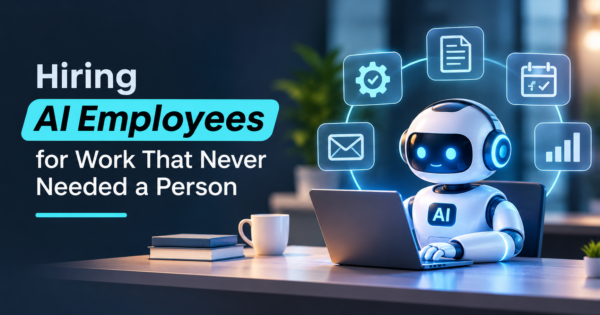
AI employees are software agents built around one job, such as handling support tickets, qualifying leads or processing invoices. They connect to your tools, take actions in them and work with limited supervision. The label is a marketing term, not a technical standard, and a named person in your company stays accountable for everything the software does.
TL;DR
- “AI employee” is a vendor term for a role-based AI agent. It is more than a chatbot because it acts inside your systems, and less than a person because someone else is still responsible for what it does.
- The jobs that fit are repeatable, rule-bound, done on a screen and cheap to undo when wrong. Jobs that need judgment, relationships or a signature stay with people.
- Every AI employee needs a named human owner, narrow permissions, a log of what it did and a rule for when it hands off.
- Cost claims in vendor guides are mostly unsourced. A worked example below uses the U.S. Bureau of Labor Statistics median wage for customer service representatives ($44,770, May 2025) and labeled placeholders for run costs.
- Saved hours are not saved dollars until a budget changes. Measure resolution rate, error rate and review time before you count the savings.
- A seven-question test near the end tells you whether a given job is ready to hand over.
- For the technical difference between agents and agentic systems, read AI agents vs agentic AI. This guide is about the hiring decision.
What are AI employees, and how do they differ from chatbots?
AI employees are AI agents, meaning software that plans steps and uses tools to reach a goal, packaged around a single business role. Unlike a chatbot, which answers questions and leaves the work to the person asking, an AI employee carries the task through inside your systems.
The vendor guides we read agree on the shape. LowCode Agency, in a guide read on November 18, 2026, defines it as a “digital worker assigned to a specific business role.” Boei, in a guide read the same day, describes software that takes actions rather than only answering questions. Both describe a role, access to your tools and limited human supervision.
What none of them agree on is a standard. There is no certification, no common feature list and no rule for when a product earns the name. Some “AI employees” are agents that run a multi-step workflow. Others are a chatbot with a calendar integration and a human name. When a vendor says it sells AI employees, ask which tools it acts in, what it is allowed to do without approval and what happens when it is unsure. Those three answers tell you more than the label.
The distinction that matters in practice is how much the software does on its own authority.
| Type | What it does | Who finishes the work |
|---|---|---|
| Chatbot | Answers questions, drafts text | The person who asked |
| AI agent | Plans steps and uses tools to reach a goal | The agent, within set limits |
| “AI employee” | An agent packaged around one job, with a role, permissions and reporting | The agent, with a named human accountable |
If you want the long version of the middle row, our AI agent examples show what working agents look like across functions.
Which jobs are a good fit for AI employees?
The best jobs for AI employees repeat often, follow written rules, happen on a screen and are cheap to correct when wrong. Before you pick a product, pick a job. A job is ready for handover when it passes five tests, and a job that fails two of them is a poor first candidate. The same tests apply to AI employees for small business owners, where one wrong promise to a customer costs more because there is no team to absorb it.
- It repeats. The same kind of request arrives many times a week. One-off projects are cheaper to leave with a person.
- It follows rules you can write down. If a new hire could do it from a one-page checklist, an agent probably can.
- It happens on a screen. The inputs and outputs live in email, a ticket system, a CRM, an ERP or a phone line that software can reach.
- A wrong answer is cheap to fix. A mislabeled ticket is an annoyance. A wrong refund, a wrong tax filing or a wrong promise to a customer is not.
- You can measure it. You know today how long it takes, how often it goes wrong and what it costs.
Four jobs tend to clear those tests first.
Support triage and first answers. Reading incoming tickets, tagging them, answering the common ones from your own documentation and passing the rest to a person with a summary. Customers accept this when the handoff to a person is quick and reject it when it is not.
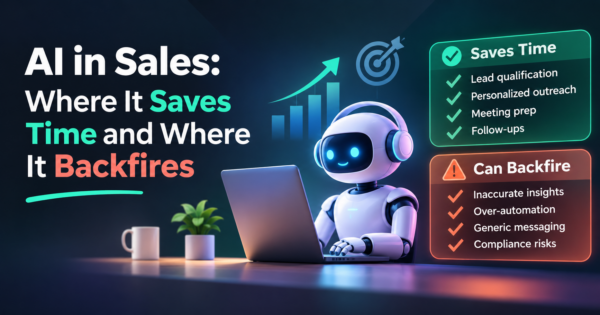
Lead qualification and follow-up. Responding to form fills, asking two or three qualifying questions, booking a meeting and updating the CRM. Our AI sales agent guide walks through the workflow and the limits.
Back-office intake. Reading invoices, matching them to purchase orders and flagging mismatches. The checks are mechanical and the exceptions are visible, which is why accounts payable automation is a common first project.
Phones and scheduling. Answering calls, booking appointments and routing urgent ones to staff. If this is your job, the selection questions are in our guide to choosing AI receptionist software, and a custom build is covered under AI voice agents.
Which work still needs a person?
Work that needs judgment about people, carries a legal duty or depends on a customer relationship still needs a person. The same five tests rule these jobs out. Decisions that need judgment about people, such as hiring, firing and performance reviews, stay with people. So does anything that turns on a signature or a legal duty: approving credit, giving medical advice, filing a regulated report. Relationship work, such as a renewal conversation with your largest customer or a delicate escalation, belongs to someone the customer knows.
The useful split is by step, not by job title. Most jobs are a bundle of steps, and the agent takes the repeatable ones while a person keeps the exceptions and the final call. A support agent that drafts a refund and a person who approves it is a safer design than an agent that issues refunds on its own, at least until you have months of data on how often it is right.
Who is accountable when an AI employee gets something wrong?
Your company is accountable, and in practice one named person inside it. An AI employee cannot be disciplined, cannot sign a contract and cannot be sued, so whatever it does, your company did. The setup has to answer five questions in writing before it goes live.
- Who owns it? One named person, with the time to review its work and the authority to pause it. A shared inbox is not an owner.
- What can it touch? Give it its own login with the narrowest permissions the job needs. Read access to the order system and write access to ticket notes is a very different risk from admin access to everything.
- What can it do without asking? List the actions it may take alone, the ones that need a person to approve and the ones that are forbidden. Put spending, refunds and outbound messages to new contacts on the approval list at the start.
- How do you see what it did? Every action should land in a log a human can read, with the input, the decision and the result.
- When does it hand off? Define the triggers: low confidence, an angry customer, a keyword such as “legal,” a request outside its job. Test the handoff as carefully as the happy path.
If you want an outside vocabulary for this, the U.S. National Institute of Standards and Technology (NIST) released AI RMF 1.0 of its AI Risk Management Framework on January 26, 2023, according to the NIST page read on November 18, 2026. The framework names four functions, Govern, Map, Measure and Manage, which map neatly onto the five questions above: someone governs it, you map what it touches, you measure its work and you manage the exceptions. It is general guidance for any AI system, not a rule for AI employees in particular.
How do you supervise an AI employee after launch?
Supervise an AI employee like a new hire on probation: a person reads every action in the first week, then a sample every week after, with four numbers tracked from day one.
Treat the first month as the probation period. In week one, a person reads every conversation or action. In weeks two to four, sample a fixed share, such as one in five, and read all of the handoffs. After that, move to a weekly sample and a short monthly review of the numbers.
Track four numbers from day one:
- Resolution rate: the share of cases it finishes without a person.
- Error rate: the share a reviewer marks wrong, which is more useful than a satisfaction score alone.
- Handoff rate: a rate that is too low can mean the agent is overreaching, and one that is too high means it is not earning its keep.
- Review time: the hours your people still spend checking it. This is the cost that vendor pages leave out.
Change one thing at a time, such as a prompt, a document or a permission, and compare the numbers before and after. Models and connected tools change, and an agent that was accurate in March can drift by June without anyone touching it.
What does an AI employee cost?
The AI employee cost depends on the product and the job, and published figures are thin. The guides we read for this article quote prices from a few dollars a month to thousands, and most cite no source. LowCode Agency’s guide, read on November 18, 2026, says a custom build runs from $5,000 to $50,000 with $500 to $5,000 a month in running costs, and states no basis for either range. Treat figures like that as a vendor’s opening position, not a market rate. Our post on AI agent development cost breaks the build side down by phase, so this guide stays on the question of whether the savings are real.
Here is a method you can reuse, with an illustration. The wage is real; every other number is a placeholder to replace with your own.
The U.S. Bureau of Labor Statistics (BLS) reports a median pay of $44,770 a year, or $21.53 an hour, for customer service representatives (May 2025 data, page read on November 18, 2026). Suppose a support team handles 1,200 tickets a month and an AI employee resolves half of them, which is 600. If a ticket takes eight minutes of staff time, that is 600 x 8 = 4,800 minutes, or 80 hours.
- Staff time avoided: 80 hours x $21.53 = $1,722 a month at base pay.
- Platform and usage fees: $600 a month (placeholder).
- Human oversight: 10 hours x $21.53 = $215 a month.
- Net: $1,722 – $600 – $215 = $907 a month.
Two cautions on that number. First, the wage is base pay only, with no benefits, equipment or management time, so the true cost of an hour is higher. Second, 80 freed hours only become $1,722 if you reduce overtime, defer a hire or move that time to work that earns money. If the same people simply have more idle time, the agent is a cost. Change the resolution rate to 25 percent and the same arithmetic gives 300 tickets, 40 hours and $861 in avoided time, which does not cover the $815 in fees and oversight by much. The decision turns on the resolution rate, so measure it in a pilot before you sign a long contract.
What are the risks of AI employees?
The main risks of AI employees are wrong answers stated with confidence, access that is broader than the job needs, weak oversight and unclear data handling. Each has a practical safeguard.
- Confident wrong answers. Large language models (LLMs) can state false things fluently. Ground the agent in your own documents, make it say when it does not know and review a sample every week.
- Too much access. An agent with broad credentials can do broad damage by mistake. Narrow permissions are the cheapest safeguard you have.
- Customer trust. People notice when a reply feels automated. Decide whether you will say so up front, and make a human easy to reach.
- Data handling. Find out where your data goes, who at the vendor can see it and whether it is used to train models, and get the answer in writing.
- Silent drift. Quality slips when documents go stale or a connected tool changes. Someone has to own the upkeep.
- Staff morale. The U.S. Bureau of Labor Statistics projects employment of customer service representatives to fall 5 percent from 2025 to 2035. The page does not attribute that to any one cause, but your team will read the headlines and wonder. Say plainly what the agent is for and what it is not.
How do you test whether a job is ready for an AI employee?
Run the job through seven yes-or-no questions. A job that earns a clear yes on the first four is ready for a pilot, and a job that cannot is a process problem to fix first.
- Can you write the steps on one page?
- Do the inputs and outputs live in software the agent can reach?
- Is a wrong result cheap to catch and reverse?
- Can you name the person who will own and review it?
- Do you know today how long it takes and how often it goes wrong?
- Do you have a documented rule for when it hands off to a person?
- Will a saved hour change a budget, a hire or a revenue number?
If the answer to the last question is no, the project may still be worth doing for quality or speed, but do not put a savings figure in the business case.
Should you buy, configure or build an AI employee?
Buy a packaged product for common jobs, configure a platform when the workflow is yours, and build custom when the job runs through your own systems. You have three routes. Buying a packaged product is fastest and fits common jobs such as inbound chat or call answering, with the limits that come with a shared product. Configuring a platform lets you shape the workflow and the tools it touches, and the platform market changes quickly enough that you should compare current options before committing. Building custom makes sense when the job runs through your own systems, such as an ERP or a CRM, or when your data and permissions rules rule packaged products out.
If you decide to build, start with a single job, a pilot of a few weeks and a written target. Our guide to building an AI agent for your business covers the steps, and CommercePundit delivers the work through its agentic AI development services and AI development services. If you would rather hire an AI employee through a partner than build in house, CommercePundit’s checklist for choosing an AI automation agency covers what to ask before you sign.
Frequently asked questions
What is an AI employee?
An AI employee is software assigned to one business role, such as support triage or lead follow-up, that connects to your tools and takes actions in them with limited supervision. It is a marketing term for a role-based AI agent, and a named person in your company stays accountable for its work. The term has no technical standard behind it, so judge each product by what it connects to and what it may do alone.
What is the difference between an AI employee and an AI agent?
In the AI employee vs AI agent comparison, an AI agent is the underlying technology: software that plans steps and uses tools to reach a goal. An AI employee is an agent packaged around a single job, with a role name, permissions and reporting. In practice the difference is mostly packaging, so ask each vendor what the product can do without approval.
Can AI employees replace human employees?
They can take over repeatable, rule-based steps within a job, such as sorting tickets or matching invoices. They do not take over judgment, relationships or decisions that carry legal responsibility. Most businesses use them to cover work that was going undone and to free people for harder cases.
How much does an AI employee cost?
It depends on the product and the job. Vendor guides quote anything from a few dollars a month to thousands, and many do not state their basis. Estimate your own with the method above: hours avoided at real wages, minus platform fees and the oversight time your people still spend.
How do I hire a company to build an AI employee for my business?
Start with one job, write the steps on a page and name the person who will own it. Then ask each candidate for a reference you can call, a fixed scope with a measurable target and written terms on ownership of the code, prompts and accounts. Run a small paid pilot before a larger contract.
Which jobs are best for AI employees?
Jobs that repeat, follow written rules, happen on a screen and are cheap to correct when wrong. Support triage, lead follow-up, invoice intake, scheduling and reporting usually qualify. Jobs that need judgment about people or carry legal duties usually do not.
Are AI employees safe to use?
They can be, with limits. Give each one its own login with narrow permissions, keep a readable log of its actions, require approval for high-risk steps and review a sample of its work every week. The risk comes from broad access and no oversight, not from the technology alone.
Do AI employees work 24/7?
The software can run around the clock, which is a real advantage for after-hours calls and messages. The oversight cannot. Decide who reviews overnight work and what the agent does when it is unsure and no one is available.
What is a digital employee?
It is another name for the same idea. Vendors use “digital employees,” “digital workers” and “AI employees” interchangeably for software that performs a defined role. Judge each product by what it connects to, what it may do alone and how it is supervised, not by the label.
Bottom line
Hire an AI employee the way you would hire a person who started today: give it one clear job, narrow access, a manager and a probation period. Pick work that repeats and is cheap to fix, name the human who is accountable, measure the resolution and error rates and only count savings that show up in a budget. If you want help scoping a first job, talk to CommercePundit about its agentic AI development services.