Table of Content

What is AI bookkeeping?
AI bookkeeping uses software with machine learning or language models to do the repetitive parts of bookkeeping: capturing receipts and invoices, suggesting categories for bank transactions, matching payments to bills, flagging duplicates and drafting summaries. It speeds up routine work, but it does not replace a person who reviews the books, closes the month and answers to your accountant. The practical question is which tasks to hand off and which to review.
TL;DR
- AI bookkeeping tools mostly automate four jobs: capture (receipts and invoices), categorize (bank transactions), match (payments to bills and invoices) and summarize (month-end notes).
- The safe pattern is confidence-based: let the tool post what it is sure about, send the rest to a person, and review a sample of the auto-posted items every month.
- A worked example below runs 20 sample transactions through three confidence thresholds. A higher threshold posts fewer items automatically but lets fewer mistakes through.
- A second example estimates the monthly hours saved for 300 transactions, with the assumptions shown so you can swap in your own.
- Keep three things with people: the chart of accounts and its rules, tax treatment (confirm with your accountant or tax adviser) and the month-end sign-off.
- Give any tool read-only access to bank data where you can, keep an audit trail and separate who approves from who pays.
- The transactions, confidence scores, times and rates in the worked examples are illustrations built for this guide, not product benchmarks. This is general information, not accounting or tax advice.
- CommercePundit offers bookkeeping and accounting services and builds finance automation. See the last section.
What can AI do in bookkeeping, and what should it not do?
| Task | What AI does well | Keep a person on |
|---|---|---|
| Receipt and invoice capture | Reads amounts, dates and vendors from images and PDFs | Unusual documents and anything over your approval limit |
| Transaction categorization | Suggests a category from past patterns and vendor names | New vendors, split transactions and anything tax-sensitive |
| Bank reconciliation | Matches bank lines to bills, invoices and payments | Unmatched items and timing differences |
| Duplicate and anomaly flags | Spots repeated payments and odd amounts | Deciding whether a flag is a real problem |
| Accounts payable and receivable | Routes bills for approval and chases overdue invoices | Approvals, credit decisions and disputes |
| Month-end summaries | Drafts a plain-language note on changes | Judgment about what the numbers mean |
| Tax treatment | Suggests common treatments | Final tax position; confirm with a qualified adviser |
| Chart of accounts design | Proposes a structure | You and your accountant own it |
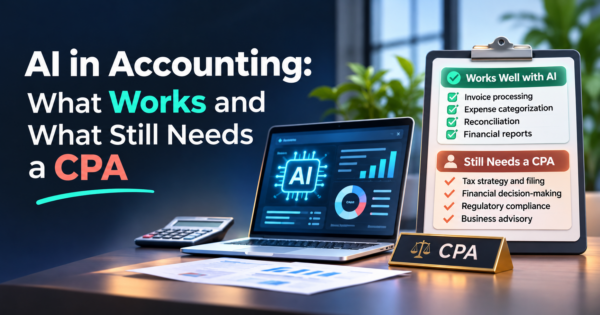
Our guide to AI in accounting covers the wider picture. This guide stays on the daily bookkeeping tasks.
How does a safe AI bookkeeping workflow run?
The review queue and the monthly sample are what make the automation trustworthy.
Worked example: how the confidence threshold changes the work
Here are 20 invented bank transactions. For each, the tool suggests a category with a confidence score, and we know afterward whether the suggestion was right. Five of the suggestions below are wrong, and a person reviewing them would catch each one.
| Transaction | Suggested category | Confidence | Suggestion correct? |
|---|---|---|---|
| Office supply store | Office supplies | 97% | Yes |
| Cloud hosting | Software | 96% | Yes |
| Fuel station | Vehicle expense | 93% | Yes |
| Payroll service | Payroll | 99% | Yes |
| Online marketplace purchase | Office supplies | 91% | No |
| Coffee shop | Meals | 88% | Yes |
| Freight company | Shipping | 95% | Yes |
| Software subscription | Software | 94% | Yes |
| Equipment dealer | Repairs | 86% | No |
| Insurance company | Insurance | 98% | Yes |
| Client lunch venue | Meals | 82% | Yes |
| Building supply | Repairs | 79% | Yes |
| Unknown payee | Miscellaneous | 55% | No |
| Marketing agency | Advertising | 93% | Yes |
| Phone carrier | Utilities | 96% | Yes |
| Online marketplace purchase | Inventory | 84% | No |
| Accounting software | Software | 97% | Yes |
| Airline | Travel | 92% | Yes |
| Hardware store | Repairs | 81% | Yes |
| Loan payment | Loan repayment | 89% | No |
| Auto-post threshold | Posted automatically | Sent to review | Wrong items auto-posted | Share automated |
|---|---|---|---|---|
| 85% | 15 | 5 | 3 | 75% |
| 90% | 12 | 8 | 1 | 60% |
| 95% | 7 | 13 | 0 | 35% |
At an 85% threshold the tool posts 15 of the 20 items on its own and lets 3 wrong ones into the books. At 90% it posts 12 and lets 1 through. At 95% it posts only 7 and lets none through, but 13 items need a person. There is no free setting: you choose how much review you are willing to do to buy accuracy. Money-sensitive categories, such as loan payments, inventory and anything tax-related, can be forced to review regardless of confidence.
Notice also what the wrong suggestions have in common: ambiguous merchants (an online marketplace purchase could be office supplies or inventory) and unusual items. That is why a monthly sample of auto-posted items, not only the review queue, belongs in the routine.
Worked example: how many hours does it save?
Assumptions, all invented: 300 transactions a month, 45 seconds each to categorize by hand, 70% posted automatically with a 5-second glance, the other 30% reviewed by hand at the same 45 seconds, and a 30-minute monthly sample check. A bookkeeper costs $35 an hour in this example.
| Method | Calculation | Hours a month | Cost a month |
|---|---|---|---|
| By hand | 300 x 45 seconds | 3.75 | $131 |
| AI with review queue | (90 x 45 s + 210 x 5 s) / 3,600 + 0.5 hour | 1.92 | $67 |
| Saved | 1.83 | $64 |
On these inputs the saving is about 1.8 hours a month, which is modest for 300 transactions. The savings grow with volume and with time spent on receipts, bills and reconciliation, not just categorization. They also depend on the tool being accurate enough that your review time does not balloon. Test with one real month of your own data before you commit.
Which kinds of AI bookkeeping tools exist?
| Type | What it is | Good fit | Check before buying |
|---|---|---|---|
| Built into accounting software | Categorization and matching inside your existing ledger | Small businesses already on a mainstream ledger | What it can and cannot auto-post; audit trail |
| Standalone AI bookkeeping apps | Separate tools that connect to your bank and ledger | Teams wanting more automation than their ledger offers | Integrations, data handling and who sees your data |
| Receipt and expense capture apps | Photo or email capture with data extraction | Many small receipts and field staff | Export format and approval rules |
| Accounts payable and receivable automation | Bill intake, approvals, payment and collections | Higher bill and invoice volume | Approval limits and fraud controls |
| Custom automation | Workflows built around your ERP or ledger and your rules | Unusual processes or several systems | Build and maintenance cost |
| Outsourced bookkeeping with AI tools | A team uses the tools and reviews the output | Owners who do not want to run it themselves | Who reviews, and how often |
Tool names, features and prices change, so confirm current details with each vendor. Our guides to accounts payable automation, invoice processing automation and accounts receivable automation cover the bill and invoice side, and QuickBooks alternatives compares the ledgers these tools connect to.
What controls keep AI bookkeeping safe?
| Control | What it protects against |
|---|---|
| Read-only bank access where possible | A tool or a mistake moving money |
| Approval limits for payments | Large errors and fraud |
| Separate approver and payer | One person controlling the whole chain |
| Audit trail on every change | Not knowing who or what changed an entry |
| Rules the tool cannot override | Wrong treatment of tax-sensitive items |
| Monthly sample of auto-posted items | Quiet drift in accuracy |
| Review of vendor data handling | Your financial data leaving your control |
| Accountant sign-off on setup and year-end | Tax and compliance mistakes |
Treat the tool like a new junior bookkeeper: capable of volume, needing rules, supervision and a clear limit on what it can approve.
What does a month-end close look like with AI?
| Step | Done by | Done when |
|---|---|---|
| Bank feeds and receipts are captured | Automation | All accounts and receipts for the month are in |
| Transactions are categorized | AI suggests; a person clears the queue | Review queue is empty |
| Sample of auto-posted items is checked | Person | Error rate is within your tolerance |
| Bills and invoices are matched | Automation, then a person for exceptions | No unexplained open items |
| Bank and card accounts are reconciled | Person confirms | Balances match statements |
| Summary of changes is drafted | AI drafts | A person edits and approves |
| Reports reviewed (profit and loss, balance sheet, cash) | Owner or finance lead | Questions resolved; month signed off |
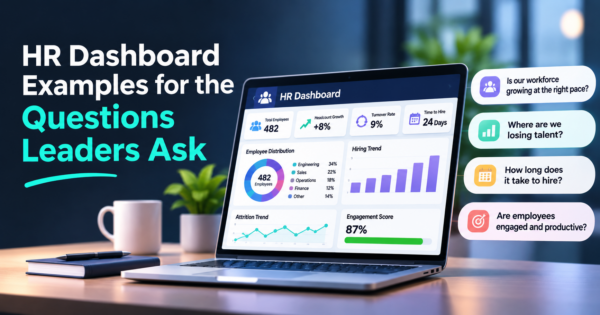
After the close, the same clean data supports forecasting and dashboards. See cash flow forecasting and financial dashboard examples. If you sell online, also read how ecommerce and ERP integration keeps order and payment data consistent with the ledger.
What mistakes cause AI bookkeeping to go wrong?
| Mistake | What happens | Fix |
|---|---|---|
| Auto-posting everything | Quiet errors accumulate | Use a confidence threshold and a review queue |
| No monthly sample check | Drift goes unnoticed | Sample auto-posted items every month |
| A messy chart of accounts | The tool learns bad categories | Clean it up with your accountant first |
| Giving full payment access | A mistake or breach can move money | Prefer read-only access and approval limits |
| Trusting tax suggestions | Wrong tax treatment | Confirm with a qualified adviser |
| Skipping reconciliation | Books drift from the bank | Reconcile every month |
| Choosing a tool before defining rules | Rules get set by accident | Write categories, limits and approvers first |
Frequently Asked Questions
What is AI bookkeeping?
It is the use of software with machine learning or language models to automate routine bookkeeping tasks, such as capturing receipts, suggesting categories for bank transactions, matching payments to bills and flagging duplicates. A person still reviews and signs off.
Can AI replace a bookkeeper?
It can reduce routine work, but it does not replace judgment, rules, reconciliation and sign-off. Most businesses get the best result when the tool handles volume and a person reviews exceptions and a monthly sample.
How accurate is AI bookkeeping?
It varies by tool, data and how consistent your vendors are. Test with a month of your own transactions and measure how many suggestions were wrong, rather than relying on a vendor claim.
Is AI bookkeeping safe for my financial data?
It can be, if you check how the vendor stores and uses your data, use read-only access where possible, set approval limits and keep an audit trail. Review the vendor security and privacy terms before connecting accounts.
What should I automate first in bookkeeping?
Start with receipt capture, bank feed categorization with a review queue and bill matching. Keep approvals, tax treatment and month-end sign-off with people.
Does AI do bank reconciliation?
It can match bank lines to bills, invoices and payments and flag unmatched items. A person should still confirm that reconciled balances agree with the statements.
Can AI handle taxes?
It can suggest common treatments, but tax positions should be confirmed by a qualified adviser. Treat tool suggestions as a starting point, not advice.
What is the difference between AI bookkeeping and bookkeeping software?
Bookkeeping software is the ledger where entries live. AI bookkeeping tools add automation on top, such as suggestions, matching and summaries, either inside the software or as a separate app.
How much time does AI bookkeeping save?
It depends on volume, tool accuracy and how much review you need. In our worked example with 300 monthly transactions, the saving is about two hours a month, and it grows with volume and with receipt and bill handling.
Should small businesses use AI bookkeeping?
Many can benefit, especially with steady transaction volume and a consistent set of vendors. Start with one month of real data, keep a review queue and involve your accountant in the setup.
Bottom Line
AI bookkeeping works when the tool handles volume and people keep the rules, the exceptions and the sign-off. Set a confidence threshold, review a monthly sample, protect access and involve your accountant in setup. If you want help running your books or automating your finance workflows, see our bookkeeping and accounting services and AI workflow automation.