Table of Content

Close week is where accounting time disappears: chasing invoices, matching bank lines, explaining variances to a controller who wants the numbers yesterday. It is also where AI helps most, and where its mistakes cost the most. AI in accounting means software that reads documents, classifies transactions, spots anomalies, drafts explanations and answers questions about financial data, with a person approving anything that reaches the ledger.
People search for AI for accounting and accounting automation as if they were the same thing. They overlap. Accounting automation is the wider idea of removing manual steps, and AI is one way to do it when the input is messy, such as a scanned invoice or a vendor name spelled five ways, or when the rules are too hard to write down.
Where does AI fit in a month-end close?
The clearest way to see where AI helps is to walk through the close itself. Each row below shows what the software can do and who still has to sign.
| When | Task | What AI does | Who signs off |
|---|---|---|---|
| All month | Invoice capture and coding | Reads invoices, extracts fields, suggests accounts and cost centers | Approver clears exceptions and new vendors |
| Close day 1 to 2 | Bank and payment reconciliation | Matches transactions across bank, processor and ledger, including partial and grouped payments | Accountant clears unmatched and low-confidence items |
| Close day 2 to 3 | Accruals and expense review | Drafts accrual suggestions, checks receipts against policy, flags duplicates | Controller reviews every entry |
| Close day 3 to 5 | Variance explanations and the management report | Drafts the narrative behind each movement | Finance edits before it leaves the team |
| After close | Cash forecast and collections | Builds a forward view, drafts reminders, prioritizes overdue accounts | Finance reviews assumptions and any dispute |
| Quarter and year end | Tax positions and audit support | Searches documents, supports sampling, drafts first versions | A qualified professional decides |
What is the rule that keeps it safe?
AI prepares, a person approves and every step is logged. Move a category to higher automation only after accuracy has held for a month or more.
Before the close: invoices and coding
Accounts payable is the usual starting point because volume is high and each step is easy to verify. A document AI reads the invoice, matches it to the purchase order and receipt, suggests the coding and routes it for approval. A price that differs from the order goes to a person. Our guides to accounts payable automation and invoice processing automation cover the steps, costs and controls.
Days 1 to 2: reconciliation
Matching transactions across the bank, the payment processor and the ledger is a pattern-recognition problem, which suits machine learning. The value is in the exceptions: let the software clear the obvious matches and put the odd ones in a short queue. See payment reconciliation automation for the matching rules and what to log.
Days 3 to 5: variances and commentary
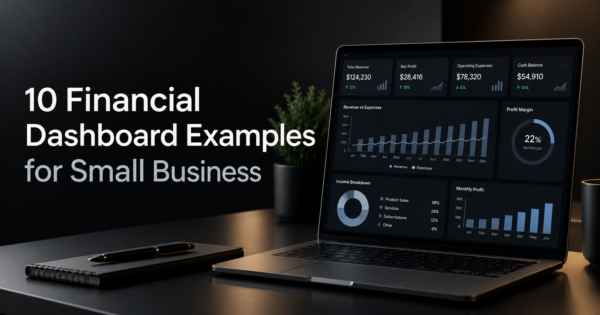
A language model can draft why revenue or cost moved, using the numbers already in the ledger, which saves the first hour of writing. The controller still checks every claim against the data, because a fluent explanation can be wrong. The commentary feeds the report that management reads, such as the financial dashboard.
After the close: cash and collections
On the receivables side an agent can watch aging, draft reminders in the right tone for each customer and flag disputes, as described in accounts receivable automation. Open invoices, bills and history then become a forward view in cash flow forecasting.
What does the survey data say about AI in accounting adoption?
In a Karbon survey of more than 500 accounting professionals on six continents, reported by CPA Practice Advisor on February 20, 2025, firms using AI reported saving an average of 18 hours per employee per month. Of the respondents, 56% believed a firm’s value falls if it does not use AI and 70% were concerned about data security. The most common use was routine communication, such as drafting emails (63%) and meeting summaries (40%), while only 13% of firms used AI for financial analysis and research, and 37% were investing in AI training (CPA Practice Advisor). Karbon sells practice management software and the time saving is self-reported, so test it in your own pilot. The pattern is still useful: adoption began with low-risk writing, and the higher-value work on the accounting data itself was largely untouched.
What can go wrong with AI in accounting, and what controls stop it?
| Risk | Control |
|---|---|
| Confident but wrong output, such as a miscoded entry or a memo that reads well but is incorrect | Human approval before posting, with the source document shown beside each suggestion |
| Client or company financial data sent to a tool without proper terms | Review data handling, retention and training policies, and limit what each tool can see |
| One system creates, approves and posts a transaction | Separate approval and posting permissions; the agent proposes and a person approves |
| No record of why an entry was made | Log inputs, outputs, confidence and the approver for every action, so an auditor can follow it |
| Accuracy that falls after a vendor, chart of accounts or process change | Track accuracy monthly and re-test after any change |
| Staff stop checking because the tool is usually right | Sample reviews even on high-confidence items, and rotate reviewers |
| AI used where standards or law require a qualified person | Keep qualified sign-off, and confirm requirements with your auditor or advisor |
Can ChatGPT do your accounting?
General assistants are useful for low-risk work: explaining a concept, drafting a polite collections email, summarizing a policy you paste in, or writing a spreadsheet formula. They are a poor fit for anything that depends on exact numbers or confidential data. Language models can make arithmetic and recall mistakes, so run the calculation in a spreadsheet or your accounting system and treat the assistant as a drafting aid. Before pasting financial data into any tool, check its data terms: whether inputs are stored, who can see them and whether they are used to train models. Business plans usually differ from free consumer accounts on these points.
Should you buy AI accounting software, build an agent or outsource?
Features inside your accounting platform are the fastest to start and limited to what the vendor builds, which is why platform choice matters, as our QuickBooks alternatives guide shows. Specialist AI accounting software does one job well, such as AP automation, but adds another system to secure. A custom agent connected to your ERP and ledger fits your own approval rules and exceptions, which is what our AI integration services build, and our guide to AI agents in ERP shows what that looks like. If you have no capacity to run any of this, our bookkeeping and accounting services combine the tools with human review.
Frequently Asked Questions
What is AI in accounting?
AI in accounting is software that reads documents, classifies transactions, spots anomalies, drafts explanations and answers questions about financial data. It reduces time spent on data entry and matching, so accountants can focus on review and advice.
How does AI work in accounting?
Document AI extracts fields from invoices and receipts, machine learning suggests accounts and matches transactions based on past patterns, and language-model assistants draft explanations and answer questions about the books. In a safe setup the AI proposes and a person approves before anything posts.
Is AI going to replace accountants?
It is more likely to change the work than remove the profession. Routine tasks like data entry, coding and matching are being automated, while judgment, professional standards, client relationships and sign-off still need qualified people.
Is there an AI that can do accounting?
There are AI tools that handle parts of accounting, such as invoice capture, transaction coding, reconciliation and reporting commentary. No tool should be trusted to run the books unattended. Keep a person responsible for approvals, closing and any filing.
What accounting tasks can AI automate?
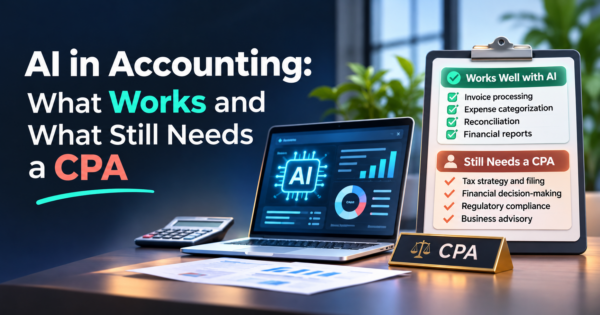
The best fits are invoice capture and coding, bank and payment reconciliation, expense policy checks, collections reminders, variance explanations and cash flow forecasting. Tax positions, estimates and audit conclusions need a qualified professional to decide.
What are the risks of using AI in accounting?
The main risks are confident but wrong output, data security and confidentiality, weak segregation of duties, missing audit trails, accuracy drift over time and over-reliance. Approval steps, logging, access limits and periodic accuracy checks address most of them.
Is it safe to put financial data into AI tools?
It depends on the tool and its terms. Check where data is stored, how long it is kept, who can access it and whether it is used to train models. In the Karbon survey, 70% of respondents were concerned about data security, so ask before you buy.
How much time can AI save an accounting team?
Survey figures are self-reported and vary. In the Karbon survey, firms using AI reported saving an average of 18 hours per employee per month. The only reliable answer for your team is a pilot with a measured baseline.
Can AI do bookkeeping?
AI can do much of the routine work, including categorizing transactions from bank feeds, capturing receipts and matching payments. Someone still needs to review exceptions, approve entries and reconcile the books.
Can ChatGPT do accounting?
It can help with drafting, explanations and spreadsheet formulas, but it should not be trusted for exact numbers or run unattended on the books. Calculate in a spreadsheet or accounting system, and check the tool’s data terms before you paste in confidential financial data.
How do I start using AI in accounting?
Pick one high-volume, low-risk workflow such as accounts payable intake, measure the current hours and error rate, run the AI in shadow mode beside your normal process, then add an approval step and a log. Expand only where accuracy has held for a month or more.
Five questions to ask before you buy
- Which of my systems do you connect to, and is the connection read-only or read-write?
- Can I see the source document and the reasoning behind each suggestion?
- Where is my data stored, and is it used to train models?
- What accuracy do you see on documents like mine, and how do I measure it myself?
- Can I export the approval log for my auditor, and what happens to my data if I leave?
If you want AI agents connected to your accounting data with approvals and audit trails, see our AI automation services.