Table of Content

What are the best digital product ideas to sell?
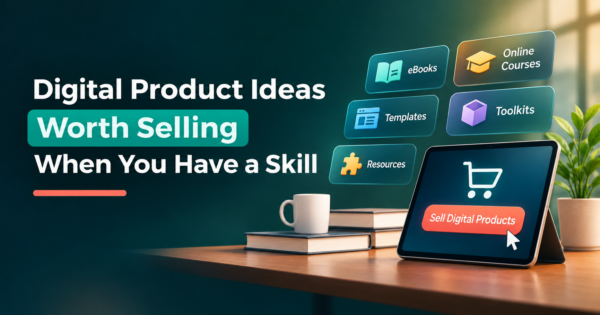
The best digital product ideas start with a skill you already have: editable templates, spreadsheet models, short courses, guides, workflow templates, plugins, presets and sound packs. Pick one that solves a narrow problem for a specific buyer, ships as a file or a login, and needs no inventory or shipping.
TL;DR
- A digital product is a file, a login or a download. You skip inventory and shipping, but you still own delivery, payment, support and tax questions.
- Below are seventeen ideas grouped by skill: design, writing and teaching, professional know-how, code and automation, and media.
- Each idea says what it is, who buys it, how to build and sell it, and how much work it really takes. None comes with an income promise.
- Templates, checklists and spreadsheets are the lightest to start. Courses, memberships, plugins and tools take real build and upkeep.
- Test demand with a small version before you build the full product, and sell on a marketplace first if you have no audience.
- When an idea needs an app, a member portal, a checkout or an automation, that is custom build work, and our MVP development services cover it.
What counts as a digital product, and why start from a skill?
A digital product is something a buyer receives as a download, a login or a license instead of a package in the mail. That covers a spreadsheet, an editable design file, a video course, a plugin, a sample pack and a paid community. Because there is no stock to buy or ship, you can test an idea cheaply. The catch is that nothing about the format makes it sell. A category such as “printables” tells you what to make but not who will pay for it and why.
Starting from a skill fixes most of that. A skill gives you a buyer you already understand, credibility on one narrow problem and a product you can finish without learning a new trade. A bookkeeper knows what a small business owner gets wrong in a cash flow sheet. A photographer knows which editing steps eat a wedding weekend. Those details are what make a digital product worth paying for, and they are hard for a stranger to copy.
Pick the group that matches what you already do, then choose one idea from it. If you want ideas that rely on AI tools, see our guide to AI side hustles that need no code.
Digital product ideas at a glance
Use this table to compare effort and delivery before you read the detail. Effort covers building the first version and keeping it working afterward.
| Idea | Skill | Delivery | Effort |
|---|---|---|---|
| 1. Editable design templates | Design | Download or editor link | Low |
| 2. Icon, illustration and font sets | Design | Download | Medium |
| 3. UI kits and website templates | Design | Download or marketplace listing | Medium |
| 4. Niche guides and ebooks | Writing | Download | Low |
| 5. Online courses and cohort workshops | Teaching | Course platform login | High |
| 6. Email courses and paid newsletters | Writing | Medium | |
| 7. Swipe files and scripts | Writing, sales | Download | Low |
| 8. Spreadsheet models and calculators | Finance, operations | Download or shared copy | Medium |
| 9. Checklists, SOPs and document templates | Operations, HR | Download | Low |
| 10. Planners and trackers in Notion or Airtable | Organization | Duplicable workspace | Low |
| 11. Paid communities and memberships | Expertise, audience | Member login | High |
| 12. Plugins and store apps | Development | License and downloads | High |
| 13. Workflow and automation templates | Automation | Importable file | Medium |
| 14. Small paid web tools | Development | Account login | High |
| 15. Presets, stock photos and footage | Photo, video | Download | Medium |
| 16. Music, sound effects and sample packs | Audio | Download | Medium |
| 17. Bundles and toolkits | Any of the above | Download or login | Low to medium |
If you design: three digital products to sell
1. Editable design templates
What it is. Ready-made files a buyer edits in a tool they already use, such as social post sets, pitch decks, resumes, menus, invoices or media kits.
Who buys it. Small business owners, freelancers, coaches and creators who need something that looks professional without hiring a designer.
How to build and sell it. Pick one audience and one job, for example “pitch deck for seed-stage founders”, and build a tight set of ten to twenty pages instead of a giant pack. Share it as an editor link or a download. List it on a template marketplace to find buyers, and show real before and after examples in the listing. Use only fonts and images whose licenses allow resale.
Effort. Low. The first set takes days, and updates are small. Competition is heavy, so the narrow audience is your edge.
2. Icon, illustration and font sets
What it is. Consistent visual assets that other designers, developers and marketers drop into their own work.
Who buys it. Agencies, app teams, course creators and bloggers who need a matching visual style fast.
How to build and sell it. Build a coherent set around one theme, such as a full icon set for a logistics app, and document the license in plain language: personal use, commercial use and what is not allowed. Sell on a design marketplace and on your own page so you can bundle sets later. Fonts need extra care because licensing and file formats are more complex.
Effort. Medium. Quality and consistency across the set take real time, and licensing questions need clear answers.
3. UI kits and website templates
What it is. Pre-built interface components or full page layouts for tools like Figma, or themes for a website platform.
Who buys it. Developers, startups and agencies that want to start from a solid layout instead of a blank page.
How to build and sell it. Choose one platform and one use case, for example a dashboard kit for SaaS or a theme for a local service business. Build it responsively, test it on phones and document how to customize it. Sell through the platform marketplace where one exists. Marketplaces often review submissions, so read their requirements before you build.
Effort. Medium. Design is the easy part. Responsive behavior, documentation and buyer questions are what take time.
If you write or teach: four digital products to sell
4. Niche guides and ebooks
What it is. A short, practical guide that solves one defined problem, for example “how to price a first consulting project” or “how to prepare a kitchen remodel budget”.
Who buys it. People in the middle of a problem who want a clear answer faster than searching free articles.
How to build and sell it. Write the guide you wish you had when you faced the problem. Keep it short, add worksheets or checklists and give the first chapter away to show quality. Sell it from your own page or a marketplace, and send buyers a simple update when something changes. Avoid broad titles; “a guide to marketing” competes with everything.
Effort. Low. The writing is the work. Support is light if the guide is clear.
5. Online courses and cohort workshops
What it is. Recorded lessons, a live cohort or a mix, taught step by step with exercises and feedback.
Who buys it. People who need a skill, a certificate-style outcome or accountability and are willing to pay for structure.
How to build and sell it. Prove the topic first by teaching a live workshop to a small group, then record the version that worked. Host it on a course platform for a first run. A larger course with progress tracking, quizzes, certificates or a branded member area usually needs a custom portal. Our eCommerce development services can build the storefront and checkout around it.
Effort. High. Planning, recording, editing, hosting and support add up, and a course needs refreshing as its topic changes.
6. Email courses and paid newsletters
What it is. A lesson series delivered by email, or a regular paid newsletter with analysis or curated links in a narrow field.
Who buys it. Professionals who want a steady stream of useful information without another app to log in to.
How to build and sell it. Write the first lessons or issues before you charge, and offer a free sample issue. Pick an email platform that supports paid subscribers or gated content. A paid newsletter only works if you can publish on schedule, so be honest about how much time you have each week. Sales come from a clear niche and consistent quality more than from volume.
Effort. Medium. Building the first batch is light, but the schedule never ends.
7. Swipe files and scripts
What it is. Proven wording a buyer adapts: cold email sequences, proposal templates, interview questions, sales call scripts or review request messages.
Who buys it. Freelancers, agency owners, recruiters and sales reps who want a stronger starting point than a blank document.
How to build and sell it. Collect the messages you have actually used and explain why each works and when to change it. Add short notes on what to personalize. Package it as a document with a bonus checklist. Do not sell anything copied from a client without permission, and do not promise results from using the wording.
Effort. Low. It is a packaging job if you already have the material.
If you have professional know-how: four digital products to sell
8. Spreadsheet models and calculators
What it is. A spreadsheet that does one job well, such as a rental property analysis, a project budget, a cash flow forecast, a pricing calculator or a meal prep planner.
Who buys it. Owners, managers and individuals who know the question but do not want to build the formulas.
How to build and sell it. Build the sheet around one scenario, lock the formulas, color-code the input cells and add a short instructions tab with a worked example. Sell it as a download or as a shared copy people duplicate. Test it with at least two people who did not make it. If buyers keep asking for accounts, saved results or sharing, that signal points to a web tool, covered in idea 14.
Effort. Medium. The logic must be right, and wrong formulas will cost you trust and refunds.
9. Checklists, SOPs and document templates
What it is. Ready-to-use operating documents such as onboarding checklists, standard operating procedures, job descriptions, meeting agendas, client intake forms and audit worksheets.
Who buys it. Small teams and new managers who know they need a process written down and have no time to draft it.
How to build and sell it. Choose a role or function you know well, for example an operations manager or an office administrator, and cover the documents they reach for most often. Present them as editable files with notes on how to adapt each one. Legal or compliance documents need a clear statement that they are general templates, not legal advice, and are best reviewed by a professional in that field.
Effort. Low. Most of the work is capturing what you already do.
10. Planners and trackers in Notion or Airtable
What it is. A pre-built workspace someone duplicates into their own account: a content calendar, a client tracker, a hiring pipeline, a habit system or a household budget.
Who buys it. People who like a ready system and want it set up the way a specialist would do it.
How to build and sell it. Build it in your own workspace, test it with real use for a few weeks and then share it as a duplicable template. Include a short walkthrough video or page. Because the tool owner can change features, plan to check the template each quarter. Sell through your own page or a marketplace that supports template listings.
Effort. Low. The build is quick, but you maintain it as the underlying tool changes.
11. Paid communities and memberships
What it is. Ongoing access to a group, a library of resources, live sessions or expert answers for a recurring fee.
Who buys it. People who want peers, regular access to an expert or a steady stream of resources in their field.
How to build and sell it. Start with a small founding group and a clear promise about what members get each month. A basic community can run on an existing platform. A branded member area with gated content, recurring billing, tiers and account management is a custom build, and our guide to building recurring revenue into your online store explains the pieces. A membership needs steady hosting and moderation, so plan your time before you launch.
Effort. High. The ongoing work of running a community is larger than the build.
If you code or automate: three digital products to sell
12. Plugins and store apps
What it is. Software that adds one feature to a platform people already use, such as a WordPress plugin, a WooCommerce extension or a Shopify app.
Who buys it. Store owners and site owners who have a specific problem and want it solved without hiring a developer.
How to build and sell it. Find a repeated request in forums, support threads or your own client work, then build the smallest version that solves it. Sell through the platform marketplace if you want its audience, or from your own site with license keys and updates. Plan for support, version updates and security fixes, because platforms change and your buyers expect it to keep working. If you want help building or hardening a plugin, our WooCommerce development services and Shopify development services teams build extensions and apps.
Effort. High. Building is one part. Updates, compatibility and support continue for as long as you sell it.
13. Workflow and automation templates
What it is. Importable automations for tools like n8n, Zapier or Make, or prebuilt scripts that connect two systems, such as new orders to a spreadsheet or form leads to a CRM.
Who buys it. Small business owners and operations people who want a working automation without learning the tool.
How to build and sell it. Build a workflow you have already used for a client, remove client details and add setup notes with screenshots. Document every account and permission it needs. Sell it as a file with a setup guide, and offer an optional paid setup call. For help choosing tools, see our guide to AI workflow automation tools, and for broader automation work see our AI automation services.
Effort. Medium. Templates break when tools change their connectors, so check them regularly.
14. Small paid web tools
What it is. A focused web app that does one job, such as a calculator, a converter, a report generator or a niche scheduling tool, sold as a subscription or a one-time license.
Who buys it. Professionals and small businesses that repeat the same task weekly and would pay to save time.
How to build and sell it. Start from a spreadsheet or script that people already ask you for, then turn it into a simple tool with a login and a payment page. Charge early, even with a rough version. For more directions to explore, our lists of micro SaaS ideas and app ideas show where small tools find buyers, and SaaS examples shows how existing products are packaged. When it needs a proper build, our MVP development services take a tool from first version to a product with accounts and billing.
Effort. High. Hosting, billing, security, bugs and support do not go away after launch.
If you make media: two digital products to sell
15. Presets, stock photos and footage
What it is. Editing presets for photo or video tools, stock photo libraries, short video clips, overlays and backgrounds.
Who buys it. Photographers, video editors, social media managers and marketers who want a consistent look without starting from zero.
How to build and sell it. Pick one style and one use, such as a warm preset set for indoor portraits, and show before and after samples on real photos. Check the license terms of the editing tool and of every image or model release you include. Sell on a stock marketplace for reach or from your own page for control and a higher share per sale.
Effort. Medium. Making the set is fun, but samples, model releases and licensing take care.
16. Music, sound effects and sample packs
What it is. Royalty-free tracks, loops, one-shot samples and sound effects for creators, video editors, game developers and podcasters.
Who buys it. Content creators and small studios that need legal audio and do not want to pay for custom work.
How to build and sell it. Make a tight pack around one genre or one purpose and give each file a clear name and tempo or key. Spell out the license: what buyers can use it for and what they cannot. Sell through an audio marketplace or your own store, and offer a free sample pack to bring in buyers. Do not include sampled material you do not own.
Effort. Medium. The creative work is yours, but licensing and clear labeling decide whether buyers trust the pack.
If you already have customers: one more digital product to sell
17. Bundles and toolkits
What it is. A combination of your best templates, guides and checklists around one outcome, such as a freelancer launch kit or a store owner finance pack.
Who buys it. Past buyers and people who want one complete answer instead of five separate downloads.
How to build and sell it. Look at what existing buyers purchase together and package those items at a price below the sum of the parts. A bundle works best as a second product, after single products have proven demand. Offer it to your email list and add it as an option at checkout.
Effort. Low to medium. The assets already exist. You only need the packaging, a clear page and a price you can explain.
How do you pick one idea and test it before you build it?
Choosing from seventeen ideas is a trap. Use a short filter and pick one.
- Is there a named buyer? If you cannot describe who pays in one sentence, narrow the product.
- Can you finish a first version in a few weeks? If not, cut it down to the part that proves demand.
- Do people already pay for something like it? Marketplace listings with reviews are evidence. A crowded space with a specific angle is better than an empty one with no proof.
- Can you support it? Software, courses and memberships need ongoing time. Templates and guides need much less.
- Will the license hold up? Fonts, images, audio and templates all carry usage terms. Check them before you sell.
Then test cheaply. Put a one-page description, a sample and a price in front of the audience you can reach: your email list, a community you belong to or a marketplace listing. If a few people pay for a rough version, you have a reason to build the polished one. If nobody does, you saved the build.
Where should you sell a digital product?
You have two basic routes. A marketplace has shoppers already, handles payment and delivery and takes a share of each sale, but it limits branding and often keeps customer data. Your own store costs more effort to set up and needs traffic, but you control the price, the checkout, the email list and the relationship with the buyer. Many sellers test on a marketplace, then open their own store once a product has proven itself.
A WooCommerce store supports downloadable products natively, and a Shopify store delivers digital files through an app. Our Shopify store setup steps walk through launching a store, and the right payment setup matters once you sell directly, as covered in our guide to Shopify payment gateway integration. If you want the store, checkout and delivery built to fit your product, our Shopify development services and WooCommerce development services cover both platforms. To bring buyers in, affiliate marketing for ecommerce explains how partners can send traffic to your store.
Tax rules for digital goods differ by US state and by country, so ask an accountant before you sell widely. Marketplace and payment processor fees come out of every sale, so check the current rates and price with them in mind.
Mistakes that sink digital products
- A topic that is too broad. “Marketing templates” competes with everything. “Email sequences for dental practices” competes with far less.
- Building before asking. A finished course with no buyers is an expensive lesson. Sell a rough version first.
- Ignoring licenses. Fonts, stock images, audio samples and AI tool outputs each come with terms. A product built on assets you cannot resell is a refund and takedown waiting to happen.
- No plan for support. Buyers email questions, ask for refunds and report broken links. Decide how you will handle that before launch.
- Leaving the product to age. Templates, plugins and workflows break when the tool they depend on changes. Schedule a regular check.
- Copying someone else’s product. A close copy is easy to spot and weak to market. Your own experience is the part nobody else can offer.
Frequently Asked Questions
What are digital products I can sell online?
A digital product is anything a buyer receives as a file, a login or a download instead of a shipped item. Common examples are templates, spreadsheets, ebooks, online courses, presets, music and sound packs, plugins, scripts and paid memberships. Because there is nothing to ship, you carry no inventory, but you still need delivery, payment and support to work.
What digital products are in high demand?
Demand shifts, and a list that ranks products by demand without showing its data is a guess. Better signals are free to check: search the problem your product solves, look at which marketplace listings in your niche have many reviews, and ask your own audience what they keep asking you for. Products that solve one narrow job for one type of buyer, such as a template for a single task, tend to be easier to sell than broad collections.
What is the fastest selling digital product?
There is no single product that sells fastest for everyone. Templates, checklists and short guides are the quickest to build and list, so they reach buyers sooner than a course or a plugin. How fast they sell depends on whether you already have an audience, how specific the problem is and how clearly the listing shows what the buyer gets.
Can you really make money selling digital products?
Some people do, and many make very little. Results vary widely with niche, price, audience size and how much time goes into support and marketing. We do not quote a typical income because there is no reliable average to point to. Treat a first product as a test of demand, keep costs low and judge it on real sales.
How much can you realistically make selling digital products?
The math is price times the number of buyers, minus marketplace or payment fees, advertising and your time. Start from the price you can defend and the number of buyers you can reach with your own audience, not from a headline income figure. A product with a few steady buyers and low upkeep can be worth more to you than a large launch that needs constant support.
Do I need an LLC to sell digital products?
No law requires an LLC to start selling digital products, and many sellers begin as sole proprietors. An LLC separates your personal assets from the business and has filing costs, and tax rules for digital goods differ by US state. Ask an accountant or attorney which structure fits your situation before you launch.
What is the best website to sell digital products on?
It depends on how much control you want. A marketplace gives you built-in shoppers but takes a share of each sale and limits branding and customer data. Your own store, such as a Shopify or WooCommerce site, gives you control of pricing, customer emails and checkout, but you set it up and drive the traffic yourself. Many sellers test on a marketplace first and move to their own store once the product proves itself.
What are some good ideas for starting a digital business?
Start from a skill other people already pay for, then package one narrow piece of it as a template, guide, course, tool or membership. A designer can sell editable templates, an accountant a spreadsheet model, a developer a plugin or workflow template. If the idea needs software that customers log in to, a small web tool can grow into a subscription product.
Bottom Line
The best digital product is one that matches a skill you already have and a buyer you can name. Start with the lightest format that proves demand, such as a template, a guide or a spreadsheet, and move to a course, a plugin or a tool once people have paid for the simpler version. When the product needs accounts, a checkout, a member area or an automation, that is a software build, and you can talk to our team about MVP development or eCommerce development to scope it.