Table of Content

Which AI agent framework should you pick?
Among today’s AI agent frameworks, pick the one whose weak spot you can live with. LangGraph fits long-running work that must pause, resume and survive a restart. CrewAI fits role-based multi-agent prototypes, and the OpenAI Agents SDK fits a small agent loop with built-in tracing and approvals. Microsoft Agent Framework is the successor to AutoGen and Semantic Kernel, and AutoGen is archived, so do not start a new build on it.
TL;DR
- An AI agent framework supplies the loop, tool calling, state and orchestration around a model. Microsoft’s own documentation says that if you can write a function to handle the task, do that instead of using an agent.
- The agent frameworks you will compare can build much the same things. They differ in how they fail: state lost on restart, loops that burn model calls, approval steps that sit behind a paid plan, and tracing tied to one vendor.
- LangGraph’s in-memory checkpointer loses every checkpoint when the process restarts, so production needs a database-backed one.
- CrewAI limits an agent to 20 iterations by default, but the request-rate and time caps are optional. Its documentation lists webhook-based human review for production under Enterprise.
- The OpenAI Agents SDK raises an error when a run exceeds its turn limit, enables tracing by default, and does not offer tracing to organizations under zero data retention.
- AutoGen is archived. Microsoft says it provides no bug or security fixes and advises against production use, and tells new users to start with Microsoft Agent Framework.
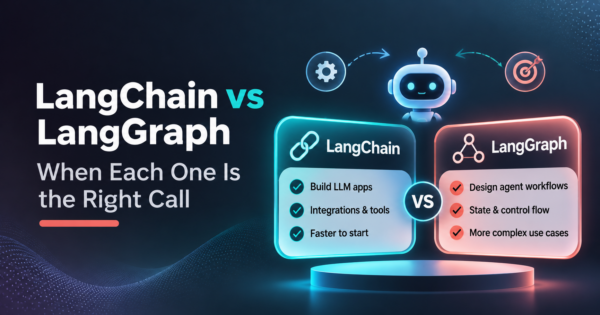
- This guide owns the choice of framework by failure mode. Our LangChain vs LangGraph breakdown owns that two-way choice, our AI agent builders comparison owns no-code tools, and our AI agent orchestration guide owns orchestration patterns.
- Every framework fact here comes from the official documentation pages we opened on November 23, 2026. These projects change quickly, so check the current pages before you commit.
What is an AI agent framework, and do you need one?
An AI agent framework is a software toolkit that handles the plumbing around a language model: the loop that lets it call tools and read the results, the state that carries a task across steps, and the rules for handing work between agents or to a person. Searches for agent frameworks and agentic AI frameworks all point at the same category. The question underneath is whether your task needs that plumbing at all.
Microsoft’s Agent Framework documentation draws the line clearly. Use an agent when the task is open-ended and needs autonomous tool use and planning. Use a workflow when the process has well-defined steps and you need explicit control over execution order. The same page adds that if you can write a function to handle the task, you should do that instead of using an AI agent (Microsoft Learn, Agent Framework overview, read November 23, 2026). The OpenAI documentation makes a similar point: call the Responses API directly when you want to own the loop and your workflow is short-lived (OpenAI Agents SDK documentation, read November 23, 2026).
So the first test is simple. If a fixed sequence of steps with one or two model calls does the job, you may need no framework. If the model must decide its own next step, run for a long time, wait for a person or recover from a crash, a framework starts to earn its place, and that is when the differences below matter. If you are earlier in the process, our guide on how to build an AI agent for your business covers the steps before a framework choice, and these AI agent examples show what teams actually build.
Which AI agent framework should you pick?
Start from the situation you are in, not from a ranked list of the best AI agent frameworks. The table below is our judgment from reading each project’s documentation. It is not a benchmark, and we did not run these frameworks against each other.
| Your situation | Look first at | Watch for |
|---|---|---|
| Long-running work that pauses for approval and must resume after a restart | LangGraph | You design state and flow yourself, and you need a database-backed checkpointer |
| A team of role-based agents, built quickly | CrewAI | Optional rate and time caps you must set, and where production approvals live |
| A small agent with handoffs, guardrails and tool approvals | OpenAI Agents SDK | The turn limit, and default tracing that is unavailable under zero data retention |
| A .NET or Python team that wants explicit graph workflows and checkpoints | Microsoft Agent Framework | A newer project, with Go still in public preview |
| Typed Python services that need durable runs | Pydantic AI | Durability comes from an external engine you add |
| An existing AutoGen codebase | Migrate to Microsoft Agent Framework | AutoGen no longer receives security fixes |
If nobody on your team writes code, none of these is the right starting point. Business teams are usually better served by the tools in our comparison of AI agent builders for business teams, and a framework becomes relevant when a builder runs out of room.
How do the main AI agent frameworks compare when they fail?
This AI agent frameworks comparison uses the failure modes that stop pilots from reaching production, not feature counts. Each cell comes from the framework’s own documentation, read on November 23, 2026. Where a page did not say, the cell says so.
| Framework | State and memory | Loop and cost limits | Human approval | Observability |
|---|---|---|---|---|
| LangGraph | Checkpointers save state per thread. The in-memory one loses it all on restart | A recursion limit caps steps per run and raises GraphRecursionError | interrupt() pauses a node, and a Command resumes it | LangSmith, a separate platform for tracing and evaluation |
| CrewAI | Flow state persists with the @persist decorator. Memory writes use an LLM | max_iter defaults to 20. max_rpm and max_execution_time are optional | Console review for local development. Webhook review is listed as Enterprise | Third-party tools, including Langfuse, MLflow, OpenLIT and Arize Phoenix |
| OpenAI Agents SDK | Sessions, with backends including SQLite, Redis, SQLAlchemy and MongoDB | max_turns raises MaxTurnsExceeded. Setting it to None disables the cap | needs_approval on tools, with a serializable RunState to resume | Built-in tracing, on by default, with custom processors for other destinations |
| Microsoft Agent Framework | Workflow checkpoints at the end of each superstep, plus session-based state | Not stated on the overview page we read. Check the agent documentation | A RequestPort sends a request out and waits for the response | OpenTelemetry traces, logs and metrics |
| AutoGen | Archived. Microsoft provides no bug fixes, security fixes or support and advises against production use | |||
Where each framework fails in production
LangGraph: what happens when the process restarts?
LangGraph describes itself as a low-level orchestration framework and runtime for long-running, stateful agents, focused on durable execution, streaming and human-in-the-loop control. It does not prescribe prompts or agent architecture, and it does not require LangChain (LangGraph documentation, overview page, read November 23, 2026). That freedom is the strength and the risk: you build the structure, so you also own its gaps.
State. Checkpointers save a thread’s graph state as checkpoints, and the documentation is blunt about the in-memory option: the in-memory saver stores checkpoints in RAM, and when the process restarts, all checkpoints are lost. It points to PostgresSaver for production and SqliteSaver for local development (LangGraph documentation, persistence page, read November 23, 2026). A demo that pauses and resumes in a notebook will lose every paused run the first time you deploy.
Loops. A recursion limit caps how many super-steps one run may execute, and LangGraph raises GraphRecursionError when the cap is hit. The error page says this is often an infinite loop caused by a cycle, and it shows how to raise the limit through the run configuration (LangGraph documentation, graph API and error pages, read November 23, 2026). Raising the limit is a cost decision, not a fix.
Approval. You call interrupt() inside a node, pass it a JSON-serializable payload, and resume by calling the graph again with a Command (LangGraph documentation, interrupts page, read November 23, 2026). The pause only survives a restart if the checkpointer behind it does.
Tracing. The documentation points to LangSmith as the platform for tracing, evaluation, prompts and deployment across frameworks. That is a separate product, so check what you would own if you left it. If the two-way choice between LangChain and LangGraph is your question, our LangChain vs LangGraph breakdown covers it in full.
CrewAI: what stops a crew from looping or overspending?
CrewAI combines Crews, teams of autonomous agents, with Flows, the structured workflows that manage state and control execution (CrewAI documentation, introduction page, read November 23, 2026). In a LangGraph vs CrewAI choice, the usual contrast is control against speed, and the controls are where CrewAI needs attention.
Loops and cost. The agent documentation lists max_iter, the maximum iterations before the agent must give its best answer, with a default of 20. It lists max_rpm, a maximum number of requests per minute to avoid rate limits, and max_execution_time, a maximum number of seconds per task, and both are optional settings whose documented default is None (CrewAI documentation, agents page, read November 23, 2026). So a crew has an iteration cap by default, but no request-rate or time cap until you set one.
Memory. CrewAI’s unified memory uses an LLM to analyze content when saving, inferring its scope, categories and importance (CrewAI documentation, memory page, read November 23, 2026). That means saving a memory is itself a model call, which belongs in your cost estimate. Flow state can persist across restarts with the @persist decorator (CrewAI documentation, flows page).
Approval. The human-in-the-loop guide describes two routes. The @human_feedback decorator is listed for local development, console-based review and synchronous workflows. Webhook-based review, listed for production deployments, asynchronous workflows and integrations such as Slack and Teams, is labeled Enterprise (CrewAI documentation, human-in-the-loop page, read November 23, 2026). If your approvers are not at a console, check which plan that route needs before you design around it.
Tracing. CrewAI’s observability page lists third-party tools including OpenLIT, MLflow, Langfuse and Arize Phoenix, so tracing is something you assemble.
AutoGen: is it still a safe choice?
No, and that settles the crewai vs autogen question for a new build. AutoGen’s README, read on November 23, 2026, says the project is archived and no longer actively maintained by Microsoft, that Microsoft is not providing bug fixes, security fixes, new features or support, and that it continues to advise against production use. It tells new users to start with Microsoft Agent Framework and points existing users to a migration guide. One framework is maintained and the other is archived, so the comparison is no longer a live choice. If you inherited AutoGen code, plan a migration rather than a long-term dependency.
OpenAI Agents SDK: how does it stop a runaway loop?
The SDK is built on a small set of primitives: agents, agents as tools and handoffs, and guardrails, plus a built-in loop that continues until the task is complete (OpenAI Agents SDK documentation, home page, read November 23, 2026).
Loops. In each turn the model either returns a final output, requests a handoff or calls tools, and the runner repeats until it finishes. If a run exceeds max_turns, the SDK raises MaxTurnsExceeded, and passing max_turns=None disables the limit. A run error handler for max_turns lets you return a controlled final answer instead of ending the run with an error (OpenAI Agents SDK documentation, running agents page, read November 23, 2026). The docs count a turn as one LLM call, so the cap is also a cost cap.
Approval. Tools can declare needs_approval, pending approvals surface as interruptions, and RunState lets you serialize a paused run and resume it after a decision. Callable approval rules fail closed: if the SDK cannot safely read the arguments, the call requires manual approval (OpenAI Agents SDK documentation, human-in-the-loop page, read November 23, 2026).
State and tracing. Sessions provide a persistent memory layer, and the documentation lists backends including SQLite, Redis, SQLAlchemy and MongoDB. Tracing is enabled by default and feeds the Traces dashboard. It is unavailable for organizations under a zero data retention policy, and custom trace processors can send traces to other destinations as a replacement or a secondary target (OpenAI Agents SDK documentation, tracing page, read November 23, 2026). If your organization is under zero data retention, plan your tracing before you build.
Microsoft Agent Framework: is it the default for Microsoft shops?
Microsoft calls Agent Framework the direct successor to Semantic Kernel and AutoGen, created by the same teams. It combines AutoGen’s agent abstractions with Semantic Kernel’s session-based state management, type safety and telemetry, and adds graph-based workflows for explicit control (Microsoft Learn, Agent Framework overview, last updated October 28, 2026, read November 23, 2026). It supports Microsoft Foundry, Anthropic, Azure OpenAI, OpenAI and Ollama, among others, and AutoGen’s README describes the 1.0 release as production-ready with stable APIs.
State and approval. Workflows save checkpoints at the end of each superstep, capturing executor state, pending messages, pending requests and responses, and shared state, so a long-running workflow can resume after a failure. Human input works through a RequestPort, which emits a request event and waits for the response (Microsoft Learn, workflow checkpoints and human-in-the-loop pages, read November 23, 2026).
Tracing. The framework emits traces, logs and metrics following the OpenTelemetry GenAI semantic conventions, which is a vendor-neutral standard (Microsoft Learn, observability page, read November 23, 2026).
Where it falls short. It is the newest of the group. The Go version is in public preview, and declarative agents, CodeAct and functional workflows are not implemented in Go. The overview page we read did not describe a per-run turn cap, so confirm one in the agent documentation before you rely on it.
What about Pydantic AI and Google ADK?
Two more options come up often. Pydantic AI describes itself as a typed, extensible agent loop for Python, and its documentation shows durable execution by attaching an external engine such as Temporal, where every model and tool call becomes a durable activity (Pydantic AI documentation, home page, read November 23, 2026). Google’s Agent Development Kit is open source and available in Python, TypeScript, Go, Java and Kotlin, and its home page announces graph workflow support in the TypeScript 2.0 release (Google ADK documentation, read November 23, 2026). We did not test either, so treat them as shortlist candidates, not recommendations.
What does an open source AI agent framework really cover?
An open source AI agent framework gives you the library for free, and not necessarily the operating layer around it. The pattern shows up across the documentation we read. AutoGen’s code is licensed under MIT, yet the project is archived. CrewAI is open source, while webhook-based human review for production is listed under Enterprise. LangGraph is a library, and the platform the documentation recommends for tracing across frameworks is a separate product. The OpenAI SDK is a package, and its default traces go to a hosted dashboard.
None of that is a reason to avoid open source. It is a reason to price the whole system before you pick, not only the install command: model calls, hosting, state storage, tracing, approvals, evaluation and the person who is on call when a run gets stuck.
What should you test before you commit to an AI agent framework?
Run five checks on a small version of your real workflow, and write down what each framework does, not what its documentation promises.
- Restart test. Pause a run for approval, redeploy, then resume it. If the state is gone, you are on an in-memory store.
- Loop test. Give the agent a task it cannot finish and watch what stops it. Count the model calls before it stops.
- Approval test. Put a real approver on the clock, in the tool they use, and check that the decision is recorded somewhere you control.
- Trace test. Find where traces go, who can read them and what happens if your data policy forbids sending them there.
- Exit test. List what you would rewrite to change the model provider or the framework. The longer that list, the deeper the lock-in.
The same checks apply when you connect an agent to your CRM, ERP or order system, where a stuck run or a lost approval has a real cost. Our AI agent orchestration guide covers how several agents and tools fit together once a single agent works.
Framework or partner build: who should build it?
Build in-house when you have engineers who will own the agent after launch, the workflow is contained, and a failed run costs little. Bring in a partner when the agent must touch systems of record, approvals need an audit trail, or nobody on your team wants to own loops, state and tracing in production. If you are weighing the partner route, our breakdown of AI agent development cost shows what drives the price.
The framework is the smaller decision. The larger ones are which steps a model may decide, where a person signs off, how the agent reads and writes your data, and how you would know it is wrong. CommercePundit’s agentic AI development services team scopes those decisions with you and builds the agent on whichever framework fits. If the hard part is connecting an agent to your existing software, start with our AI integration services, and for the wider picture see our AI development services. Bring one real workflow, the systems it touches and the approval rules, and we will tell you whether a framework, a builder or a plain script is the right tool.
Frequently Asked Questions
What is the best AI agent framework?
There is no single best AI agent framework, because each one fails differently. LangGraph suits long-running work that must resume after a restart, CrewAI suits fast role-based prototypes, and the OpenAI Agents SDK suits a small agent with built-in tracing and approvals. Microsoft Agent Framework is built for .NET and Python teams and supports several model providers. Pick the one whose weak spot you can live with.
Which AI agent framework is best for production?
The best choice for production is the one that passes your restart, loop, approval, trace and exit tests on your own workflow. LangGraph and Microsoft Agent Framework document checkpointing for long-running runs, and the OpenAI Agents SDK documents turn limits and serializable approvals. Do not choose from a feature list alone. Test what happens to a paused run during a deployment.
Is LangGraph better than CrewAI?
LangGraph is better when you need explicit control over state, branching and recovery, and CrewAI is better when you want a role-based team of agents running quickly. LangGraph gives you a low-level runtime and leaves the architecture to you. CrewAI gives you higher-level abstractions, with optional rate and time caps you must set yourself. Neither is better for every job.
Is AutoGen still maintained?
No. AutoGen’s README says the project is archived and no longer actively maintained by Microsoft, with no bug fixes, security fixes, new features or support. Microsoft advises against production use and tells new users to start with Microsoft Agent Framework. Existing users can follow a migration guide published on Microsoft Learn.
What replaced Semantic Kernel and AutoGen?
Microsoft Agent Framework. Microsoft describes it as the direct successor to both, created by the same teams, combining AutoGen’s agent abstractions with Semantic Kernel’s enterprise features and adding graph-based workflows. Migration guides for both projects are published on Microsoft Learn.
Is there a good open source AI agent framework?
Yes, several, including LangGraph, CrewAI, Pydantic AI, Google ADK and Microsoft Agent Framework. Open source covers the library, not the whole production system. Tracing, human approval, hosting and state storage can carry separate costs or separate plans, so price the full system before you commit.
Do I need an AI agent framework to build an agent?
Not always. Microsoft’s documentation says that if you can write a function to handle the task, you should do that instead, and OpenAI says to use its API directly when you want to own the loop for a short-lived workflow. A framework earns its place when the model decides its own steps, runs for a long time or must wait for a person.
How do you stop an AI agent from looping forever?
Set a hard cap and handle it when it fires. LangGraph has a recursion limit that raises GraphRecursionError, CrewAI has max_iter with a default of 20, and the OpenAI Agents SDK has max_turns that raises MaxTurnsExceeded. Then test the cap with a task the agent cannot finish and count the model calls before it stops.
How do you add human approval to an AI agent?
Use the framework’s pause-and-resume mechanism and a store that survives restarts. LangGraph uses interrupt() with a Command to resume, the OpenAI Agents SDK uses needs_approval with a serializable RunState, and Microsoft Agent Framework uses a RequestPort. CrewAI lists webhook-based review for production under Enterprise, so check the plan first.
What is the most used AI agent framework?
We could not find a source we could open that ranks agent framework usage reliably, so we do not name one. GitHub stars, package downloads and job postings measure different things, and none of them tells you which framework fits your workflow. Choose by the failure modes above, not by popularity.
Bottom Line
Choose an AI agent framework by how it fails, not by what it can build. Check whether paused runs survive a restart, what stops a loop, where approvals happen and where traces go, then pick the one whose weak spot you can live with. Skip AutoGen for new work, and skip a framework entirely if a plain function does the job. If you want a second opinion on which approach fits your workflow, bring the workflow to our team and we will review it with you.