Table of Content

When is custom construction software better than another subscription?
Custom construction software beats another subscription when your process is what sets you apart, when people spend hours re-keying data between systems you already pay for, or when per-seat fees keep climbing. If your process is standard, a subscription is faster and cheaper. Compare five-year cost, not the monthly fee.
TL;DR
- Custom construction software is software built around how your company bids, tracks job cost and reports. It usually sits on top of your ERP instead of replacing it.
- A subscription wins for standard work such as scheduling, document control and time tracking. Custom wins when your workflow is unusual, your data sits in several systems, or you pay for seats and features you barely use.
- Compare cost over five years. A subscription adds seats, tier upgrades, add-on modules and connectors. A custom build adds the build itself plus upkeep. Typical US figures are in the cost section below, and for an exact price you can contact us for a quotation.
- Most contractors land on a hybrid: keep the subscription for what it does well and build only the connecting layer or the one workflow it cannot handle.
- Construction software development carries less risk when it starts with one report or one hand-off, when you own the code and when the partner documents the work.
- An eight-question checklist near the end scores your situation as subscribe, hybrid or build.
- CommercePundit builds on the systems you already run. The CMES case study shows a heavy civil contractor with ERP, field, fleet and HR data in one portal and the ERP left in place.
What custom construction software is, and what it is not
Custom construction software is software built around how your company actually works: how you bid, how you code and track job cost, how crews report time, how you bill and how leadership sees the numbers. It is written for one contractor, not sold to thousands, so it can follow your process instead of asking you to follow a vendor’s.
It comes in three forms:
- A layer on your ERP. It reads from and writes to the ERP you already run, adds reports, approvals and hand-offs, and leaves the ERP as the system of record. This is the most common and the lowest-risk form.
- A single-purpose tool. One workflow, such as a bid log, a subcontractor prequalification tracker or a punch list app, built to fit exactly.
- A full platform. A custom system that replaces several tools at once. It is the largest build and the rarest sensible choice.
It is not the same as configuring an off-the-shelf platform. Custom fields, templates and automations inside someone else’s product are configuration. They are useful, and they stop where the vendor’s roadmap stops. The layer approach is the one we describe in our guide to construction automation without replacing your ERP.
Signs another subscription is the wrong fix
A new subscription fixes a missing feature. It does not fix a gap between systems you already own. Watch for these signals:
- Someone re-keys the same hours, quantities or change order amounts into two systems every week.
- A spreadsheet sits between your ERP and your field tool, and one person knows how it works.
- You pay per seat for people who open the tool once a week, such as foremen, subcontractors and owner’s representatives.
- Reporting questions such as work in progress, margin by job type or equipment cost need a manual build every period.
- The tool forces a process your crews will not follow, so the data arrives late or wrong.
- Your process is part of why you win work, such as self-performing, a specialty trade or a particular delivery method, and no product models it.
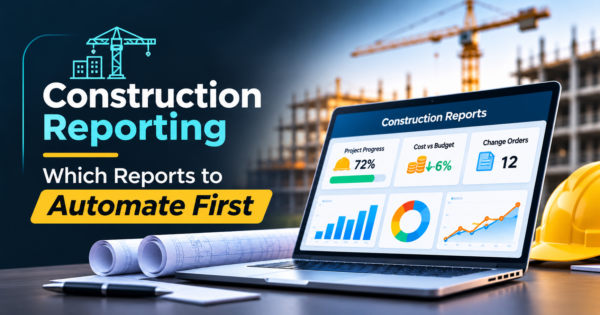
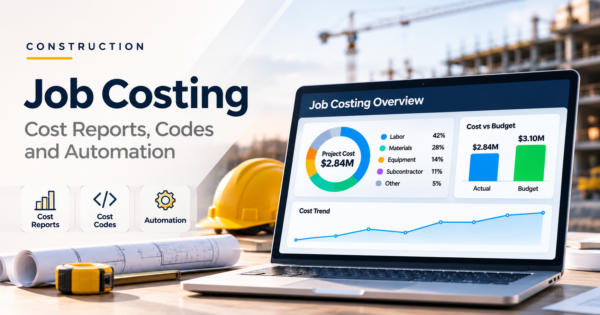
Job costing and reporting are the two places this shows up first. Our guides to construction job costing and construction reporting show what a connected version looks like when the data already exists and only the connection is missing.
When a subscription is the right answer
Building is not the default. A subscription is the better choice when the process is standard and several competitors run it the same way. Scheduling, document control, time tracking and accounting basics are rarely worth building, because a vendor spreads the cost of improving them across thousands of customers.
It is also the better choice for functions where the rules change by jurisdiction, such as certified payroll, lien waivers and insurance certificates. A vendor tracks those changes for you. If you build them, you track them. And a small team with no technical staff that needs something working in weeks should subscribe first and revisit the question later.
One more case belongs to a different decision. If the core ERP itself is the problem, that is an ERP choice, not a custom software choice. Our guide to ERP implementation covers it.
Buy, configure or build: how the options compare
Four options cover almost every contractor’s situation. The right one depends on how standard your process is and where your data lives.
| Option | Best when | Speed to start | Cost pattern | Main risk |
|---|---|---|---|---|
| Off-the-shelf subscription | The process is standard and the team is small or growing | Fastest | Recurring fee that grows with seats, tiers and add-ons | Your process bends to the product, and integration or export limits can lock data in |
| Configured platform | The process is mostly standard with a few special needs | Fast to moderate | Recurring fee plus setup and consulting | Customization stops at the vendor’s limits and can break on updates |
| Custom layer on your ERP | Data sits in several systems you trust and a few reports or hand-offs cost real hours | Moderate | One build, then yearly upkeep | Needs a named owner and documentation |
| Full custom platform | Your process is the competitive edge and no product models it | Slowest | Largest build, then yearly upkeep | Scope creep, and it is the hardest option to reverse |
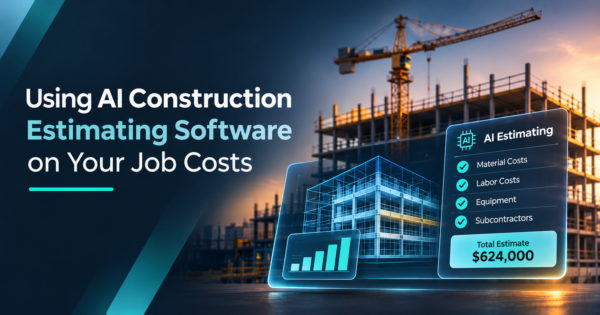
Estimating is one area where an off-the-shelf AI tool is often worth testing before you build anything. Our guide to AI construction estimating software covers how to test one against your own job history.
Compare five-year cost, not the monthly fee
A subscription looks cheap because the number is small and monthly. Add up five years instead. For a subscription, that is seats times the monthly fee times sixty, plus tier upgrades needed for an integration, add-on modules, paid connectors, onboarding and the staff hours spent on workarounds. For a custom build, it is the build cost plus yearly upkeep.
The table shows typical US figures for custom work. US development agencies typically charge about $85 to $250 an hour, and yearly upkeep typically runs about 15% to 25% of the build cost. It covers fixes, updates when a connected system changes and small improvements.
| Scope | Typical US build | Upkeep per year | Build plus five years of upkeep |
|---|---|---|---|
| Simple first version | $40,000 to $120,000 | $6,000 to $30,000 | $70,000 to $270,000 |
| Medium build integrated with an ERP | $120,000 to $300,000 | $18,000 to $75,000 | $210,000 to $675,000 |
| Enterprise platform | $300,000 and above | $45,000 and above | $525,000 and above |
Read the table against your own invoices. If the tools a custom layer would replace cost less over five years than build plus upkeep, the subscription wins on cost alone, and custom has to win on fit, control of your data or hours saved. Multiply the weekly hours spent on re-keying and manual reports by your loaded hourly cost and by fifty-two to put a number on the last one.
These figures are averages. For an exact price for your systems and your process, contact us for a quotation.
What construction software development involves
Construction software development for a contractor follows the same short path whether the build is one report or a whole portal:
- Pick one workflow with a measurable cost. A monthly report that takes days, or a hand-off that gets re-keyed, is a better first target than a platform.
- Map the data. List where each field lives, who owns it and how clean it is. Inconsistent cost codes are the most common surprise.
- Build a thin first version. Start read-only, reading from the ERP and one other system, so nothing can corrupt the system of record.
- Add roles and permissions. Estimators, project managers, foremen and owners should each see only what they need.
- Pilot on one job or one division, then widen.
- Plan upkeep before launch. Connected systems change, and someone has to own fixes, updates and the backlog.
This is custom enterprise work, the service line behind our enterprise software development services. If the first version includes an assistant that answers questions from contracts or bid documents, read-only access and an activity log matter more than the choice of model. Our AI integration services and our overview of AI in construction cover where that fits.
Build around your ERP, not instead of it
A heavy civil contractor in Georgia kept job cost in its ERP, field hours in a separate field system, equipment usage in telematics, people data in an HR system and the rest in spreadsheets. Answering “where do we stand this period?” meant pulling from five places and stitching the answers together by hand.
CommercePundit did not replace any of those systems. We built an operations portal that connects them, left the ERP as the system of record and added three AI assistants grounded in the company’s own records. The work was delivered in phases over nine months. The full story is in the CMES case study.
The same pattern works at smaller scale. Connecting field time to the ERP is often the first build, and our guide to connecting field time data to your ERP walks through it.
An eight-question checklist: subscribe, hybrid or build
Answer yes or no to each question.
- Do people re-key the same data into two or more systems every week?
- Does a spreadsheet or one person’s memory hold a key report together?
- Is your process, such as self-performing, a specialty or a delivery method, part of why you win work?
- Have you tried configuring your current tools and hit a hard limit?
- Do you pay per seat for many people who use the tool only occasionally?
- Do you have an ERP or system of record you plan to keep for years?
- Can you name one person inside the company who will own the software after launch?
- Can you describe the first report or workflow to build in two sentences?
As a rule of thumb, six to eight yes answers point to a custom layer, three to five point to a hybrid and zero to two point to a subscription. Questions seven and eight matter most. If both answers are no, fix them first, because an owner and a clear first target decide whether a build finishes.
The risks of building, and how to limit them
- One person holds the knowledge. Require written documentation and a handover session in the contract.
- You do not own the code. State in the contract that you own the source and can host it elsewhere.
- Scope creep. Fix the first release to one workflow and review additions only after it is in use.
- Security gaps. Ask for role-based access and an activity log from the first version.
- Lock-in to an unusual stack. Ask what the software is built on and who else can maintain it.
Frequently Asked Questions
How much does custom construction software cost?
In the United States, development agencies typically charge about $85 to $250 an hour. A simple first version typically costs $40,000 to $120,000, a medium build integrated with an ERP $120,000 to $300,000 and an enterprise platform $300,000 and above, plus yearly upkeep of about 15% to 25% of the build cost. These are averages. For an exact price, contact us for a quotation.
Is custom construction software cheaper than a subscription?
Not always. Add up seats, tier upgrades, add-ons and connectors over five years and compare the total with build plus upkeep. If the subscription costs less, it wins on cost, and custom has to win on fit, data control or hours saved.
How long does construction software development take?
It depends on scope. A single report or hand-off is the shortest build, a platform that replaces several tools is the longest, and the CMES program ran in phases over nine months. Ask any partner for a phased plan with a first release you can use.
Can custom software work with my existing ERP?
Usually yes. The software reads from the ERP through its integration options, such as an API, database access or scheduled exports, and the ERP stays the system of record. Check what your ERP exposes before you commit, and start read-only.
Who owns the code in a custom build?
It should be you. Put code ownership, documentation and a handover in the contract before work starts, and ask where the software will be hosted.
Can I start with a subscription and build later?
Yes, and it is often the best path. Keep the subscription for standard work, export your data regularly and build the connecting layer when the hours lost to workarounds are clear. Confirm your data export rights first.
Is custom construction software only for large contractors?
No. Size matters less than having one costly, repeatable problem and a person to own the software. A small contractor with a standard process should usually subscribe, and a mid-size one with data spread across systems is often a good fit for a layer.
Bottom Line
Subscribe when your process is standard. Build when your process is your edge, when data is stranded between systems you already trust or when seat fees outgrow the value. Most contractors end up in the middle: keep what a subscription does well and build the layer that connects it to your ERP. Start with one report, own the code and compare five years of cost. CommercePundit builds these layers for contractors, and you can contact us for a quotation or review the CMES case study first.