Table of Content

What is regression testing?
Regression testing re-runs existing tests after a code change to confirm that features that worked before still work. A regression testing strategy decides which tests run, when they run, who owns them and which ones are automated, so that every release is checked without re-testing the whole product by hand.
TL;DR
- Regression testing answers one question: did this change break something that used to work? Retesting answers a different one: is the bug we just fixed actually fixed?
- You cannot run every test on every change. Rank tests by risk (how likely a change is to break the area, times how much it would hurt) and run the highest-risk ones most often.
- Automate by break-even, not by habit. In our worked example, four of eight candidate tests pay back their automation cost in under two months, one would take about two years, one never pays back and one waits for a stable UI.
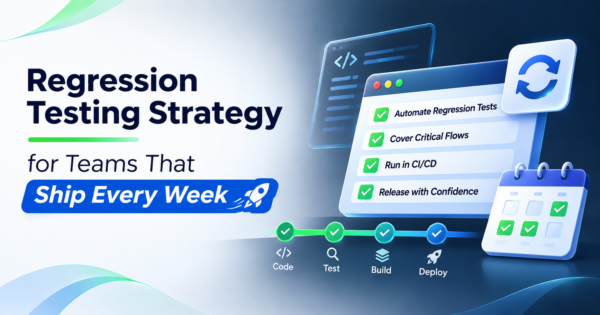
- Split the suite into tiers tied to the pipeline: a fast gate on every change, a broader run on merge, a nightly run, and a full pre-release run. The time targets here are our suggestions, not industry benchmarks.
- A suite that people do not trust gets ignored. Track the flake rate, the escape rate and the share of tests that ever catch a defect, and quarantine or retire tests that fail the rules.
- AI can help pick tests and draft cases, but it can also hide real regressions behind self-healing locators. Keep a person in charge of expected results.
- CommercePundit builds and runs regression suites for web and mobile products. See the last section.
What is the difference between regression testing, retesting and smoke testing?
These terms get mixed up in release meetings, and the confusion leads to suites that are either too slow or too thin. They answer different questions at different times.
| Type | Question it answers | Scope | When it runs |
|---|---|---|---|
| Smoke test | Does the build start and do the basics work? | A handful of critical paths: launch, log in, load the main page, place a test order | Immediately after every build; a failure stops everything else |
| Retest (confirmation test) | Is the specific defect we fixed really fixed? | The failing case from the bug report, plus its close variants | After a fix, on the same build |
| Regression test | Did the change break anything that worked before? | Existing tests chosen by risk and by what the change touched | On every merge, nightly and before release, by tier |
| Full regression | Is the whole product still sound before we ship? | Every regression test that is currently trusted | Before a release or after a risky change such as a framework upgrade |
A useful rule: a smoke failure means stop, a retest failure means the fix is incomplete, and a regression failure means the change caused collateral damage. Each one sends the work back to a different place.
How do you decide which regression tests to run?
Start with a risk score for each area of the product. Risk is the likelihood that a change breaks the area, multiplied by the business impact if it does. Score both from 1 to 5, so the maximum is 25. Inputs for likelihood come from the code: areas that change often, areas with many dependencies and areas that have broken before. Inputs for impact come from the business: revenue, legal exposure, customers affected and how visible the failure is.
Then decide what to automate with a break-even test. Automated regression testing only pays off for checks that run often and stay stable. The cost of automating a test is the hours to build it plus the hours to maintain it every month. The saving is the manual time you stop spending. If the saving never exceeds the maintenance, the test should stay manual or be dropped.
What does a worked prioritization look like?
The numbers below are our own illustration for a web product that ships weekly, not data from a client. Manual time is minutes per run; runs are per month across all releases and pull requests; build and maintenance are in hours. Monthly manual hours are minutes x runs / 60, the monthly saving is manual hours minus maintenance hours, and break-even is build hours / monthly saving, in months.
| Candidate test | Manual min per run | Runs per month | Manual hours per month | Build hours | Maintenance hours per month | Risk (likelihood x impact) | Break-even (months) | Verdict |
|---|---|---|---|---|---|---|---|---|
| Log in and session handling | 5 | 40 | 3.3 | 4 | 0.5 | 3 x 5 = 15 | 1.4 | Automate now |
| Checkout with a saved card | 12 | 40 | 8.0 | 10 | 1 | 4 x 5 = 20 | 1.4 | Automate now |
| Search and filter results | 8 | 40 | 5.3 | 8 | 1 | 4 x 3 = 12 | 1.8 | Automate now |
| Public API contract for orders | 10 | 40 | 6.7 | 6 | 0.25 | 3 x 5 = 15 | 0.9 | Automate now |
| Password reset email flow | 6 | 12 | 1.2 | 6 | 0.5 | 2 x 4 = 8 | 8.6 | Automate later |
| Admin report export | 15 | 8 | 2.0 | 12 | 1.5 | 2 x 2 = 4 | 24.0 | Keep manual: payback too slow |
| New onboarding screens | 10 | 40 | 6.7 | 10 | 3 | 5 x 3 = 15 | 2.7 | Wait: unstable UI, automate after it settles |
| Legacy print layout | 20 | 4 | 1.3 | 16 | 2 | 1 x 2 = 2 | never | Keep manual or drop: maintenance exceeds the saving |
Reading the result: 4 tests pass both filters and are worth automating first (login and session handling, checkout with a saved card, search and filter results, and the public API contract for orders). The password reset flow pays back in about nine months, so it can wait. The admin report export would take about two years to break even, so it stays manual. The print layout test costs more to keep than it saves, so it stays manual or goes. The onboarding screens carry high risk but change every sprint, so automating them now would mean rewriting the script weekly. Revisit them when the design settles. Replace every input with your own numbers; the method matters more than these values.
Which tests belong in which pipeline tier?
The point of tiers is fast feedback where it is cheap and thorough feedback where it is worth waiting for. The time targets below are our suggested starting points. Tune them to your team; a gate that takes too long gets bypassed.
Each tier is a gate. A failure at an earlier tier stops the later ones from wasting time.
| Tier | Trigger | What runs | Suggested time target | Blocks the release? |
|---|---|---|---|---|
| 1. Gate | Every commit or pull request | Unit tests, static checks, smoke set | Under 10 minutes | Yes, blocks merge |
| 2. Merge | Merge to the main branch | API and integration tests, top-risk UI paths from the risk table | Under 30 minutes | Yes, blocks deploy to staging |
| 3. Nightly | Scheduled | Wider UI suite, cross-browser, larger data sets | Under 2 hours | No, but failures are triaged next morning |
| 4. Release | Release candidate | Full trusted regression, performance and visual comparison | Under 6 hours | Yes, blocks production |
| 5. Production | After deploy | Smoke test and synthetic checks | Under 5 minutes | Triggers rollback review |
How do you keep a regression suite from becoming a liability?
Suites rot when nobody owns them. Tests start to fail for reasons unrelated to the code, people re-run until green, and trust disappears. Put a few measurements on the suite and act on them.
| Measure | Formula | Why it matters | Suggested action threshold |
|---|---|---|---|
| Flake rate | Runs with different results and no code change / total runs | Flaky tests train people to ignore red | Quarantine any test that flakes more than once in 20 runs |
| Escape rate | Production defects in an area a regression test covers / all defects found in that area | Shows whether the suite catches what it should | Review the test design for each escape |
| Catch rate | Tests that failed on a real defect in the last 6 months / active tests | Finds tests that never do anything | Review tests with no catch in 12 months; retire or merge |
| Feedback time | Time from commit to a trusted result | Slow feedback gets bypassed | Investigate when a tier exceeds its target for a week |
| Maintenance share | QA hours spent fixing tests / total QA hours | Exposes an automation debt | Rebalance when it passes a quarter of QA time |
Quarantine means moving a flaky test out of the blocking tier while someone fixes it, with a deadline. A quarantined test with no owner is a dead test. Retiring tests is as important as adding them: every test costs run time and attention.
Which regression testing tools fit which layer of the suite?
Pick regression testing tools by layer, not by brand, and keep test automation focused on the layers where it pays back. The names below are examples of common choices, not rankings, and tool features change, so check current documentation.
| Layer | What it checks | Examples of common tools | Notes |
|---|---|---|---|
| Unit | One function or class in isolation | JUnit, pytest, Jest, NUnit | Fastest and cheapest; the base of the suite |
| API and integration | Contracts and behavior between services | Postman with Newman, REST Assured | Stable and fast; often the best return in regression |
| Web UI | User journeys in a browser | Playwright, Cypress, Selenium | Slowest and most fragile; keep to top-risk paths |
| Mobile UI | Journeys on devices and OS versions | Appium and platform test frameworks | Device coverage drives cost; see our mobile testing services |
| Visual | Unintended layout or style changes | Visual comparison tools | Useful before release; needs approved baselines |
| Performance | Speed and load under change | k6, JMeter | Run on a schedule, not on every commit |
Run test environments in containers where you can so every run starts from a known state; our guide to Kubernetes versus Docker explains what each does. Test data deserves its own plan: use seeded fixtures, never real customer data, and reset state between runs.
Where does AI help with regression testing?
- Choosing what to run. Models trained on your change history can suggest which tests are most likely to be affected by a change. Treat the output as a ranking to review, and keep a full run on the release tier as a safety net.
- Drafting test cases. Assistants can turn a requirement or a bug report into candidate cases and edge conditions. A tester still decides the expected result, because a plausible but wrong expectation passes a broken feature.
- Triage. Summarizing failure logs and grouping failures by likely cause can save hours after a nightly run.
- Self-healing locators. Some tools repair a broken selector automatically. That is helpful for cosmetic changes and risky when the control really did move or disappear, because the test can pass against the wrong element. Require a review of every automatic repair.
Our guides to AI coding assistants and AI workflow automation tools cover the wider toolset around the test pipeline.
How do you set up a regression strategy in the first month?
| Week | Do this | Output |
|---|---|---|
| 1 | List the user journeys and services; score likelihood and impact for each; agree who owns the suite | A risk table the team has argued about and accepted |
| 2 | Write or select the smoke set; wire it to every build; set the tier targets | A gate that runs on every change |
| 3 | Run the break-even test on the top candidates; automate the first group; keep a manual checklist for the rest | The first trusted automated regression run |
| 4 | Add flake tracking and the quarantine rule; schedule the nightly tier; review the first results with the team | A suite with an owner, metrics and a retirement habit |
If you do not have the people to build and run this, a managed team is a legitimate option. Compare providers in our guide to software testing companies, or consider staff augmentation for a QA engineer who joins your team. Retail teams will recognize the problems in the challenges of automation in retail testing.
What mistakes make regression testing fail?
| Mistake | What happens | Fix |
|---|---|---|
| Automating everything | Maintenance eats the saving; the suite is slow | Use the break-even test and keep some checks manual |
| No tiers | Every change waits for the full run, so people bypass it | Gate, merge, nightly and release tiers with time targets |
| Ignoring flaky tests | Red builds are re-run until green; real failures are missed | Measure flake rate and quarantine with a deadline |
| Testing only through the UI | Slow, fragile suite | Push coverage down to API and unit layers |
| No owner | The suite decays after the person who built it leaves | Name an owner and review the metrics monthly |
| Never retiring tests | Run time grows while value falls | Review tests with no defect catch in a year |
| Real data in test environments | Privacy and consistency problems | Seeded fixtures and reset between runs |
Frequently Asked Questions
What is regression testing?
Regression testing is re-running existing tests after a change to confirm that features that worked before still work. It looks for unintended side effects of new code, fixes and configuration changes.
What is the difference between regression testing and retesting?
Retesting checks that a specific defect you fixed is really fixed. Regression testing checks that the fix, or any other change, did not break something else. Both are needed after a bug fix.
What is the difference between smoke testing and regression testing?
A smoke test is a short check that a build is stable enough to test further. Regression testing is the broader set of checks that existing behavior still works. Smoke runs first and a failure stops the rest.
How often should you run regression tests?
Match the tier to the trigger: a fast set on every change, a broader set on merge, a wide run nightly and a full run before release. Run the full suite after risky changes such as a framework upgrade.
How many regression tests do you need?
There is no useful universal number. Cover every high-risk journey and service contract, then add tests for areas that have broken before. Track the catch rate and retire tests that never find anything.
Should you automate all regression tests?
No. Automate tests that run often, are stable and have a fast payback, and keep exploratory or rarely run checks manual. The break-even example above shows how to decide.
What are the types of regression testing?
Common types are corrective (no code changes), retest-all, selective (only affected areas) and progressive (after new requirements). Most teams use selective regression chosen by risk, with a full run before release.
Can AI do regression testing?
AI can help rank which tests to run, draft test cases and summarize failures. It should not decide expected results, and automatic repairs of broken tests need review so real regressions are not hidden.
Who is responsible for the regression suite?
One named owner, usually a QA lead or an engineering manager, maintains the suite and reviews its metrics. Developers should fix tests that their changes break, in the same pull request.
Bottom Line
A good regression strategy is a set of decisions you can defend: tests ranked by risk, automation chosen by break-even, a pipeline of tiers with time targets, and a few metrics that keep the suite honest. Start small, own it, and retire what does not earn its place. If you want help designing or running the suite, talk to us about our software testing services and test automation services.