Table of Content

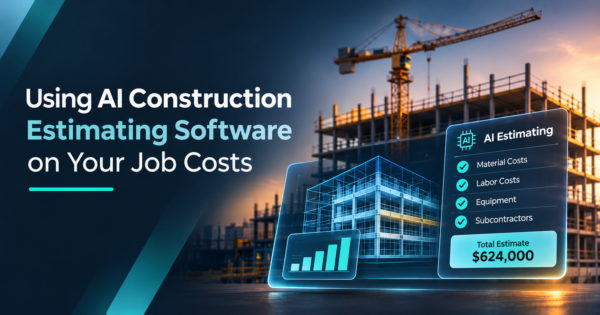
Pricing a bid from scratch means digging through old jobs, calling suppliers and rechecking quantities, often the night before the due date. AI construction estimating software can shorten that work, but only when it draws on cost data you trust. For most contractors, that data already sits in the ERP. This post shows what AI can and cannot do on a bid, and how to point it at your own job costs. It builds on our guide to construction automation without replacing your ERP.
How is AI used in construction estimating?
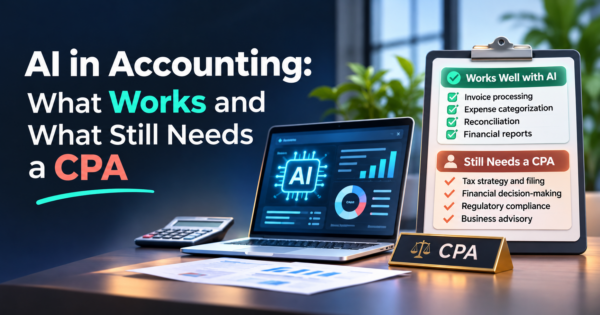
AI helps estimators with quantity takeoff, finding similar past jobs, checking unit prices and drafting a first bid sheet. It works from the data you give it. An estimator still reviews quantities, site conditions, risk and margin, because the person signs the bid.
What can AI in construction estimating do for an estimator today?
It speeds up the first pass of a bid, not the final call. Four jobs are realistic today:
- Takeoff help. The tool reads plan sheets and proposes counts, lengths and areas. The estimator confirms them.
- Similar past jobs. It searches your job history for work like the bid on your desk and shows what that work cost.
- Price checks. It flags a unit price that sits far from your recent jobs or recent supplier quotes.
- First-draft bid sheets. It builds a draft by cost code from the items above, ready for the estimator to rework.
Each of these saves hours of searching and typing. None of them replaces judgment about what the job will really take.
What does construction estimating AI still get wrong?
It can look right and be wrong, so a person checks every number that moves the bid. The common failures are plain:
- It misreads a drawing scale or counts the same item twice.
- It misses an addendum or a note on a sheet it was not given.
- It cannot see the site. Access, utilities, soil and traffic control stay with your team.
- It prices from stale or generic data, then shows a confident number with no source.
- It mixes cost levels, such as a per-unit rate used where a lump sum belongs.
Published estimating guidance agrees on the rule: treat AI output as a draft and keep the estimator responsible for the bid. Margin and risk are business decisions, and no tool makes them for you.
| Task | What AI helps with | What a person still checks |
|---|---|---|
| Quantity takeoff | Proposes counts, lengths and areas from plans | Scale, missed sheets and addenda, double counts |
| Finding similar jobs | Pulls past jobs by type, size and scope | Whether the jobs are truly comparable |
| Price checks | Flags unit prices far from recent costs | Current supplier and sub quotes, escalation |
| First-draft bid sheet | Fills cost codes from past jobs | Scope gaps, production rates, site conditions |
| Risk and contingency | Lists risks seen on similar past jobs | Which risks apply, and how much to carry |
| Final price and margin | Nothing. This is the estimator’s call | Everything |
Why does your own job cost history beat generic cost data?
Because it reflects your crews, your equipment, your subs and your region, not an average. Generic cost data is useful as a cross-check. Your history tells you what the work cost your company.
Your job cost records hold production rates, equipment cost, sub pricing and how often change orders show up on a given kind of work. A tool that reads them can answer “what did we pay for this last time?” before the estimator asks.
Here is how that plays out on a bid. Say you are pricing a storm drain package. The tool pulls your last closed storm drain jobs, shows cost per linear foot by pipe size and the crew production on each, and notes which jobs drew change orders. You see a range, not one number. You then adjust for this job’s depth, access and schedule, which the data cannot know.
Your history also carries old prices and old mistakes. A job that lost money because of a bad bid is not a model to copy. Escalate old costs to today’s prices and flag the jobs you would not repeat.
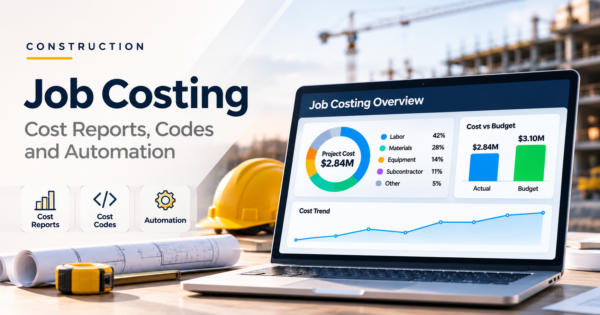
Our guide to construction job costing covers the cost codes and reports that make this data usable. The same fields feed your WIP report, so cleaning them once helps both.
What should you clean up in your job cost data before you start?
Fix the few things that decide whether past jobs can be compared. You do not need perfect data. Start with the cost codes you use most.
- Consistent cost codes. The same work should carry the same code across jobs.
- Quantity next to cost. A cost per unit needs the units installed, not only dollars spent.
- Units of measure. Linear feet, square yards and cubic yards must not be mixed in one code.
- Change orders tagged apart. Keep base scope and change order cost separate so one does not hide inside the other.
- Closed jobs only. Use final costs, not jobs still in progress.
- Job tags. Record job type, size, location, year and delivery method so the tool can find true matches.
- Billing items out. Retainage and billing entries are not cost. Keep them out of cost history.
- One-offs flagged. Mark unusual jobs so they do not skew the averages.
How do you pilot AI estimating on one bid type?
Pick one repeat bid type and prove it there before you widen the use. Five steps:
- Choose one bid type. Pick work you bid often, such as storm drain installs or site grading packages.
- Export the closed jobs. Pull final cost by cost code, with quantities and job tags, for that bid type.
- Backtest on bids you already know. Run the tool on three to five past bids and compare its draft to your actual costs, line by line.
- Run it beside live bids. The estimator prices the bid as usual, then compares the AI draft. Nobody bids from the draft alone.
- Review the misses. Track where the draft was off, by cost code, in your monthly reporting. Fix the data or the process, then decide whether to expand.
What should you ask before you buy AI construction estimating software?
Ask where your data goes, who can see it and how every number can be traced. These questions cover most of the risk:
- Data access. Does the tool read your ERP directly, or does it need a copy? Is access read-only?
- Who sees what. Can you limit access by role, so an estimator sees bids and a project manager sees their jobs?
- Training and sharing. Is your cost data used to train models for other customers? Get the answer in writing.
- Audit trail. Does it log each question and answer? Does it name the past jobs behind a number?
- Exit. Can you export your data and have it deleted if you leave?
- Human sign-off. Does the workflow require an estimator to approve the draft?
For a structure to follow, NIST’s voluntary AI Risk Management Framework groups AI risk work into four functions: govern, map, measure and manage. It works as a checklist for a vendor review.
Frequently Asked Questions
Can AI replace an estimator?
No. AI can draft takeoffs, find similar past jobs and check prices, but it cannot see the site, judge risk or set margin. The estimator signs the bid and owns the number. The realistic gain is less time on searching and typing, and more time on judgment.
Is AI estimating accurate?
It is as accurate as the data and the review behind it. A draft built on clean, comparable job costs and checked by an estimator can be useful. A draft built on generic data and sent out unchecked is a risk. Test the tool on bids you already know.
How much historical data do I need?
There is no magic number. Start with the closed jobs of one bid type, enough that you can name several close matches for a new bid. Consistent cost codes and recorded quantities matter more than volume. If a bid type has only a few jobs on record, use the tool for price checks only.
Is it safe to give AI my cost data?
It can be, if you control access. Ask for read-only access, role-based permissions, an audit trail and a written answer on whether your data trains models for others. Start with one bid type, and keep sensitive data out of any tool you have not reviewed.
Do I need to replace my ERP or estimating software?
No. The goal is to read the job cost data your ERP already holds and put it in front of the estimator at bid time. Your ERP stays the system of record, and your estimating software or spreadsheets stay in place. The new piece is a read-only layer between them.
What we built for a Georgia contractor
We built a custom operations portal for a heavy civil contractor in Georgia. It connects the ERP, field, bid and fleet systems the team already used, and adds read-only AI assistants with role-based permissions and cited sources, including one for the estimating team. The contractor’s team reports 70% faster operational reporting and more than 3,000 hours saved, by their own tally. Estimating needs the same thing reporting does: past job costs and bid history in one place, read-only, with every number traceable. Learn more about our AI integration services.
Get a free review of your job cost data
Want to know whether your job cost data is ready to feed estimating? Book a free review and we will show you what could feed estimating, and what needs cleanup first.