Table of Content

What is a Docker sandbox?
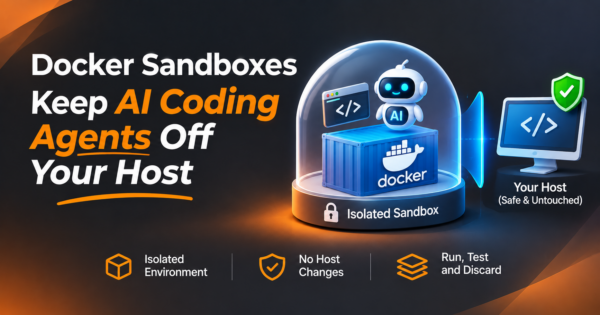
A Docker sandbox runs an AI coding agent inside its own lightweight virtual machine (a microVM) instead of directly on your computer. The agent gets a private Docker engine, only the project folder you choose, outbound network access that is filtered by policy, and credentials that are injected from outside so the agent never holds the real key. You create and manage sandboxes with Docker’s sbx command line tool.
TL;DR
- Coding agents read files, run commands and install packages on your behalf. That is exactly what you want from them and exactly why they should not run with your full user account.
- A Docker sandbox puts the agent in a microVM. According to Docker’s documentation, the isolation is hypervisor-level, stronger than the namespace isolation of an ordinary container, and each sandbox has its own Docker daemon.
- The sandbox shares only what you let it: the workspace, proxied network access, injected credentials, a skills store and a gateway to MCP servers. Each of those is also a place where risk can cross the boundary.
- Choose the workspace mode by how much you trust the code and the agent. Direct mounting edits your files in place. Clone mode gives the agent a private copy and mounts your repository read-only.
- A sandbox does not make a bad pull request safe. Review changes, git hooks, CI files and scripts before you run anything the agent modified.
- Details here come from Docker’s documentation read on November 5, 2026. The product is new and changing, so check the current docs before you rely on a specific behavior.
- CommercePundit builds containerized and AI-enabled systems. See the last section.
Why do AI coding agents need a sandbox?
An agent is not a chat box. It reads your repository, writes files, runs shell commands, installs dependencies and calls APIs. If you run it as yourself, it can do anything you can do. Most of the time that is fine. The problem is the rare case where the agent is wrong, tricked or given hostile input.
| What can go wrong | Example | Why a sandbox helps |
|---|---|---|
| The agent makes a destructive mistake | Deletes a folder outside the project, or rewrites the wrong config | It can reach only the workspace you mounted |
| Prompt injection in project content | A README, issue or web page contains instructions aimed at the agent | The blast radius is the sandbox, not your laptop |
| A malicious or compromised dependency | The agent installs a package that runs code on install | The code runs inside the VM, not on the host |
| Credential theft | Code tries to read API keys or SSH keys and send them out | Real credentials never enter the VM, and outbound traffic passes a policy proxy |
| Runaway resource use or noise | A loop spawns containers and fills the disk | The agent has its own Docker daemon and VM, separate from your host containers |
Prompt injection is the one to take seriously. An agent that reads untrusted text (an issue from a stranger, a scraped page, a dependency README) can be steered by instructions hidden in it. You cannot reliably filter that out, so the safer design limits what a steered agent can reach. Our guides to building an AI agent for your business and AI agent orchestration cover the wider design questions.
How is a microVM different from a container?
| Ordinary container | Docker sandbox (microVM) | |
|---|---|---|
| Isolation boundary | Shares the host kernel; separated by namespaces and cgroups | Own virtual machine with a hypervisor boundary |
| Docker daemon | Often the host’s daemon, or its socket mounted in | A separate Docker daemon inside the VM, with its own images and layers |
| If the agent needs Docker itself | Mounting the host Docker socket hands over control of the host daemon | The agent uses its own daemon and cannot touch your host containers |
| Host access | Whatever volumes and devices you mount | The workspace you pick and the channels listed below |
| Best for | Running your own trusted services | Running code and commands you did not write or review line by line |
The Docker-socket row matters most for agents. Many teams give an agent “Docker access” by mounting the host socket into a container, which effectively gives it control of the host. A sandbox avoids that by giving the agent its own daemon. Our comparison of Kubernetes and Docker explains the container basics if you want the background.
What does a Docker sandbox share with your computer?
Based on Docker’s Sandboxes documentation (architecture and security pages, read November 5, 2026), these are the channels that cross the boundary.
| Channel | How it works | The risk to manage |
|---|---|---|
| Workspace | You mount a project folder. In direct mode the agent sees your real files and changes appear on the host immediately. Without a path, the agent works in a directory inside the sandbox. In clone mode the host repository is read-only and the agent works in a private clone | Direct mode lets the agent edit your files in place |
| Network | All outbound TCP goes through a host-side proxy that applies network policy. The default is deny, with default allowlists | The default allowlists include broad wildcards such as *.googleapis.com; review them |
| Credentials | The agent sees a placeholder value. The proxy swaps in the real credential after the request leaves the VM | The agent can use the credential for allowed destinations even though it cannot read it |
| MCP servers | Agents reach registered MCP servers through one gateway on the host. Local stdio servers run on the host, not in the VM | A local MCP server runs with host permissions, so treat it as trusted |
| Agent skills | A shared skills store is mounted, read-only by default | A read-write mount lets one sandbox change instructions that other sandboxes use |
| Blocked by design | ICMP is always blocked, and UDP is blocked unless an experimental feature is enabled and allowed by policy | Plan for tools that need UDP |
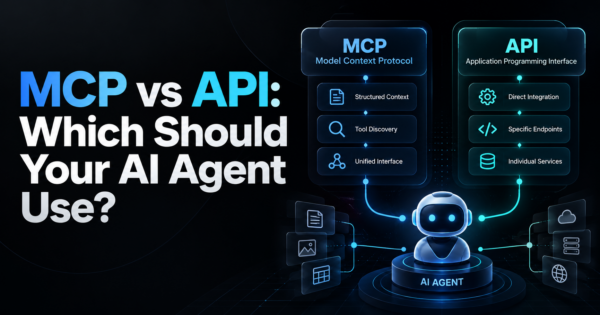
MCP (Model Context Protocol) is how agents connect to outside tools and data. If you are new to it, read our explainers on what MCP is and MCP vs API.
Which workspace mode should you use?
| Mode | What the agent sees | Use when | Main risk |
|---|---|---|---|
| Direct mount of your project | Your real files, read and write, live | You trust the repository and want results in place | Changes (including to hidden files) hit your working copy at once |
| No host mount | An empty directory inside the sandbox that persists across restarts | Experiments, throwaway prototypes, learning a tool | Getting work out of the sandbox takes an extra step |
| Clone mode | A private clone; your repository is mounted read-only | Untrusted code, third-party repos, unfamiliar tasks | You must review and pull changes back deliberately |
A simple rule: use clone mode for anything you did not write, and direct mode for your own code only after you have committed or stashed your work. Docker’s security notes call out the files that run automatically during development, such as Git hooks in the .git folder, CI configuration, IDE task files, AI project settings, Makefiles and package.json scripts. Git hooks do not appear in a normal diff, so check them separately.
What does a sandbox not protect you from?
| Gap | What it means | What to do |
|---|---|---|
| The workspace is trusted by design | If the agent plants a malicious script in your repo, running it on your host can hurt you | Review the diff and the auto-run files before running modified code |
| Broad default network allowlists | Wildcard entries allow destinations beyond AI APIs | Run sbx policy ls and remove entries you do not need |
| Allowed credentials can still be misused | The proxy injects them for permitted destinations | Use scoped, low-privilege keys and narrow the allowlist |
| Local MCP servers and shared skills sit outside the VM | They run with host permissions or are shared between sandboxes | Install only servers you trust and keep the skills mount read-only |
| Kits run install commands as root inside the VM | They are limited to an allowlist that defaults to Docker Hub | Keep the install allowlist narrow |
| Cloud sandboxes behave differently | The security page covers local sandboxes only | Read the cloud documentation separately |
This is not a criticism of the product. Every isolation boundary has edges, and the useful habit is knowing where they are. Treat the sandbox as one layer, alongside code review, least-privilege credentials and normal CI checks.
How does the risk change with each setup? A comparison
This table is our own analysis built from the documented model, not a benchmark. It shows what a misbehaving agent could reach in each setup.
| Setup | Your SSH keys and home folder | Other projects on disk | Host Docker daemon | Your project files |
|---|---|---|---|---|
| Agent runs directly as your user | Readable | Readable and writable | Controllable | Writable |
| Container with the host Docker socket mounted | Not mounted, unless you add it | Only if mounted | Controllable, which is close to host control | Writable if mounted |
| Docker sandbox, direct mount | Not reachable | Not reachable | Not reachable (own daemon) | Writable, live |
| Docker sandbox, clone mode | Not reachable | Not reachable | Not reachable (own daemon) | Read-only on the host; the agent edits a copy |
The step from the first row to the third is the big one. The step from the third to the fourth is smaller but removes the one thing the sandbox otherwise cannot: edits to your live files.
Which agents does Docker Sandboxes support?
Docker’s agents page lists these for local sandboxes: Claude Code, Codex, Copilot, Cursor, Devin, Docker Agent, Droid, Gemini, Kiro and OpenCode, plus a “Shell” option that has no agent and is meant for manual setup or testing. Lists like this change quickly, so confirm on the current page.
Local or cloud sandboxes?
| Local sandbox | Cloud sandbox | |
|---|---|---|
| Where it runs | On your machine | On Docker-managed compute |
| Files and hardware | Works with files and supported hardware on your machine | No local virtualization needed |
| Credentials and policy | Its own credentials, network policy and lifecycle controls | Separate from local ones |
| Cost (per Docker’s docs, November 5, 2026) | The sbx CLI and local sandboxes are free | Pay as you go; model provider charges are separate |
| Central control | Organization admins can manage policies under a separate paid subscription | Check the docs |
Prices and plans change, so confirm them on Docker’s site rather than trusting a blog post.
A checklist before you let an agent loose
- Commit or stash your own work so a bad edit is easy to undo.
- Pick clone mode for any repository you did not write, and for unfamiliar tasks.
- Run sbx policy ls and remove network entries you do not need.
- Give the agent a scoped API key with the lowest privilege that works, not your main key.
- Mount only the project folder, never your home directory.
- After the run, review the diff and check .git/hooks, CI files, Makefiles and package scripts before running anything.
- Delete the sandbox when you are done with sbx rm; that removes the VM and its contents, while files in a directly mounted workspace remain on the host.
How should a team set policy for coding agents?
| Decision | Suggested starting point |
|---|---|
| Where may agents run? | Only in sandboxes, never on production machines or with production credentials |
| Which repositories? | Clone mode for external and unfamiliar code; direct mode for your own code after committing |
| Which credentials? | Short-lived, scoped keys per task; no personal tokens with broad rights |
| What network access? | A written allowlist reviewed monthly |
| Who reviews the output? | The same review and CI rules as human pull requests, plus a check of auto-run files |
| How do you log use? | Keep a record of which agent ran on which repository and when |
If your company wants agents embedded in its own products or workflows, our AI development services and AI integration services teams design them with these boundaries in mind, and our Docker development services team containerizes and hardens the environments they run in.
Frequently Asked Questions
What is a Docker sandbox?
A Docker sandbox is an isolated environment, based on a microVM, for running AI coding agents. It has its own Docker daemon, a workspace you choose, filtered network access and injected credentials. You manage sandboxes with the sbx command line tool.
What is the difference between a Docker container and a Docker sandbox?
A container shares the host kernel and is isolated by namespaces. A Docker sandbox runs inside its own virtual machine with a hypervisor boundary and its own Docker daemon, which gives stronger isolation for untrusted agent activity.
Is Docker Sandboxes free?
According to Docker’s documentation on November 5, 2026, the sbx CLI and local sandboxes are free, cloud compute is pay as you go, and model provider charges are separate. Central policy management for organizations is under a separate paid subscription. Check current terms.
Which AI agents work with Docker Sandboxes?
The documentation lists Claude Code, Codex, Copilot, Cursor, Devin, Docker Agent, Droid, Gemini, Kiro and OpenCode, plus a shell option with no agent. The list can change, so check the current page.
Can the agent in a Docker sandbox see my API keys?
No, not the real values. The agent sees a placeholder, and a host-side proxy injects the real credential into allowed outbound requests. The agent can still use the credential for permitted destinations, so use scoped keys.
Can a sandboxed agent access my files?
Only the workspace you mount, and the shared skills store. In direct mode it edits your real files live. In clone mode your repository is read-only and the agent works in a private clone.
Is it safe to run an AI coding agent in a Docker sandbox?
It is much safer than running one as your own user, because the agent cannot reach the rest of your computer. It is not risk-free: review changes before running them, tighten the network allowlist and use least-privilege credentials.
How do I delete a Docker sandbox?
Use sbx rm. It deletes the VM and its contents. Files in a workspace that was mounted directly from your computer stay on the host.
Do I need Docker sandboxes if I already use dev containers?
Dev containers give a repeatable environment but usually share the host kernel and may mount the Docker socket. A sandbox adds a VM boundary and credential and network controls aimed at agent risk. Choose by how much you trust the code and the agent.
Bottom Line
A Docker sandbox is a sensible default for running AI coding agents: the agent gets a VM, a private Docker engine, a filtered network and credentials it cannot read. Use clone mode for code you do not trust, tighten the network allowlist, use scoped keys and review the diff plus auto-run files before you run anything. If you want agents and containers set up safely across your team, talk to us about our Docker development services.