Table of Content

What is employee onboarding software?
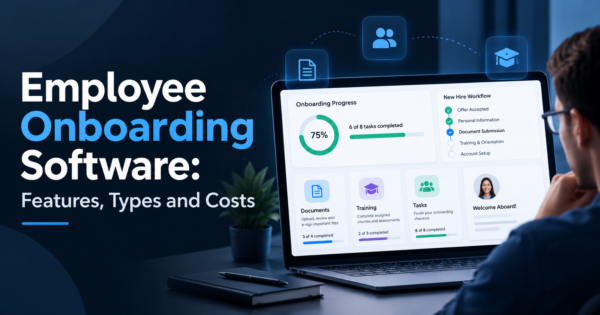
Employee onboarding software automates the steps between accepting an offer and a new hire being productive: collecting paperwork, creating accounts, assigning equipment, scheduling training and checking progress. It gives HR, IT, managers and the new hire a shared checklist with owners, due dates and reminders.
- Onboarding software covers pre-boarding, day one, the first 30 to 90 days and the handoffs between HR, IT, facilities and the hiring manager.
- The core features are task workflows, e-signature and forms, account provisioning, training assignment, reminders and reporting.
- Pick by company size and systems: an HRIS module, a dedicated onboarding tool or a custom workflow built around your stack.
- Measure results: time to full access, time to first task, completion of required steps and new hire feedback at 30 and 90 days.
- An AI agent can answer new hire questions, chase overdue tasks and prepare personalized checklists, while people handle welcome, coaching and exceptions.
- CommercePundit builds onboarding workflows that connect your HR, IT and communication systems.
What is employee onboarding software?
Onboarding is the process that turns an accepted offer into a productive employee. It involves several teams: HR collects documents, IT sets up accounts and devices, the manager plans the first weeks, and the new hire completes training. Without software this runs on email and spreadsheets and steps get missed. Onboarding software turns the process into a workflow with owners, deadlines and reminders. It is part of the broader HR automation covered in our guides to AI in HR and AI recruiting workflow automation.
What features should onboarding software have?
| Feature | What it does | Why it matters |
|---|---|---|
| Task workflows | Assigns steps to HR, IT, managers and the new hire with due dates | Nothing depends on someone remembering |
| Forms and e-signature | Collects tax, bank, policy and agreement documents online | Removes paper and chasing |
| Account provisioning | Triggers email, tools and access requests | New hires can work on day one |
| Equipment tracking | Orders and tracks laptops and badges | Avoids day-one delays |
| Training assignment | Schedules required courses and tracks completion | Covers compliance and role training |
| Reminders and nudges | Chases overdue tasks by email or chat | Keeps the process moving |
| Reporting | Shows completion, delays and feedback | Lets you improve the process |
| Integrations | Connects to HRIS, payroll, directory and chat | Avoids re-entering data |
What are the types of onboarding software?
| Type | Best for | Watch for |
|---|---|---|
| HRIS or HCM module | Companies that want onboarding inside the main HR system | Workflow depth varies by product |
| Dedicated onboarding tool | Teams that need richer checklists, portals and automation | Another system to integrate |
| IT and identity workflow tools | Provisioning accounts and access automatically | Needs HR data as the trigger |
| Learning platforms | Training-heavy onboarding | Less coverage of paperwork and logistics |
| Custom workflow | Unusual approvals, several systems or legacy tools | Needs an owner, testing and maintenance |
Features, plans and prices change often, so request current pricing and a demo from each vendor and compare total cost, including integration work.
What does a good onboarding timeline look like?
Use the table as an onboarding checklist and split it by role, so an engineer, a salesperson and a finance hire each get the tasks that apply.
| Stage | Typical tasks | Owner |
|---|---|---|
| Before day one | Send welcome message, collect forms, order equipment, create accounts, plan first-week schedule | HR, IT, manager |
| Day one | Welcome, introductions, access check, policy review, first small task | Manager, IT |
| Week one | Role training, meet key colleagues, set 30-60-90 day goals | Manager |
| First 30 days | Core training, first deliverable, check-in on questions and fit | Manager, HR |
| Days 31 to 90 | Increase responsibility, collect feedback, confirm goals | Manager, HR |
| After 90 days | Review process, gather survey results, adjust plan | HR |
Feedback from new hires belongs in the process. Our guide to employee engagement metrics covers which signals to track after onboarding ends.
How do you measure onboarding success?
| Metric | How to measure it |
|---|---|
| Time to full access | Days from start date until all required accounts and tools work |
| Task completion rate | Share of required steps finished on time |
| Time to first contribution | Days until the new hire completes a real task |
| New hire satisfaction | Survey score at 30 and 90 days |
| Early attrition | Share of hires who leave within 90 days or the first year |
| Manager satisfaction | Survey of managers on readiness and support |
Measure these before and after you change the process so you can see what the software actually improved. Our business process mapping examples guide helps document the current steps first.
How can an AI agent help with onboarding?
| Job | What the agent does | What stays human |
|---|---|---|
| Personalized checklists | Builds a task list by role, location and team | Approving the plan |
| New hire Q and A | Answers common questions about benefits, tools and policies from approved documents | Sensitive or personal issues |
| Chasing tasks | Reminds people about overdue steps and escalates | Deciding what to prioritize |
| Provisioning requests | Opens IT tickets and tracks status | Approving access |
| Check-in prompts | Sends short 30 and 90 day pulse questions and summarizes answers | Acting on feedback and coaching |
Keep the agent on approved sources and limit its access to personal data. Our guides to building an AI agent for your business and AI agent examples explain the setup, and our AI automation and AI integration services teams connect it to your HR and IT systems.
What does an onboarding checklist look like by role?
| Role | Before day one | First week | First 30 days |
|---|---|---|---|
| Engineer | Laptop, code repository access, development environment guide | Pair with a buddy, ship a small change | Own a small feature, join on-call shadowing |
| Salesperson | CRM seat, call recording access, product demo environment | Shadow calls, learn the pitch and pricing | Run first calls, review pipeline with manager |
| Finance hire | Accounting system access, approval limits, security training | Walk through close calendar and policies | Own a recurring task such as reconciliations |
| Customer support | Helpdesk seat, knowledge base access, macros | Shadow tickets, learn escalation paths | Handle tickets with review, then solo |
| Remote employee | Equipment shipped early, accounts tested, time zone overlap agreed | Video intros with the team, clear communication norms | Regular check-ins, a named buddy |
Build each row as a template in your tool so a new hire gets only the tasks that apply to them. Our AI workflow automation tools guide covers tools that can trigger these tasks from an accepted offer.
How should you handle compliance paperwork?
Onboarding collects sensitive data and required documents, and the rules differ by location and role. Treat the points below as a conversation starter for your HR and legal teams, not legal advice.
- Collect only what you need, when you need it, and store it in an access-controlled system.
- Keep an audit trail of which documents were sent, signed and by whom.
- Assign required training by role and location and track completion.
- Limit who can see personal data, including any AI agent connected to the system.
- Set retention rules for documents and delete what you no longer need.
How do you onboard remote and hybrid employees?
| Challenge | What helps |
|---|---|
| No hallway conversations | Scheduled intros with teammates and a named buddy |
| Equipment and access delays | Ship equipment early and test accounts before the start date |
| Unclear expectations | Written role goals and a plan for the first weeks |
| Isolation | Regular check-ins and a clear place to ask questions |
| Time zone gaps | Agreed overlap hours and recorded sessions for training |
What should you ask vendors in a demo?
- Can you show a template for one of our real roles from offer to day 90?
- Which of our systems does it connect to out of the box, and which need custom work?
- How are personal data and documents stored, who can access them and how long are they kept?
- Can managers complete their tasks from email or chat, or only inside the tool?
- What reporting is built in, and can we export the data?
- How is pricing calculated, and what are the setup and integration costs?
- What happens to our data and workflows if we leave?
What drives the cost of onboarding software?
| Cost driver | Why it matters |
|---|---|
| Headcount or hires per year | Many vendors price per employee or per new hire |
| Modules | E-signature, learning and provisioning may be extras |
| Integrations | Connecting HRIS, payroll, directory and chat takes setup time |
| Customization | Role templates, branding and approvals add implementation work |
| Support and training | Rollout help may be a separate fee |
| Internal time | HR, IT and managers need hours to build templates and learn the tool |
Compare options on total cost to your team, not only the subscription. If your stack is unusual, our guide to integrating AI into your business and enterprise software development team can help you decide whether a custom workflow is worth it.
How do you choose and roll out onboarding software?
- Map the current process. List each step, owner and delay.
- Define requirements. Decide which systems must connect and which steps must be automated.
- Shortlist two or three options and run a pilot with one team.
- Build templates by role instead of one generic checklist.
- Train managers. Their tasks are the ones most often missed.
- Launch, measure and adjust after the first two cohorts.
What mistakes hurt onboarding programs?
- Starting on day one instead of before it.
- One checklist for every role.
- Ignoring the manager’s tasks.
- Over-automating the welcome. New hires still need people.
- No feedback loop, so the process never improves.
Frequently Asked Questions
What is employee onboarding software?
Employee onboarding software automates the steps between an accepted offer and a productive employee, including paperwork, account setup, equipment, training and check-ins, using shared checklists with owners and due dates.
What features should onboarding software have?
Look for task workflows, forms and e-signature, account provisioning, equipment tracking, training assignment, reminders, reporting and integrations with your HR, payroll and directory systems.
How much does onboarding software cost?
Pricing depends on vendor, headcount and features, and many vendors use per-employee or quote-based pricing. Request current quotes and include integration and setup in the comparison.
What is the difference between onboarding software and an HRIS?
An HRIS stores employee records and runs core HR processes. Onboarding software focuses on the new hire workflow. Many HRIS products include an onboarding module, while dedicated tools offer deeper workflows.
What is pre-boarding?
Pre-boarding covers the time between the signed offer and the first day. It includes collecting forms, ordering equipment, creating accounts and welcoming the new hire so they can start productively.
How long should onboarding last?
Many companies plan 30 to 90 days of structured onboarding, with check-ins at set points. The right length depends on role complexity and training needs.
How do you measure onboarding success?
Track time to full access, task completion, time to first contribution, new hire and manager satisfaction and early attrition. Compare results before and after changes.
Can AI help with employee onboarding?
Yes. AI can personalize checklists, answer routine questions from approved documents, chase overdue tasks and summarize feedback. People should handle welcome, coaching and sensitive issues.
Should I build or buy onboarding software?
Buy when a product meets your needs and connects to your systems. Build or customize when you have unusual approvals, several systems or legacy tools that off-the-shelf products do not support.
What are common onboarding mistakes?
Common mistakes include starting too late, using one checklist for all roles, ignoring manager tasks, over-automating the human side and failing to collect feedback.
Bottom Line
The best onboarding software makes the process predictable: clear owners, due dates, accounts ready on day one and feedback at 30 and 90 days. Map your current steps, choose the type of tool that fits your systems, and add an AI agent for questions and reminders once the basics work. If you want onboarding connected to your HR, IT and chat tools, talk to us about AI automation or AI integration services.