Table of Content

What is ERP for manufacturing?
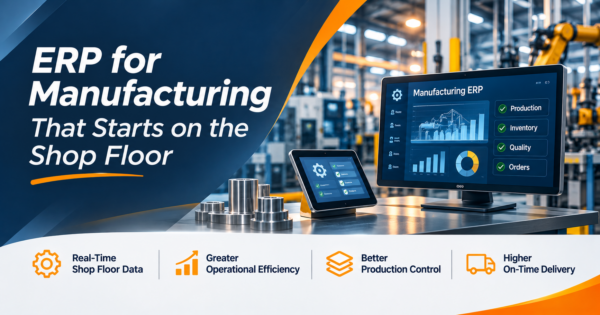
ERP for manufacturing is business software that connects the shop floor to finance: bills of materials, routings, material planning, production orders, inventory and lots, purchasing, quality and costing, all on one set of records. It differs from generic ERP because it plans and costs what is made, not only what is sold. A manufacturing ERP only works if the shop floor reports what actually happened, since every plan and cost report depends on that data.
TL;DR
- Manufacturing ERP is judged by the data it gets from the shop floor: order starts and stops, quantities, scrap and downtime. Without them, costs and schedules are guesses.
- In our worked example, a 500-unit order has a standard cost of $26.09 per unit and an actual cost of about $27.83, and the shop floor data is what shows where the extra $1.74 went.
- MRP is one module inside ERP, not a rival to it. MRP plans materials; ERP also runs finance, sales, purchasing, quality and reporting on the same records.
- Choose by how you make things (make to stock, make to order, engineer to order or process batch), not by a feature count. In our weighted example the winner flips between a job shop and a process manufacturer.
- License is only part of the cost. In our three-year example the subscription is about 42% of the total.
- All figures in the worked examples are illustrations built for this guide, not vendor prices or client results.
- CommercePundit implements and integrates ERP, including Odoo. See the last section.
What is manufacturing ERP, and what does it include?
| Module | What it does | What the shop floor must tell it | Owns this data |
|---|---|---|---|
| Bill of materials (BOM) | Lists the components and quantities in each product | Which version was actually built | Product structure |
| Routing and work centers | Defines operations, machines, setup and run times | Real setup and run time per operation | Standard times and rates |
| Material requirements planning (MRP) | Turns demand into purchase and production proposals | Accurate stock and receipts | Planned orders |
| Production orders | Release, track and close the work | Start, stop, good quantity, scrap | Order status and cost |
| Inventory and lot tracing | Tracks stock, lots, serials and locations | Moves, consumption, rejects | Stock and lineage |
| Quality | Inspections, nonconformance, corrective actions | Inspection results, holds | Quality records |
| Purchasing | Orders from suppliers, tracks receipts | Receipts and returns | Supplier orders |
| Costing | Standard and actual cost, variances | All of the above | Product cost |
| Scheduling | Sequences work against capacity | Downtime, actual progress | Schedule |
| Maintenance | Preventive and repair work | Machine hours and breakdowns | Asset history |
| Finance | Ledger, receivables, payables, inventory valuation | Nothing directly; it consumes the results | Accounting |
Our guide to ERP system examples shows how these modules appear in real systems across industries.
MRP vs ERP: is MRP the same as ERP?
| MRP | ERP for manufacturing | |
|---|---|---|
| Scope | Plans materials and production from demand and BOMs | Runs materials, finance, sales, purchasing, quality, HR and reporting together |
| Typical question | What do I need to buy or make, and when? | What did it cost, did we ship, did we get paid, and where is the margin? |
| Data | Items, BOMs, stock, orders | All of that plus customers, suppliers, ledgers and users |
| Relationship | A module or engine | The platform that contains MRP |
Small shops sometimes run MRP alone with a separate accounting package. That works until the same part number has to be reconciled between two systems every month. At that point an integrated ERP pays for itself in fewer spreadsheets.
Why start on the shop floor?
Most ERP projects begin with finance and purchasing screens. The failures begin on the floor. A system can only plan what it believes is true, and it only believes what operators report. If starts, stops, scrap and downtime are not captured as work happens, inventory drifts, MRP orders the wrong parts and cost reports show standard cost, not real cost.
Worked example: standard cost against actual cost
A production order for 500 pump housings has a BOM of one aluminum casting ($14.20), one fastener kit ($2.10) and two gaskets ($0.85 each). The routing is 0.10 hours of machining at $60 per hour, 0.05 hours of assembly at $40 per hour and 0.75 hours of setup at $60 per hour spread across the order. The shop floor then reports 4% casting scrap, 0.118 hours of machining per unit and 1.5 hours of setup. All numbers are invented.
| Cost line (per good unit) | Standard | Actual | Variance |
|---|---|---|---|
| Material | $18.00 | $18.57 | $0.57 (4% scrap on castings) |
| Machining | $6.00 | $7.08 | $1.08 (0.118 vs 0.100 hours) |
| Assembly | $2.00 | $2.00 | $0.00 |
| Setup | $0.09 | $0.18 | $0.09 (1.5 vs 0.75 hours) |
| Total per good unit | $26.09 | $27.83 | $1.74 |
Standard cost says $26.09. The shop floor data says $27.83, a difference of $1.74 per unit, or $869 across the order. Without scrap and time reported at the work center, the ERP would show the first number forever, and quotes would be priced on a cost the shop does not achieve. The fix is usually not software: it is capturing start, stop, good quantity and scrap at each operation, by barcode, tablet or machine signal.
Worked example: how MRP turns demand into orders
For the casting above, suppose stock on hand is 450, one purchase order of 300 arrives in week 3, safety stock is 50, orders come in multiples of 250 and the supplier lead time is 2 weeks. Demand from production orders is the gross requirement by week.
| Week | Gross requirement | Scheduled receipt | Planned receipt | Projected on hand | Planned order release (lead time applied) |
|---|---|---|---|---|---|
| 1 | 0 | 0 | 0 | 450 | 0 |
| 2 | 200 | 0 | 0 | 250 | 0 |
| 3 | 200 | 300 | 0 | 350 | 0 |
| 4 | 0 | 0 | 0 | 350 | 250 |
| 5 | 300 | 0 | 0 | 50 | 0 |
| 6 | 200 | 0 | 250 | 100 | 250 |
| 7 | 0 | 0 | 0 | 100 | 0 |
| 8 | 250 | 0 | 250 | 100 | 0 |
MRP nets demand against stock and receipts, adds a planned receipt whenever projected stock would fall below safety, and releases the order 2 weeks earlier. The first release lands in week 4, which is why a wrong stock count or a missing scheduled receipt in the ERP produces a shortage a month later. This is the same reason the shop floor must report consumption and receipts as they happen.
Which ERP features matter for your type of manufacturing?
| Type | How you make | Must-have in the ERP | Watch out for |
|---|---|---|---|
| Make to stock | Build to forecast, sell from inventory | Demand planning, MRP, safety stock, warehouse control | Overbuilding; forecast accuracy |
| Make to order | Build after a customer order | Configurable BOMs, order promising, short-lead scheduling | Quotes that ignore real cost |
| Engineer to order | Design per customer | Project costing, engineering change control, milestone billing | Costs that arrive late |
| Process and batch (food, chemicals) | Recipes, yields, lots | Formulas, yield and co-products, lot genealogy, expiry, quality holds | Traceability gaps; unit-of-measure conversions |
| Job shop | Many small, varied jobs | Fast quoting, routing by job, finite scheduling | Setup time and rework not captured |
Process manufacturers need lot genealogy from the first receipt to the last shipment. A food producer needs to answer a recall question in hours, which depends on every receipt, production and shipment being tied to a lot in the ERP.
How should you compare ERP software for manufacturing?
Score three kinds of options from 1 to 5 on six criteria, then weight the criteria for your situation. The scores describe archetypes, not products, and they are illustrations. What matters is that the weights change the answer.
| Criterion | Weight: process manufacturer | Weight: job shop | Industry-specific suite | General ERP with manufacturing module | Modular or open-source platform |
|---|---|---|---|---|---|
| Fit with how you make things | 30 | 20 | 5 | 3 | 3 |
| Shop floor data capture | 25 | 10 | 4 | 3 | 3 |
| Reporting and costing | 10 | 15 | 4 | 4 | 3 |
| Integration with existing systems | 10 | 25 | 2 | 4 | 5 |
| Cost to implement and run | 10 | 20 | 2 | 3 | 5 |
| Vendor and partner support | 15 | 10 | 4 | 4 | 3 |
| Weighted score: process manufacturer with lot control | 3.90 | 3.35 | 3.40 | ||
| Weighted score: job shop with existing systems | 3.30 | 3.50 | 3.90 |
The process manufacturer with lot control scores 3.90 for the industry-specific suite because fit and shop floor capture carry 55% of the weight. The job shop that must connect to existing systems scores 3.90 for the modular or open-source platform, because integration and cost carry 45%. Agree the weights with operations and finance before looking at any demo.
What does manufacturing ERP really cost?
The subscription or license is the visible part. The table models a three-year cost for 60 users. Every input is a placeholder to replace with real quotes: $70 per user per month, and one-time amounts for services.
| Cost line | Assumption | Three-year total |
|---|---|---|
| Subscription or license | 60 users x $70 x 12 x 3 | $151,200 |
| Implementation services | Configuration, BOM and routing setup, testing | $90,000 |
| Data migration | Items, BOMs, routings, open orders, opening stock | $18,000 |
| Integrations | Accounting, e-commerce, shipping, machines | $24,000 |
| Training | Operators, planners, finance | $9,000 |
| Internal staff time | 600 hours x $55 | $33,000 |
| Support and administration | $12,000 per year x 3 | $36,000 |
| Total | $361,200 |
Here the subscription is 42% of the total. A lower license price that needs more integration work can cost more overall. Ask every vendor and partner for all seven lines, not only the first. Our ERP implementation guide covers the phases and risks, and the Odoo development company guide explains what to expect from a partner on an open platform.
How is a manufacturing ERP project sequenced?
| Phase | What happens | Shop floor checkpoint |
|---|---|---|
| 1. Process mapping | Map how an order moves from quote to shipment, including exceptions | Walk the floor with operators; capture what really happens |
| 2. Data cleanup | Clean items, BOMs, routings, units of measure and stock counts | BOM matches what is built; stock counted |
| 3. Configure and integrate | Set up modules, rules and connections to other systems | Barcode or tablet capture tested at one work center |
| 4. Pilot | Run one product line end to end | Orders closed with reported scrap and time |
| 5. Roll out | Add lines and sites in waves | Inventory accuracy tracked weekly |
| 6. Improve | Add scheduling, quality and reporting once data is trusted | Variances reviewed monthly |
Odoo is one platform manufacturers consider. Its bills of materials, work centers, MRP and quality features run on one database with the accounting and sales apps. Our Odoo development services team configures and extends it, and the benefits of Odoo post explains the platform. If your plant also sells online, our guide to ecommerce ERP integration covers connecting orders and stock.
Where does AI help in manufacturing ERP?
- Demand and shortage alerts. Forecasting that flags a likely shortage before MRP does, reviewed by a planner.
- Data quality checks. Finding BOMs with missing components, routings with zero times and units of measure that do not convert.
- Anomaly flags. Operations with scrap or time far outside history.
- Questions in plain English. Asking for late orders or lot history, answered from approved views.
AI does not fix missing shop floor data. See our guide to AI agents in ERP for the guardrails.
What mistakes sink manufacturing ERP projects?
| Mistake | What happens | Fix |
|---|---|---|
| Copying the old process into new software | The old workarounds return | Redesign the order flow before configuring |
| Dirty BOMs and routings at go-live | MRP and costing are wrong from day one | Clean and approve data before the pilot |
| No shop floor capture | Cost and inventory drift from reality | Capture starts, stops, quantity and scrap at each operation |
| Customizing everything | Upgrades become painful | Use standard features first; customize only real differentiators |
| Judging by the demo | The demo path hides your exceptions | Run your own order through a proof of concept |
| Ignoring training | Operators work around the system | Train by role on your data |
Frequently Asked Questions
What is ERP for manufacturing?
It is business software that connects production to finance: bills of materials, routings, material planning, production orders, inventory and lots, purchasing, quality and costing on one set of records.
What is the difference between MRP and ERP?
MRP plans materials and production from demand and bills of materials. ERP is the wider platform that also runs finance, sales, purchasing, quality and reporting, and usually contains MRP as a module.
What are the main modules of manufacturing ERP?
Common modules are bill of materials, routing and work centers, MRP, production orders, inventory and lot tracing, quality, purchasing, costing, scheduling, maintenance and finance.
How does ERP help manufacturers?
It gives one record of what is planned, bought, made, shipped and paid. That supports better material planning, accurate costing, traceability and reporting, as long as the shop floor reports what actually happened.
What are the four types of ERP?
There is no single standard list. Common groupings are by deployment (cloud, on premises, hybrid), by scope (general or industry-specific), by vendor size (tier one or mid-market) and by openness (proprietary or open source).
Is ERP the same as SAP?
No. SAP is one vendor of ERP software. ERP is the category, and many other vendors and open-source platforms serve manufacturers.
What ERP is best for food manufacturing?
The best fit has formulas and recipes, yield and co-product handling, lot genealogy, expiry control and quality holds. Test recall tracing on your own data before you choose.
How much does manufacturing ERP cost?
It varies by users, modules, complexity and partner. Model three years of subscription, implementation, data migration, integrations, training, internal time and support, because in our example the license was less than half of the total.
How long does a manufacturing ERP implementation take?
It depends on scope and data quality. Plan for process mapping, data cleanup, a pilot on one product line and waves of rollout, and treat a first pilot within a few months as a healthy sign.
Bottom Line
Choose manufacturing ERP by how you make things, prove it on your own order, and treat shop floor data capture as the foundation, not an add-on. Model the full three-year cost and score options with weights that reflect your situation. If you want a partner to implement or integrate it, talk to us about our enterprise software development services or our Odoo team.