Table of Content

What is a disaster recovery plan?
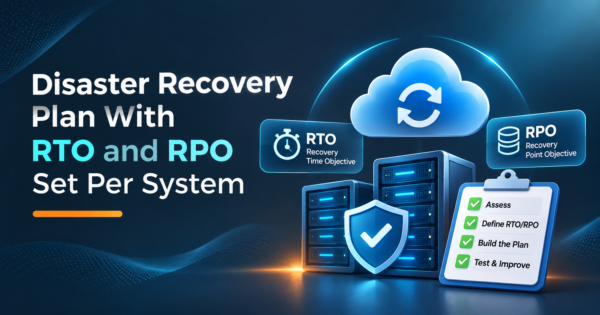
An IT disaster recovery plan is a written, tested procedure for restoring IT systems and data after an outage, a cyberattack or a data loss event. It sets a recovery time objective (RTO) and a recovery point objective (RPO) for each system, chooses a recovery strategy that can meet them, and names who does what.
TL;DR
- Set targets before you buy anything. RTO is how long a system can be down. RPO is how much data you can afford to lose, measured in time. Every other decision follows from those two numbers per system.
- Not every system deserves the same protection. Group systems into tiers by business impact so the expensive strategies protect only what needs them.
- There are four common recovery patterns: backup and restore, pilot light, warm standby and multi-site active/active. They run from cheapest and slowest to costliest and fastest. The AWS whitepaper that defines them also applies to other environments.
- Our worked example puts a dollar figure on downtime for six systems. It also shows the spend ceiling: the most a recovery upgrade can be worth in expected avoided loss. The inputs are illustrative, so replace them with your own.
- An untested plan is a document of promises. Test restores on a schedule, run a tabletop exercise, and run a real failover for the systems that matter most.
- Ransomware changes the plan: keep copies the attacker cannot delete, and keep them in a separate account or location.
- CommercePundit designs and runs cloud recovery setups on AWS. See the last section.
RTO vs RPO: what is the difference?
| Term | Plain meaning | Question it answers | What it drives |
|---|---|---|---|
| RTO (recovery time objective) | The longest a system can be down before the damage is unacceptable | How fast must we be back? | Recovery strategy, automation and staffing |
| RPO (recovery point objective) | The longest span of data you can afford to lose, measured in time | How much recent work can we lose? | Backup and replication frequency |
Two rules make the numbers practical. First, the interval between backups or replication cycles must be no longer than the RPO, otherwise the target cannot be met. Second, every step of recovery adds time, so the sum of the steps must fit inside the RTO. Here is what a four-hour RTO looks like when you add up the steps.
| Recovery step | Minutes (example) |
|---|---|
| Detect the failure and raise the alarm | 15 |
| Decide to declare a disaster and assemble the team | 15 |
| Restore data from backup or promote a replica | 90 |
| Rebuild or reconfigure the application stack | 60 |
| Validate data and run smoke tests | 30 |
| Switch traffic and confirm users are back | 30 |
| Total | 240 (4 hours) |
If any step is slower in practice, for example the restore takes three hours, the real recovery time is longer than the target, and you only learn that by testing. Teams often discover that detection and the decision to declare a disaster take longer than the technical restore.
How do disaster recovery, business continuity and backups differ?
| Concept | Scope | Example |
|---|---|---|
| Backup | A copy of data that you can restore from | Nightly database snapshot copied to another location |
| Disaster recovery (DR) | Restoring IT systems and data after a disruption | Bringing the order system back in another region within the RTO |
| Business continuity (BCP) | Keeping the whole business operating, including people, facilities and suppliers | Staff work from home, customers are notified, orders are taken by phone while systems recover |
Backups are an ingredient, the disaster recovery plan is the IT recipe, and business continuity is the larger meal. A good DR plan feeds a continuity plan and does not replace one.
How do you build a disaster recovery plan?
Seven steps. Most plans stop at step 4 and never reach a tested runbook.
What does a worked example look like?
The figures below are our own illustration for an online retailer with annual revenue of $12,000,000. Average revenue per hour is $1,370 ($12,000,000 divided by 8,760 hours; real traffic peaks, so peak hours cost more). The hourly impact for the other systems is an assumption covering idle staff and delayed shipments. The RTO and RPO values are example targets, not recommendations for your business.
| System | Impact per hour of downtime (assumed) | RTO target | RPO target | Tier | Strategy that can meet it |
|---|---|---|---|---|---|
| Storefront and checkout | $1,370 | 1 hour | 5 minutes | Tier 1 | Warm standby |
| Order management and ERP | $450 | 4 hours | 15 minutes | Tier 2 | Pilot light |
| Customer support desk | $200 | 8 hours | 1 hour | Tier 3 | Backup and restore |
| Email and collaboration | $150 | 8 hours | 24 hours | Tier 3 | Backup and restore (or vendor-managed) |
| Analytics warehouse | $50 | 48 hours | 24 hours | Tier 4 | Backup and restore |
| Internal wiki and documents | $30 | 72 hours | 24 hours | Tier 4 | Backup and restore |
Now put a price on the gap between today and the target. Assume that with no tested plan a serious outage takes about four days (96 hours) to recover, and that a serious outage of any one system happens about once in five years (a 20% chance in a given year, also an assumption). Expected annual loss is chance x hours of downtime x hourly impact.
| System | Expected annual loss at 96 hours recovery | Expected annual loss at target RTO | Avoided loss per year |
|---|---|---|---|
| Storefront and checkout | $26,301 | $274 | $26,027 |
| Order management and ERP | $8,640 | $360 | $8,280 |
| Customer support desk | $3,840 | $320 | $3,520 |
| Email and collaboration | $2,880 | $240 | $2,640 |
| Analytics warehouse | $960 | $480 | $480 |
| Internal wiki and documents | $576 | $432 | $144 |
| All six systems | $43,197 | $2,106 | $41,091 |
The storefront alone accounts for $26,027 of the $41,091 avoided loss. That is the useful result: the avoided loss is a ceiling for what the recovery upgrade for that system is worth each year in direct revenue terms. If a warm standby for the storefront costs more per year than its avoided loss plus the value of protecting customer trust, the case needs another argument. The figure excludes lost data, brand damage, contractual penalties and recovery labor, so treat it as a lower bound and not a precise forecast.
Which recovery strategy should each tier use?
The four patterns below are the ones AWS defines in its disaster recovery whitepaper (see the AWS whitepaper on disaster recovery options in the cloud). The ideas are not specific to AWS; the same trade-offs apply on other clouds and on premises.
| Strategy | How it works | Fits when | Relative cost and complexity | What to test |
|---|---|---|---|---|
| Backup and restore | Back up data and configuration, then redeploy the infrastructure and restore data after the disaster. Use infrastructure as code so redeployment is quick and repeatable | Lower tiers, data loss or corruption, or a single-site failure | Lowest | Restore time from real backups and the redeploy script |
| Pilot light | Replicate data to another region and keep a copy of the core infrastructure; application servers are switched off until needed | Systems that need minutes to hours of recovery at lower cost | Low to medium | Switching on and scaling out under time pressure |
| Warm standby | Run a scaled-down but fully working copy in another region that can take traffic at reduced capacity immediately | Customer-facing systems with tight RTO | Medium to high | Scaling up to full load and the failover switch |
| Multi-site active/active | Run the workload in more than one region at the same time, serving traffic from all of them | Systems that cannot tolerate more than a few minutes of downtime | Highest | Loss of a region, data consistency and recovery from corruption |
Two cautions from the same source. Replication protects you against a site failure, but it can copy corruption or a malicious deletion to the second site, so keep point-in-time backups as well. And failing over automatically on a health alarm can cause losses if the alarm is false, so many teams automate the steps and trigger the failover manually. If you run on AWS, our AWS cloud managed services team sets this up and tests it, and our IT infrastructure management services cover hybrid and on-premises environments.
What goes in a disaster recovery plan template?
| Section | What to write | Owner |
|---|---|---|
| Purpose and scope | Which systems, sites and data the plan covers, and what counts as a disaster | Head of IT |
| Roles and contacts | Incident lead, deputies, technical owners per system, vendors, an out-of-band contact list | Head of IT |
| System inventory and tiers | Each system with its RTO, RPO, dependencies and data location | System owners |
| Declaration criteria | Who may declare a disaster and the thresholds that trigger it | Incident lead |
| Recovery runbooks | Numbered steps per system, including credentials access and validation checks | System owners |
| Communication plan | Templates and channels for staff, customers, partners and regulators | Communications lead |
| Backup and replication details | What is backed up, how often, where, retention and who can delete | Infrastructure team |
| Testing schedule and results | What was tested, when, what failed and what changed | QA or operations |
| Return to normal | How to fail back, reconcile data and close the incident | Incident lead |
| Review log | Date and reason for every update to the plan | Plan owner |
How does ransomware change the plan?
- Keep copies the attacker cannot reach. Store backups in a separate account or location with different credentials, and use immutable or versioned storage so a deletion can be reversed. The AWS guidance notes that cross-account backups help protect from account compromise and insider threats.
- Follow the 3-2-1 rule as a baseline. Keep three copies of data, on two kinds of storage, with one copy off site.
- Plan a clean restore. Restoring from a backup that already contains the malware repeats the attack. Decide how you will check a restore point before you bring systems back.
- Protect the recovery tools. The runbooks, the contact list and the access path to backups must be available when your main systems are not.
Security hardening for your store or application lowers the chance of needing the plan; see our guides on Shopify security, Magento security best practices and ecommerce data security.
How do you run disaster recovery testing?
| Test | What it proves | Suggested frequency | Pass criteria |
|---|---|---|---|
| Backup restore test | Backups are complete and usable | Monthly for Tier 1 and 2, quarterly for others | Data restored to a test environment and checked against known records |
| Tabletop exercise | People know their roles and the decision path | Twice a year | Roles, contacts and escalation work without gaps |
| Component failover test | A single system recovers within its RTO | Twice a year for Tier 1 | Measured recovery time is at or under the RTO |
| Full failover test | The whole plan works end to end | Yearly, or after major architecture changes | Business services running from the recovery site with data within the RPO |
The frequencies are our suggestions. Record the measured recovery time and compare it with the RTO every time, and update the plan whenever a test reveals a gap. Automating a scheduled restore, as AWS recommends, keeps the check from depending on someone remembering to do it.
Where does automation and AI help?
Infrastructure as code lets you redeploy an environment from a repository instead of from memory, which is the biggest single improvement to recovery time for most teams. Scheduled restore jobs and alerting on replication lag keep the numbers honest. Assistants can help draft runbooks from existing documentation, summarize logs and alerts during an incident, and prepare status updates, but a person should make the declaration and failover decisions and review every generated step before it enters a runbook. Our guide to cloud migration on AWS covers building the environment that makes recovery easier, and data migration tools helps when you move data between systems. If you run workloads in containers, Kubernetes versus Docker explains the layers you need to recover.
What mistakes make a disaster recovery plan fail?
| Mistake | What happens | Fix |
|---|---|---|
| No RTO or RPO per system | Recovery is a guessing game | Set targets by tier from a business impact review |
| Treating every system the same | Overspend on low-value systems or underprotect critical ones | Tier the systems and match strategy to tier |
| Backups never tested | The first restore attempt happens during the disaster | Scheduled restore tests with recorded results |
| Plan stored only on the affected systems | Nobody can read it during an outage | Keep a copy in an independent location |
| Ignoring dependencies | The app is up but DNS, identity or the database is not | Map dependencies and recover in order |
| Replication without point-in-time backups | Corruption or deletion is copied to the second site | Add versioned or point-in-time backups |
| Out-of-date contacts and runbooks | Wrong people, wrong steps | Update after every major change and review twice a year |
Frequently Asked Questions
What is a disaster recovery plan?
It is a documented, tested procedure for restoring IT systems and data after an outage, cyberattack or data loss. It sets recovery targets per system, picks a recovery strategy and names owners and steps.
What is the difference between RTO and RPO?
RTO is how long a system can be down before the damage is unacceptable. RPO is how much data, measured as time, you can afford to lose. Short targets cost more to meet.
What are the four disaster recovery strategies?
Backup and restore, pilot light, warm standby and multi-site active/active. They progress from the cheapest and slowest to the most expensive and fastest.
What is the difference between disaster recovery and business continuity?
Disaster recovery restores IT systems and data. Business continuity keeps the whole business operating, including people, facilities and suppliers, while systems recover.
How often should you test a disaster recovery plan?
Test restores monthly or quarterly for important systems, hold a tabletop exercise twice a year and run a failover test at least yearly for critical systems. Retest after major changes.
What is the 3-2-1 backup rule?
Keep three copies of your data, on two different kinds of storage, with one copy off site. It is a baseline, and ransomware defense adds immutable or separate-account copies.
Do small businesses need a disaster recovery plan?
Yes. A small plan covering a short list of critical systems, tested backups and a contact list is far better than none. The scale of the strategy can be modest.
What is cloud disaster recovery?
It is using cloud infrastructure as the recovery site or running the workload in the cloud with backups and failover across regions. Cloud makes it easier to provision recovery environments on demand and to avoid paying for idle hardware.
What is disaster recovery as a service?
It is a managed service that replicates your systems to a provider environment and helps you fail over. You still need to define targets, test the failover and keep runbooks current.
Bottom Line
A disaster recovery plan works when every system has an RTO and an RPO, the strategy matches the tier, the runbooks are written and the plan is tested on a schedule. Start with the business impact numbers, protect the few systems that deserve a fast recovery, and keep the rest simple. If you want help with the design, build and testing, talk to us about our AWS cloud managed services and IT infrastructure management services.