Table of Content

What is certified payroll?
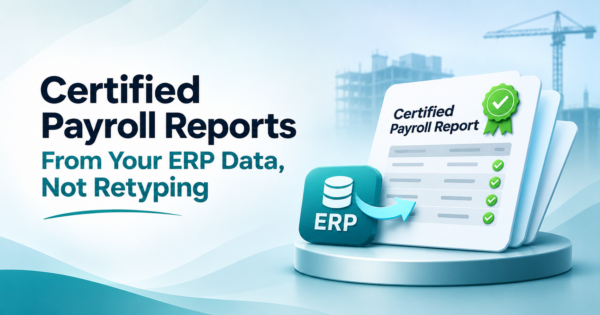
Certified payroll is a weekly payroll report that contractors and subcontractors on covered federal or federally assisted construction projects submit to prove they paid workers at least the prevailing wage and fringe benefits set by the Department of Labor. Each report carries a signed Statement of Compliance. The Department of Labor offers Form WH-347 for this purpose, and its instructions say use of the form is optional, but the weekly payroll information is not.
TL;DR
- Certified payroll comes from the Davis-Bacon Act and related acts. The Department of Labor says the Act applies to federally funded or assisted contracts above $2,000 for construction, alteration or repair of public buildings or public works (page read November 13, 2026).
- The Department of Labor says use of Form WH-347 is optional, but covered contractors must still submit payroll information weekly. Each submission needs a signed Statement of Compliance, which can be page 2 of WH-347 or another document with identical wording.
- Most of the data already exists in your field time cards and payroll. The work is matching each worker to the right wage determination classification and checking hours, rates and fringe before a person signs.
- A worked example below builds one payroll line: 43 hours with 3 hours of overtime, a $32.00 base rate and a $14.50 fringe, with the fringe split between a plan contribution and cash in lieu.
- A second example runs 12 sample lines through five checks. Five fail, and each failure would have gone out under a signature.
- Automate the assembly and the checks. Keep the signature with a person: the statement certifies accuracy, and the Department of Labor says it carries penalties under 18 U.S.C. 1001.
- Rates, hours and counts in the worked examples are illustrations built for this guide, not wage determinations or client results. Always use the wage determination in your contract.
- CommercePundit builds ERP and field-data integrations for contractors. See the last section.
Who has to file certified payroll?
The Department of Labor says the Davis-Bacon Act applies to contractors and subcontractors on federally funded or assisted contracts above $2,000 for the construction, alteration or repair of public buildings or public works, and that its prevailing wage rules extend to related acts involving grants, loans, loan guarantees and insurance. Workers on those projects must be paid no less than the locally prevailing wages and fringe benefits that the Department of Labor determines. Your contract names the wage determination that applies. Some states run prevailing wage programs of their own, so check which rules your contract pulls in, and ask the contracting agency where it is unclear.
The Department of Labor also describes overtime rules for contracts above $100,000: laborers and mechanics must be paid one and one half times the regular rate for hours over 40 in a workweek. Your payroll must show straight time and overtime hours separately, which is why the hours data matters so much.
What goes on Form WH-347?
The Department of Labor describes the form in its instructions, read on November 13, 2026. It has two pages. Download the current version from the Department of Labor, because the form and its instructions are revised from time to time.
| Section | What it captures | Where your data usually comes from |
|---|---|---|
| Worker identification | Entry number, name and an identifying number. The instructions say it may be the last four digits of the Social Security number or another individual-specific number, and that full numbers must not be included | Payroll or HR master record |
| Status | J for journeyworker or RA for registered apprentice, with the apprentice progression level | HR record and apprenticeship registration |
| Work classification | The classification for the work actually performed, taken from the wage determination | Time card cost codes mapped to classifications |
| Hours by day | Each day of the week with straight time and overtime, and a weekly total. Hours over 40 in the week are overtime under the overtime rules | Approved field time cards |
| Rates and fringe | Hourly rate paid for straight time and overtime, total fringe benefit credit and cash paid in lieu of fringe | Payroll rate tables and benefit plans |
| Earnings and deductions | Gross earned on the project, gross for all work, deductions and net pay | Payroll run |
| Page 2: payroll details | Project and payroll identifiers, week-ending date, apprenticeship program names, a fringe credit table and remarks | Project record and benefit plans |
| Page 2: Statement of Compliance | Signed by the contractor or the agent who paid or supervised the pay, certifying the payroll is accurate and complete and the required wages and fringe were paid | A person with authority signs |
The same instructions say the Statement of Compliance can be page 2 of the form or another document with identical wording, and that legally valid electronic signatures are acceptable if they show acceptance and include a way to verify the signer. Photocopies or scanned copies of signatures do not satisfy the requirement. Submission goes to the contracting agency, or to the owner or sponsor that keeps the records if the agency is not a party to the contract, and your contract says where.
Where does the certified payroll data actually come from?
Most steps are assembly and checking. Only the last one needs judgment and authority.
If your field hours live in HCSS HeavyJob or a similar system, getting approved hours into the ERP without re-keying is the first problem. Our guide to connecting HeavyJob data to your ERP covers it. The wider picture is in construction automation without replacing your ERP.
Worked example: one worker, one week
The inputs are invented: a laborer classification with a $32.00 hourly base rate and a $14.50 hourly fringe, worked hours Monday to Friday of 8, 8, 10, 8 and 9, and overtime at one and one half times the base rate. Your wage determination and contract set the real rates and the real overtime treatment.
| Item | Calculation | Result |
|---|---|---|
| Total hours | 8 + 8 + 10 + 8 + 9 | 43 |
| Straight time hours | First 40 hours | 40 |
| Overtime hours | Hours over 40 | 3 |
| Straight time pay | 40 x $32.00 | $1,280.00 |
| Overtime pay | 3 x $48.00 | $144.00 |
| Gross cash wages on the project | $1,424.00 | |
| Fringe obligation | 43 hours x $14.50 | $623.50 |
The fringe obligation of $623.50 can be met by paying into bona fide plans, by paying cash in lieu of fringe, or by a mix, and each is reported in different columns. The report must show which was done. If the contractor paid $300.00 into a plan, the remaining $323.50 would be paid as cash in lieu. A rate table and a benefit table in the ERP make this calculation automatic, and a person confirms the plan contributions are real before signing.
Worked example: five checks before anyone signs
Here is a weekly batch of 12 payroll lines. The names and failures are invented. The checks are the kind a script can run in seconds, comparing the report to the time cards, the rate table and the wage determination.
| Check | What it tests |
|---|---|
| 1 | Classification missing or not in the wage determination |
| 2 | Rate below the determination for the classification |
| 3 | Hours on the report do not match approved time cards |
| 4 | Overtime not separated from straight time |
| 5 | Statement of Compliance unsigned or incomplete |
| Worker line | Classification | Check result |
|---|---|---|
| A. Ortiz | Laborer | Pass |
| B. Reed | Operator | Fail: Rate below the determination |
| C. Nguyen | Laborer | Pass |
| D. Shaw | Carpenter | Fail: Classification missing |
| E. Kim | Laborer | Pass |
| F. Diaz | Operator | Fail: Hours do not match time cards |
| G. Moore | Laborer | Pass |
| H. Patel | Laborer | Fail: Overtime not separated |
| I. Cruz | Carpenter | Pass |
| J. Webb | Laborer | Pass |
| K. Lane | Operator | Pass |
| L. Hart | Laborer | Fail: Classification missing |
Five of the 12 lines fail, or 42%. The signer sees five exceptions to fix instead of reading 12 lines cold, and the clean lines need no review. That is the point of automation here: it does not sign, it shortens the list of things a signer has to worry about.
Worked example: how many hours does the weekly report take?
Suppose a payroll clerk builds the report for 25 workers. Assume 15 minutes per worker by hand and 3 minutes per worker to review an assembled line, plus one hour a week to work the exception list. These timings are assumptions to replace with your own.
| Method | Weekly calculation | Hours a week | Hours over 50 weeks |
|---|---|---|---|
| By hand | 25 x 15 minutes | 6.25 | 312 |
| Assembled and checked | (25 x 3 minutes) + 1 hour | 2.25 | 112 |
| Saved | 4.00 | 200 |
The bigger saving is usually fewer corrected submissions, not typing time. A corrected certified payroll costs a signer, a clerk and a conversation with the contracting agency. Our guide to construction job costing shows how the same time card data feeds cost reports, so one clean source serves both.
What should you automate, and what stays with a person?
| Task | Automate? | Why |
|---|---|---|
| Pull approved hours into the payroll system | Yes | It is the same data that already exists |
| Map cost codes to wage determination classifications | Yes, with one-time review | The map changes rarely and is easy to audit |
| Look up the required rate and fringe for each classification | Yes | A rate table removes lookup errors |
| Assemble the weekly report | Yes | Repeatable and format-driven |
| Run the validation checks | Yes | Fast, consistent and logged |
| Review exceptions | Person | Needs judgment about the cause |
| Confirm benefit plan contributions are actually paid | Person | Money moved outside the report |
| Sign the Statement of Compliance | Person | Certifies accuracy; carries legal penalties |
| Submit to the contracting agency | Person confirms | The destination and format come from the contract |
You can add AI to this, with limits. A model can draft an exception summary or find the likely cause of a mismatch in plain language, but it should read payroll data without being able to change it, and every change should be made by a person in the payroll system. Our guides to AI in construction and AI agents in ERP describe read-only access patterns and review steps.
What does a clean weekly routine look like?
| Day | Step | Done when |
|---|---|---|
| Monday | Foremen finish and submit time cards for the prior week | No time card is missing or unapproved |
| Tuesday | Approvals complete; hours move into payroll | Approved hours match the approved time cards |
| Wednesday | Payroll runs; the report is assembled; checks run | Exception list is generated |
| Thursday | Exceptions are fixed; benefit contributions are confirmed | Every check passes |
| Friday | The authorized signer reviews and signs; the report is submitted | Submission is recorded with the date and signer |
Check the timing in your contract, because the due date is set by the contract and the agency, not by this schedule. The Department of Labor instructions require weekly submission, so build the routine backwards from your due date.
What mistakes cause certified payroll problems?
| Mistake | What happens | Fix |
|---|---|---|
| Classifying by job title, not by work performed | Wrong rate; underpayment finding | Map classifications to the work actually done, from the time card cost code |
| Counting overtime by day, not by week | Overtime is misreported | Follow the contract and the Department of Labor overtime rules for the workweek |
| Putting full Social Security numbers on the form | Privacy exposure | Use the last four digits or another individual number, as the instructions allow |
| Ignoring the fringe calculation | Fringe shown as met when it was not | Use a rate table and a benefit table; confirm payments |
| Using a scan of a signature | The signature requirement is not met | Use a legally valid electronic signature or a signed original, as required |
| Re-keying hours from two systems | Hours differ between payroll and the report | One source of approved hours, validated before use |
| Treating the form as the requirement | Missing the weekly payroll information duty | Remember that the form is optional but the information is not |
For the cost side of the same data, read our guides to the construction WIP report and construction reports worth automating. If you want to see this kind of integration in a real project, read our construction reporting automation case study.
Frequently Asked Questions
What is certified payroll?
It is a weekly payroll report submitted by contractors and subcontractors on covered federal or federally assisted construction projects, showing that workers were paid at least the prevailing wage and fringe benefits. Each report includes a signed Statement of Compliance.
Is Form WH-347 required?
The Department of Labor says use of Form WH-347 itself is optional, but covered contractors must still submit payroll information weekly. The Statement of Compliance can be page 2 of the form or another document with identical wording.
Who must submit certified payroll?
Contractors and subcontractors on contracts covered by the Davis-Bacon Act or related acts. The Department of Labor says the Act applies to federally funded or assisted construction contracts above $2,000. Your contract names the wage determination and where to submit.
What is the Statement of Compliance?
It is a signed certification that the payroll is accurate and complete, that workers received at least the required wages and fringe benefits, and that required payroll records are kept. The Department of Labor says it carries penalties under 18 U.S.C. 1001.
Can I sign certified payroll electronically?
The Department of Labor says legally valid electronic signatures are acceptable if they indicate acceptance and include a way to verify the signer. It says photocopies or scanned copies of signatures do not meet the requirement.
What information goes on a certified payroll report?
Worker identification, classification, hours by day with straight time and overtime, hourly rates, fringe benefit treatment, gross earnings, deductions and net pay, plus the Statement of Compliance and project details.
Do I put full Social Security numbers on WH-347?
No. The instructions say to use the last four digits of the Social Security number or another individual-specific number, and not to include full numbers.
How often is certified payroll due?
The Department of Labor says covered contractors must submit payroll information weekly. The exact due date and the recipient are set by your contract and contracting agency.
Can certified payroll be automated?
The assembly and checking can be automated from approved time cards, rate tables and wage determination data. A person should review exceptions and sign the Statement of Compliance.
What are common certified payroll mistakes?
Wrong classification, overtime counted incorrectly, fringe benefits shown as met when they were not, unsigned or improperly signed statements, and hours that do not match the time cards.
Bottom Line
Certified payroll is weekly, signed and accurate to the line. The data already exists in your time cards and payroll, so automate the assembly and the checks, and keep the signature with a person who has seen the exceptions. If you want your field hours, payroll and reports connected, see our AI and ERP integration services and AI workflow automation.